Update

I am not able to update the template that I have created on Brizy and some of the pages on the site. While updating it always shows "This page needs a refresh. You’ve probably updated this page (or another page) in a different tab or browser." even when I am the only one editing the page. 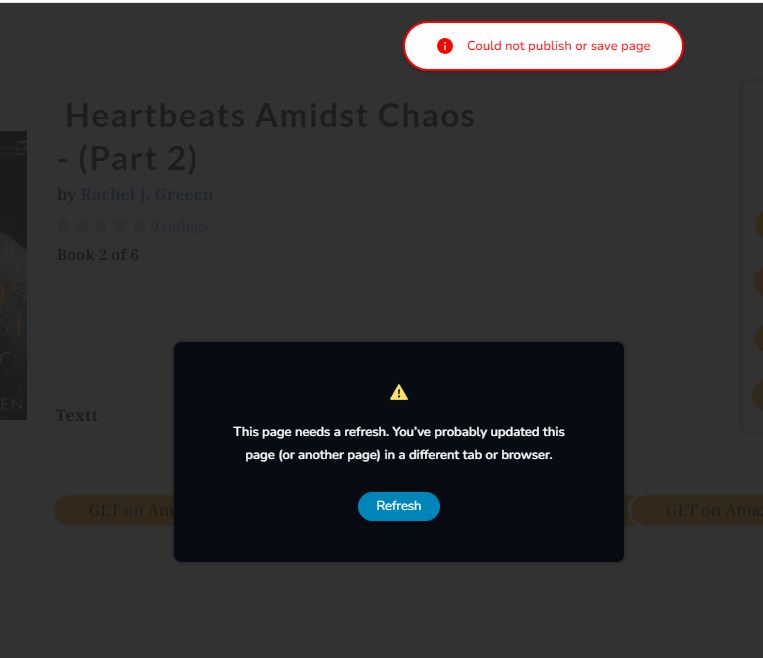
-

Hi Kristjan,
Thank you for contacting us.
We have found that this issue is prevalent among users who have WordFence installed.
To resolve the issue, please set WordFence to Learning mode by following the steps below:
A. In the WordFence plugin settings, navigate to Firewall;
B. Enable Learning Mode and set it to automatically switch back to "Enabled Protecting" in 2 days; this will allow WordFence to learn the actions from the Brizy editor.
C. Save your WordFence changes.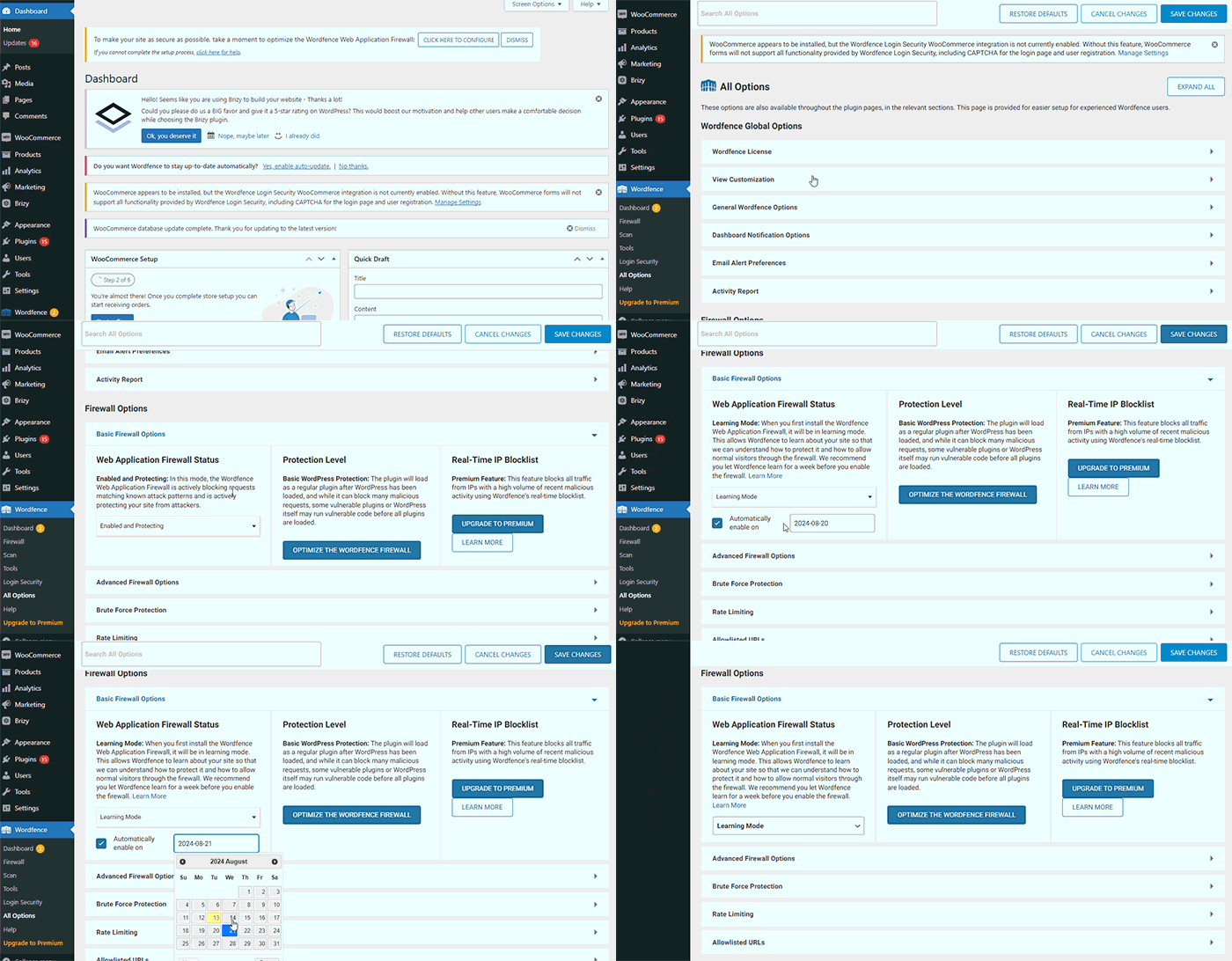
By following these steps, you can save or update your Brizy pages.
If you do not have WordFence, please also check if you have access in your Hosting panel to disable Firewall/ModSecurity, as this may help resolve the issue.
Please try this and inform me of the outcome.
Best regards,
Ariel H.0
Please sign in to leave a comment.
Comments
1 comment