Page speed performance issue

My website is ...... (please keep confidential) and my concern is primarily on mobile perforce according to ..........
The hero(?) of my site seems to be destroying my performance even after removing the contact box for a visitor to input their details and request a response. I have a picture and some words with a colored overlay in that section so I don't understand what's so detrimental to performance. Any insight would be appreciated on this section or any other section that could provide a performance boost.
-

Hi Brandon,
Kindly try this and check if it helps to improve the mobile performance of your website.
- In the mobile design view, remove the background image by clicking on the x icon
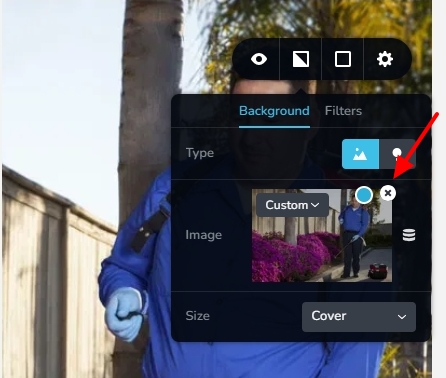
- Crop the image similar to https://jmp.sh/DFZhtFCG and upload it as the background image for the mobile design.
0 - In the mobile design view, remove the background image by clicking on the x icon
-
Ok, that resulted in about a 9 point improvement but the score is still very poor. That new background image is only 32kb.
0 -
Hi Brandon,
Overall performance of your website is reasonably good as per GT Metrix report. https://gtmetrix.com/reports/peerlesspest.com/tnsRhzkt/
Your website currently makes 22 HTTP requests for fonts. You can reduce the number of font requests by implementing these 2 suggestions.
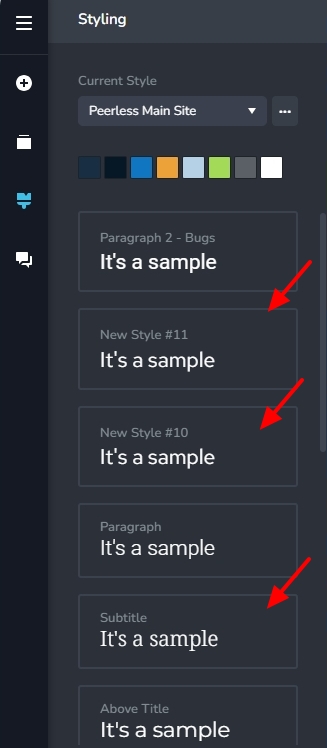
- Consider setting the 'New Style #11', 'New Style #10' and 'Subtitle' typographies to Roboto font to avoid HTTP requests for 'Red Hat Text' and 'Noto Serif' fonts.
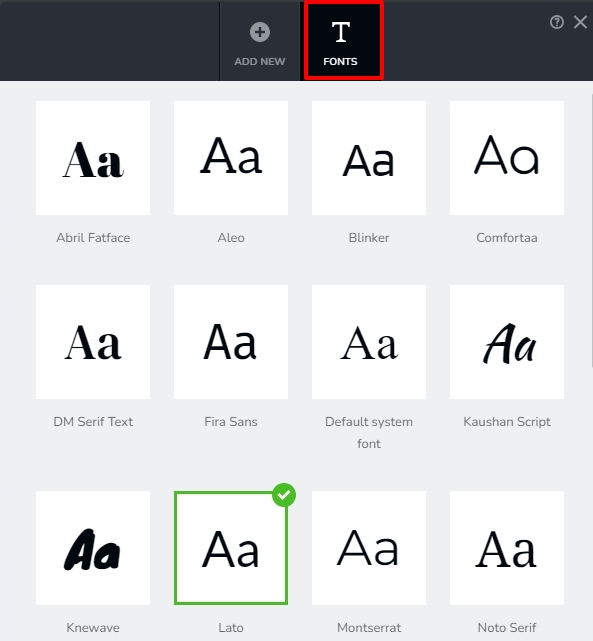
- Currently Lato font is set as the default (fallback) font in your Brizy Font Manager under the 'Fonts' tab. By selecting "Roboto" as your default font, you can get rid of HTTP request for the Lato font
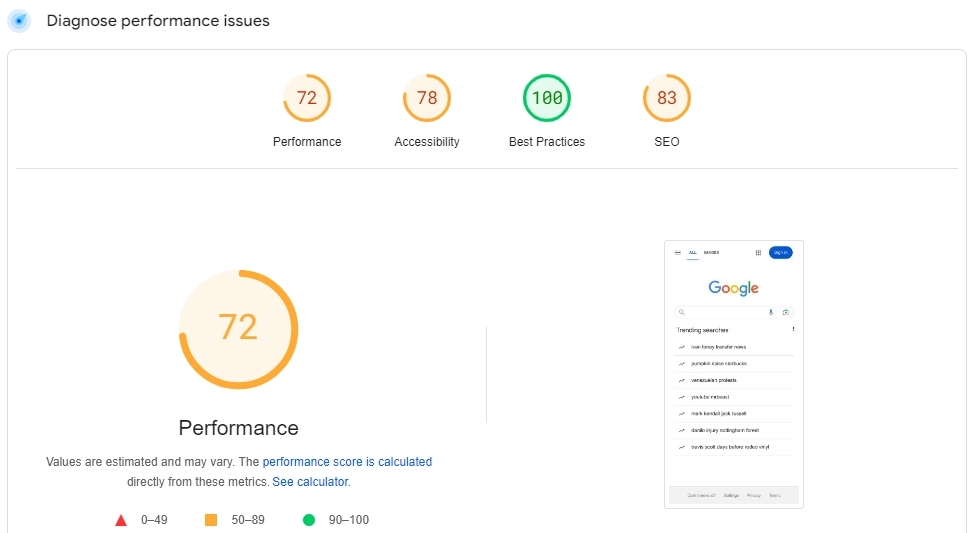
When interpreting Pagespeed insights score, kindly keep in mind that Google.com homepage with primarily text content, a logo and a form field scores only 72.
 0
0 - Consider setting the 'New Style #11', 'New Style #10' and 'Subtitle' typographies to Roboto font to avoid HTTP requests for 'Red Hat Text' and 'Noto Serif' fonts.
Please sign in to leave a comment.
Comments
3 comments