Archives Not Functioning Correctly

Since the update to 2.5.2 my archives have started only showing the first page. If you click on any other page 2,3,4,5 etc. it gives a 404 page not found error. I have turned off cache plugins as well as a bunch of other plugins. Any ideas where to look next would be useful. The php and web logs show no errors that you would not expect.
On a different website I created a new archive page/template and it looked good in the design mode but only showed a single post in preview/published mode instead of multiple posts. That make it impossible to create any archive pages on that site.
-

Hi Terry,
Kindly try this. Open your Brizy Archive template and in the Archive element, make a minor change, for instance, increase the spacing between blog posts by 1 pixels and reverse the change. Save your work by clicking on the "Update" button at the bottom right corner and check if this helps resolve the issue.
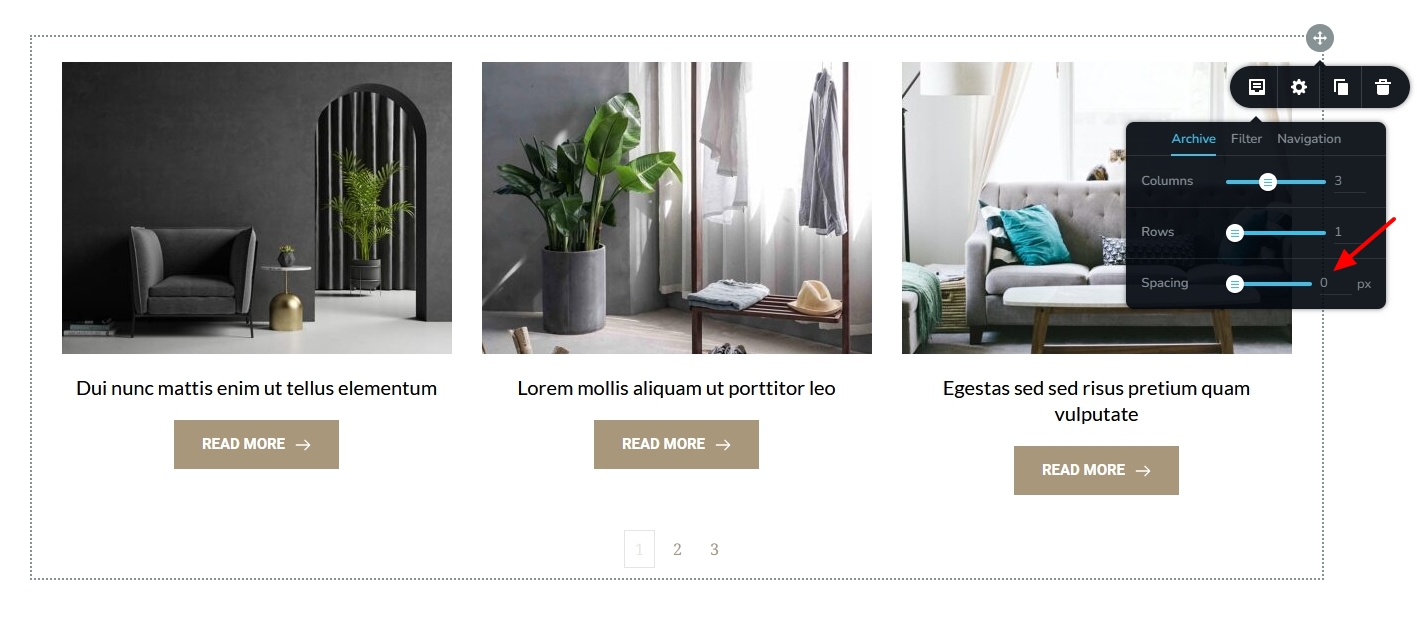 If this does not help, kindly get back to us. We will take a look at your WordPress Dashboard to fix this issue0
 -
This was the first thing I tried including clearing the cache, purging the CDN etc. BUT I was using Brizy 2.5.2 the moment I updated to 2.5.3 the problem has been fixed. It looks like Brizy 2.5.2 has an archive issue or at least it did for me.
0
Please sign in to leave a comment.
Comments
2 comments