I update my website with latest update and everything got crazy

Good morning,
The last update on WordPress has made my website go crazy. any update on the fix? Here one of my sites 7thgearautotrader.com
0
-

Hi James,
4 Brizy Pro files are missing on your webserver and you can see the 404 File Not Found errors for these files. Kindly see the screenshot at https://jmp.sh/dGpXSN83
To fix this issue,
- Deactivate and delete Brizy Pro plugin
- Sign into your brizy.io account at https://www.brizy.io/account/login
- Click on the "Download Brizy Pro 2.5.1" button
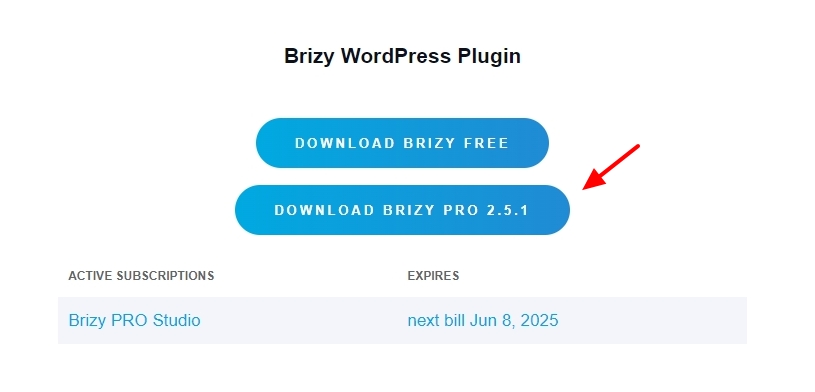
- In your WordPress Dashboard under Plugins -Add New Plugin - select the "Upload Plugin" option and upload the ZIP file you have downloaded in the previous step
Once you complete the above steps, kindly check your website frontend. If these steps do not help, kindly provide us access to your project and we will take a look. Add a new user to your WordPress Dashboard and send the following details to our email: communitysupport@brizy.io
- Support Forum link: https://support.brizy.io/hc/en-us/community/posts/20756950330130
- WordPress Admin URL:
- Username
- Password
Please let us know in this forum when you send us the email.
0
Please sign in to leave a comment.
Comments
1 comment