Can you show a post image in a column next to the posts?

We have a page that shows all the recent posts. I'd like for the post image to be to the left of the article, in a second column. When I do this manually by dragging a post image element to the column on the left, the images are not aligned to the post text preview in the right column. Is there a way to this?
-

Hi Hannes,
Thank you for contacting us.
Could you kindly provide us with some screenshots to illustrate the issue you are facing?
Regarding your query about aligning the top of the post and the post element in a single blog post template, you can achieve this by adjusting the margins or paddings of the columns, as shown in this screencast: https://youtu.be/AbGA5TtJR_E
If you have any additional questions, please feel free to ask.
Best regards,
Ariel H.0 -
Hi Ariel,
here's a screenshot to better illustrate what I want to achieve.
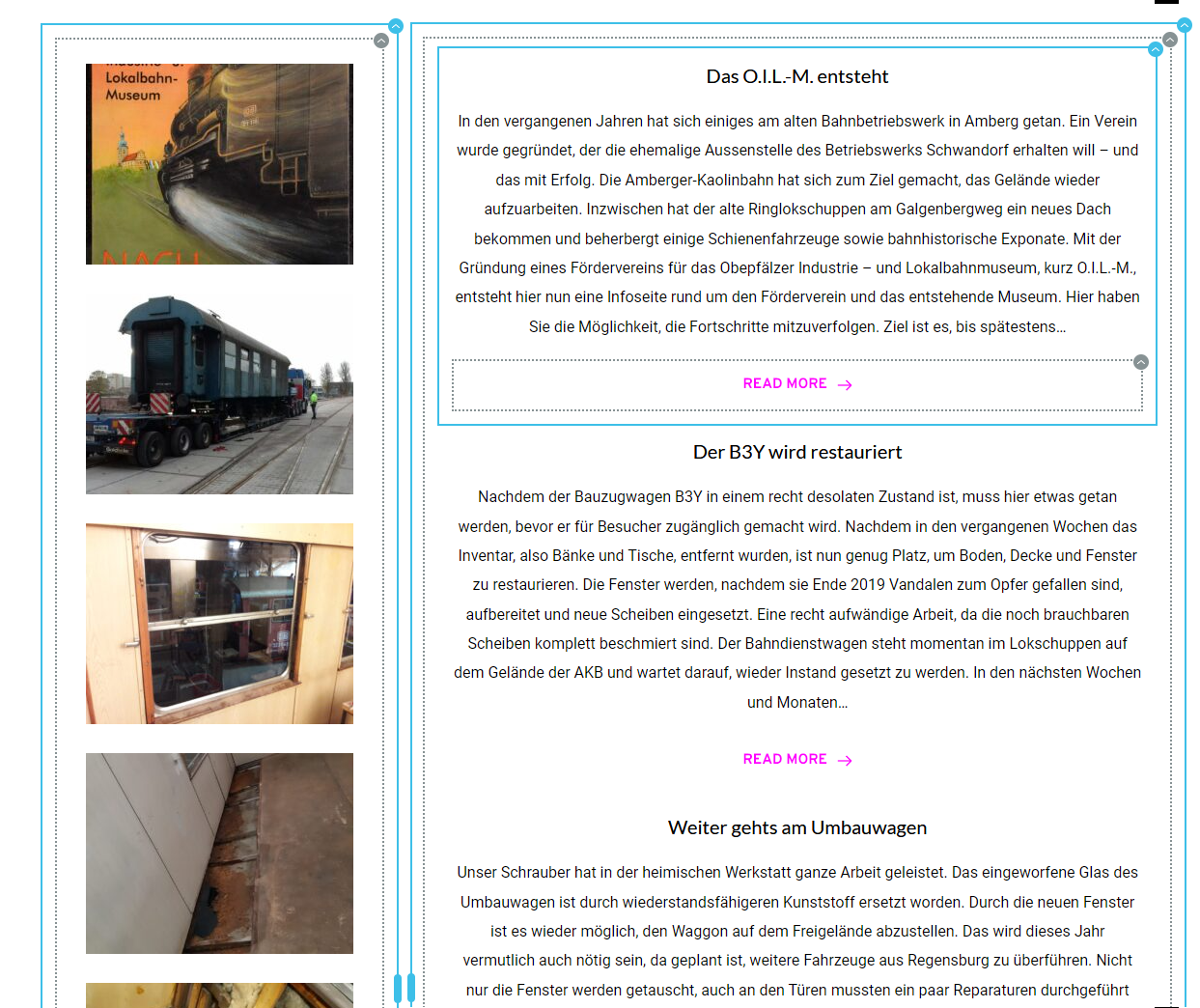
I have two columns, the one on the left is supposed to show the images of the post with the corresponding headline and post excerpt on the column to the right. However, I can't get the images to reliably align with the post excerpts, or make them the same height as the post excerpt for example.
What does work is to create 5 blocks, where each block has two columns in it. You then add the post image in the left column, and the headline and post excerpt in the right. This allows for the post image to be the same height as the excerpt to the right. Then you can change the index for each row, to display for example the latest 5 posts. However, the problem with this solution is that when you add pagination at the bottom, and you click on the 2nd page, it only adds one more post instead of showing 5 new ones. I hope you understand what I mean.
0 -
Hi Hannes,
Thank you for the update.
Please try this approach and see if this works for you - https://youtu.be/OdNo7nMrzl0
If you have any further questions, feel free to reply.
Kind regards,
Ariel H.0
Please sign in to leave a comment.
Comments
3 comments