URL structure of custom asset;s.

I have recently been experimenting with the custom assets following my previous ticket at https://support.brizy.io/hc/en-us/community/posts/20606364701842-Custom-Asset-missing-Asset-Type-field?page=1#community_comment_20644081639442 - Custom Asset missing "Asset Type" field. (Solved).
I am a little unsure if the URL structure is working correctly. In addition to my own findings I also see that the video you provided yesterday (https://jumpshare.com/v/9ZnJyitBTxY2I4t77M1J) and the resulting website (https://restaurant-1.brizy.site/games) exhibit the same issue so I will use these to demonstrate.
In the video (https://jumpshare.com/v/9ZnJyitBTxY2I4t77M1J) you create two new games "Modern Warfare" and "Stumble Guys" and there respective links are shown as "/games/mordern-warfare" and "/games/stumble-guys" (i.e. the newly created "game" asset followed by the "game name".
However for the purpose of the website despite the game asset's being shown at https://restaurant-1.brizy.site/games if I click on either game it misses out out the the "games/" part of the link i.e. https://restaurant-1.brizy.site/modern-warfare and https://restaurant-1.brizy.site/stumble-guys.
I have discovered if I MANUALLY add "games" in the URL i.e. https://restaurant-1.brizy.site/games/modern-warfare or https://restaurant-1.brizy.site/games/stumble-guys the links still work as expected?
Also I have found that when adding a dynamic URL within a text box and refer to the asset URL, "Game URL" which refers to the url of that assets page again the dynamically created link, this misses out "game" part of the URL.
Why are the dynamically created URL's missig out the asset's name in this way and can this be fixed? Obviously when I use the asset list element I need to use the dynamic URL's and cannot manually type URL's. I am concerned this will affect SEO.
Kind regards
-

Hi Wayne,
We have attempted to implement the URL structure where the asset name appears in the URL. However there are a few drawbacks in the current implementation as you have highlighted above. We could not fix the URL structure yet. We hope to get to this fix in the near future.
0 -
Thank you for the quick answer.
As the structure appears to work in both scenarios, i.e. when the asset name is used in the URL (correctly) and without the asset name, my preference for SEO is the former. As a workaround my idea was to add a custom url element linked to the asset (Game Link for example) and manually add the correct url for that includes the assett name in the URL. Then to Game Link can be referred to dynamically..
Can you confirm if this extra workaround is worth doing and if you see any issues I may encounter doing this?
Kind regards
0 -
Hi Wayne,
Using the Custom Link option in the menu, you can add the CPT name in the URL and your header and footer may work well. However the Posts element which displays CPTs will continue use the Post URLs without the CPT name.
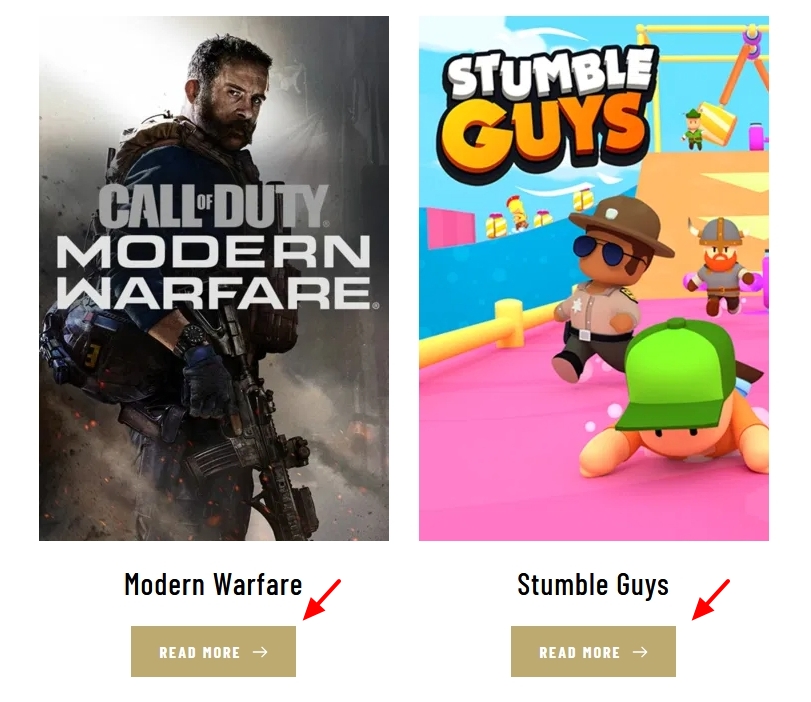
When you have multiple URLs with the same content, you need to inform search engines which URL is canonical. Google will only index the canonical URL. You need to take care of this as well.
0 -
Thank you for the reply.
1. "When you have multiple URLs with the same content, you need to inform search engines which URL is canonical. Google will only index the canonical URL. You need to take care of this as well. " - Do I need to do this then regardless of whether I implement the workaround or not?
2. "Using the Custom Link option in the menu, you can add the CPT name in the URL and your header and footer may work well. However the Posts element which displays CPTs will continue use the Post URLs without the CPT name." - What I was meaning was also making an amendment within ALL occurences of Posts element i.e. changing the link in the read more button (as shown in your images) to point dynaamically to the Custom Link (includes asset name in the URL) rather than the defaut "<Asset Name> URL" dynamic placeholder. This should also work should it not?
3. Taking everything into account would you just leave as is pointing to URL not containing the asset name?
Kind regards
0 -
Hi Wayne,
- "Do I need to do this then regardless of whether I implement the workaround or not?" If Google is aware of duplicate content in multiple URLs, then you must set canonical URL for the duplicate content. Existence of duplicate content may not always mean that Googlebot is aware of it. If you provide hyperlinks to those URLs in the website header menu, Google will get to know about duplicate content on your website
- I am afraid what you are looking for may not not feasible. The Brizy Posts element links to default post URL when selecting the 'Post URL' dynamic value. You don't get an option to add the Custom Asset name in the URL
- Yes: Having post URLs without the asset name included may be the only option at the moment
0 -
Thankyou.
I have also discovered that this is the same with default posts in Brizy Cloud whare content (a post) can be displayed from two different locations i.e.
https://SITES-URL.CO.UK/posts/<POST-NAME>
https://SITES-URL.CO.UK/<POST-NAME>
1. Why when I add a post to a category why is that category name never represented in the URL?
2. If you saying "If Google is aware of duplicate content in multiple URLs, then you must set canonical URL for the duplicate content.", then potentially even if I DONT provide hyperlinks to those URLs in the website header menu and custom buttons (i.e. URLs with the correct structure), Google may still be aware of that duplicate content. This would mean it would be good SEO practice to set canonical URL in every posts head to cover potential duplicate content?
3. Can you explain how Brizy could ever fix this after all if this was fixed overnight and te URL without the asset name no longer worked pages that had previously been crawled would no longer work when clicked on from search results?
Kind regards
0 -
Hi Wayne,
- We attempted to implement the permalink structure you have proposed above, but it did not work effectively. Hence when you add a post to a category, the slug does not include the category name.
- Googlebot crawls through a website's content to find available URLs. Assume duplicate content exists at https://SITES-URL.CO.UK/<POST-NAME> and https://SITES-URL.CO.UK/posts/<POST-NAME>. If both URLs are hyperlinked on some website, Google may find and index them. However, if both URLs are present but not hyperlinked on any website, Google might not index it.
- We have escalated this issue to the developers for bug fixes. We may have a solution to this problem in near the future.
0
Please sign in to leave a comment.
Comments
7 comments