ACF Fields Not Displaying in Brizy Using # Method

Hello Brizy Support Team,
I am currently experiencing an issue with integrating ACF fields in Brizy using the # method. Despite being able to access and select the ACF fields within the Brizy editor, the content from these fields is not being displayed on the page as expected.
Details:
- ACF Plugin: I have installed and activated the ACF plugin.
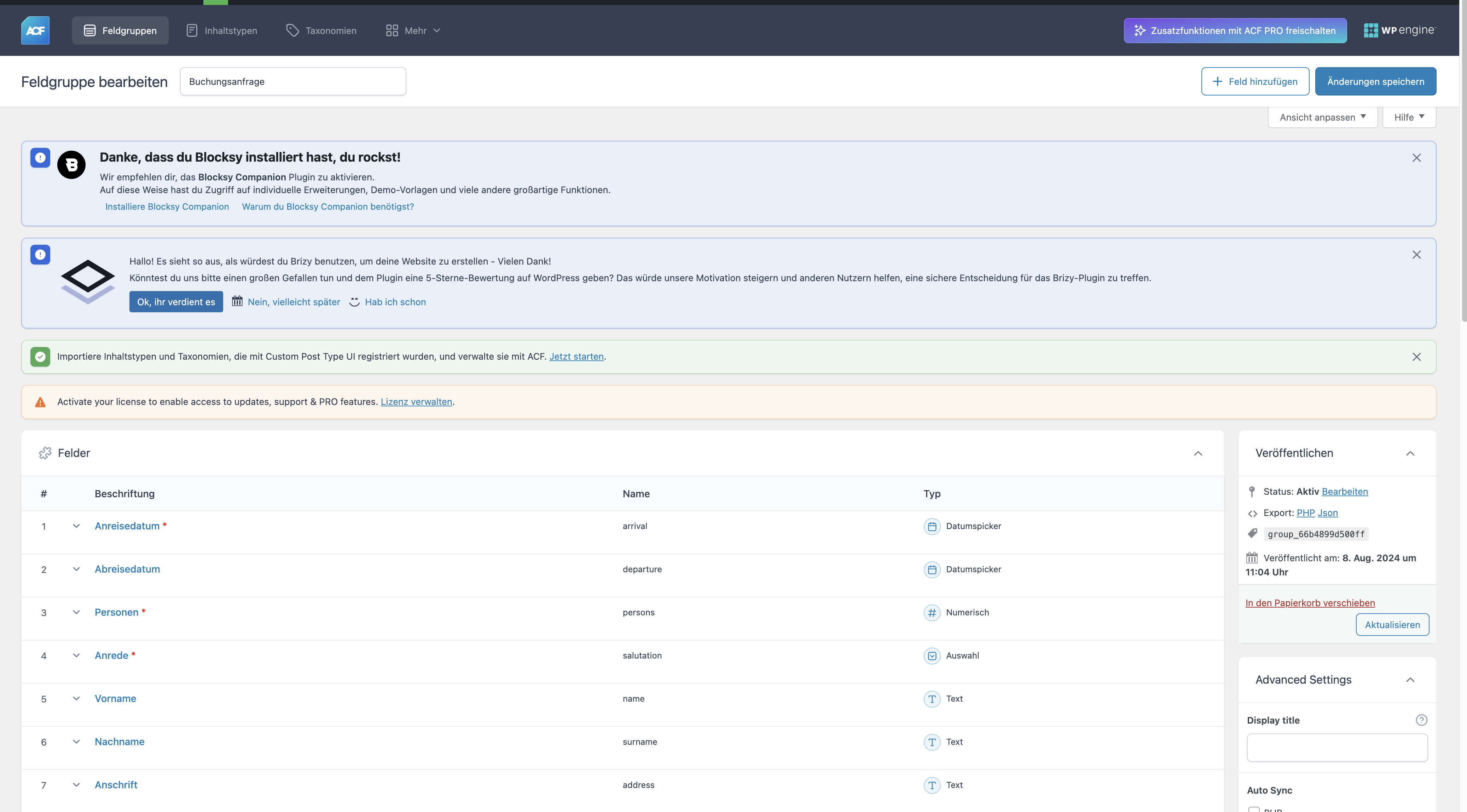
- Field Declaration: I have created multiple custom fields using ACF, as shown in the attached screenshot.
-
Integration Attempt: While editing a text field in Brizy, I type
#followed by the ACF field name (e.g.,#field_name). The field appears to be recognized by Brizy. - Issue: Despite this, the actual content from the ACF fields does not display on the page. The text field remains empty.
Attached Screenshots:
- Plugin Version: Showing the version of the ACF plugin and Brizy.
- Field Declaration: Demonstrating how I have set up the ACF fields.
- Brizy Editor: Illustrating the method I use to invoke the ACF fields within a text field in Brizy.
- Empty Page: The resulting empty page where the ACF field content should appear.
I have ensured that the fields are correctly populated in the backend, and I have followed the standard process to integrate ACF fields into Brizy. Despite these efforts, the fields do not render on the frontend.
Could you please provide guidance on how to resolve this issue? Are there any known compatibility issues or additional steps required to ensure the ACF fields display correctly within Brizy?
Thank you for your assistance.
Best regards,



-

Hi Daniel,
Please watch this screen recording for the procedure to display dynamic content added using ACF using Brizy. https://jmp.sh/M0d9rIsL Kindly ensure that you have added content to all ACF fields.
0
Please sign in to leave a comment.
Comments
1 comment