Line breaks entered in woocommerce product information are ignored.

I am having trouble with line breaks entered in the editor on woo commerce product pages, as they are ignored in the production page display. I want to display line breaks in a woocommerce compliant manner.
Details:
I want to improve the fact that line breaks in text entered in the editor on woo commerce product pages, which are displayed by creating a Brizy pro template and calling into it, are ignored when the site is displayed.
The text entered in line breaks is
<div class=""></div>
Can you help?
Thank you for all your help.
Translated with www.DeepL.com/Translator (free version)
-

Hi Toshio,
Thank you for contacting us.
Could you please provide us the URL and some screenshots of the layout that you wanted to achieve?
We maybe able to provide you with some custom CSS that could help address the issue.I am looking forward to your response.
Best regards,
Ariel H.0 -
Dear Ariel
Thank you very much!
It would be very helpful if you could provide us with the css and details on how to apply it.●Failing indication.
https://myutopia.jp/https:/myutopia.jp/shop/spice-is-love-s/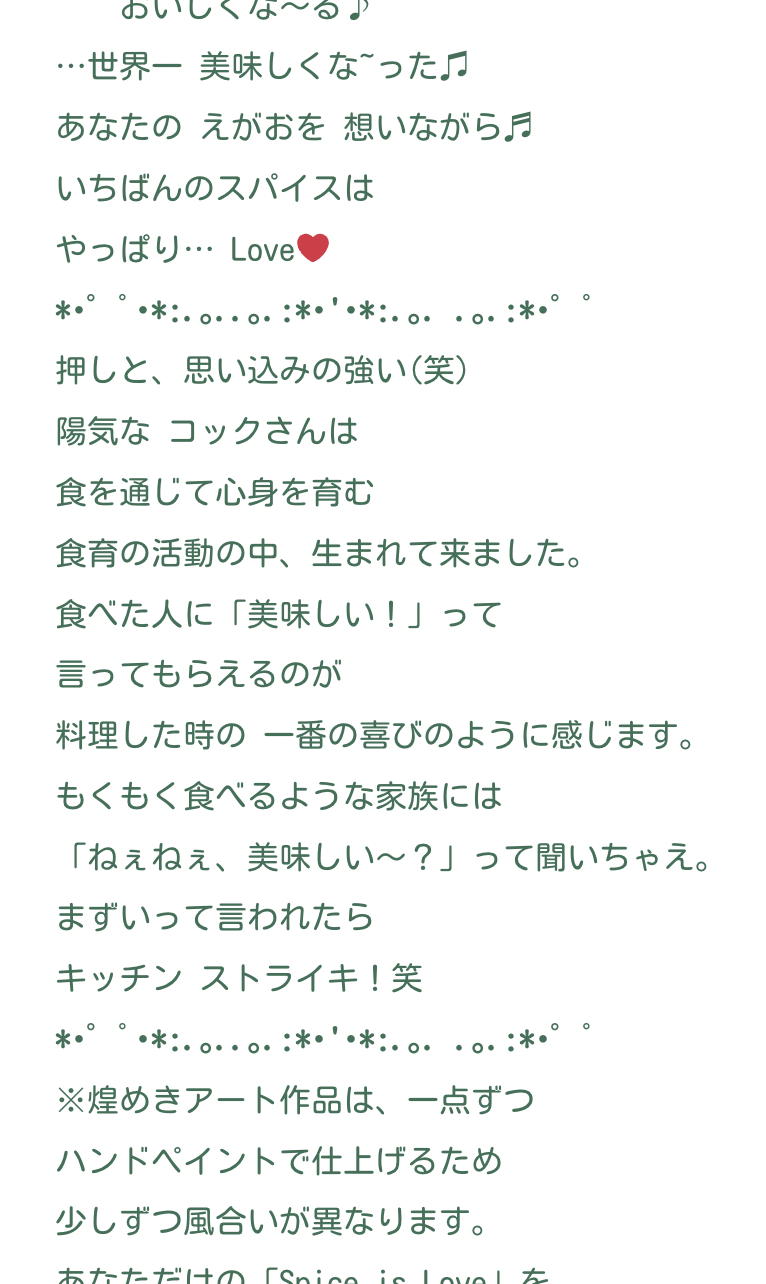
●Correct display on the editor.
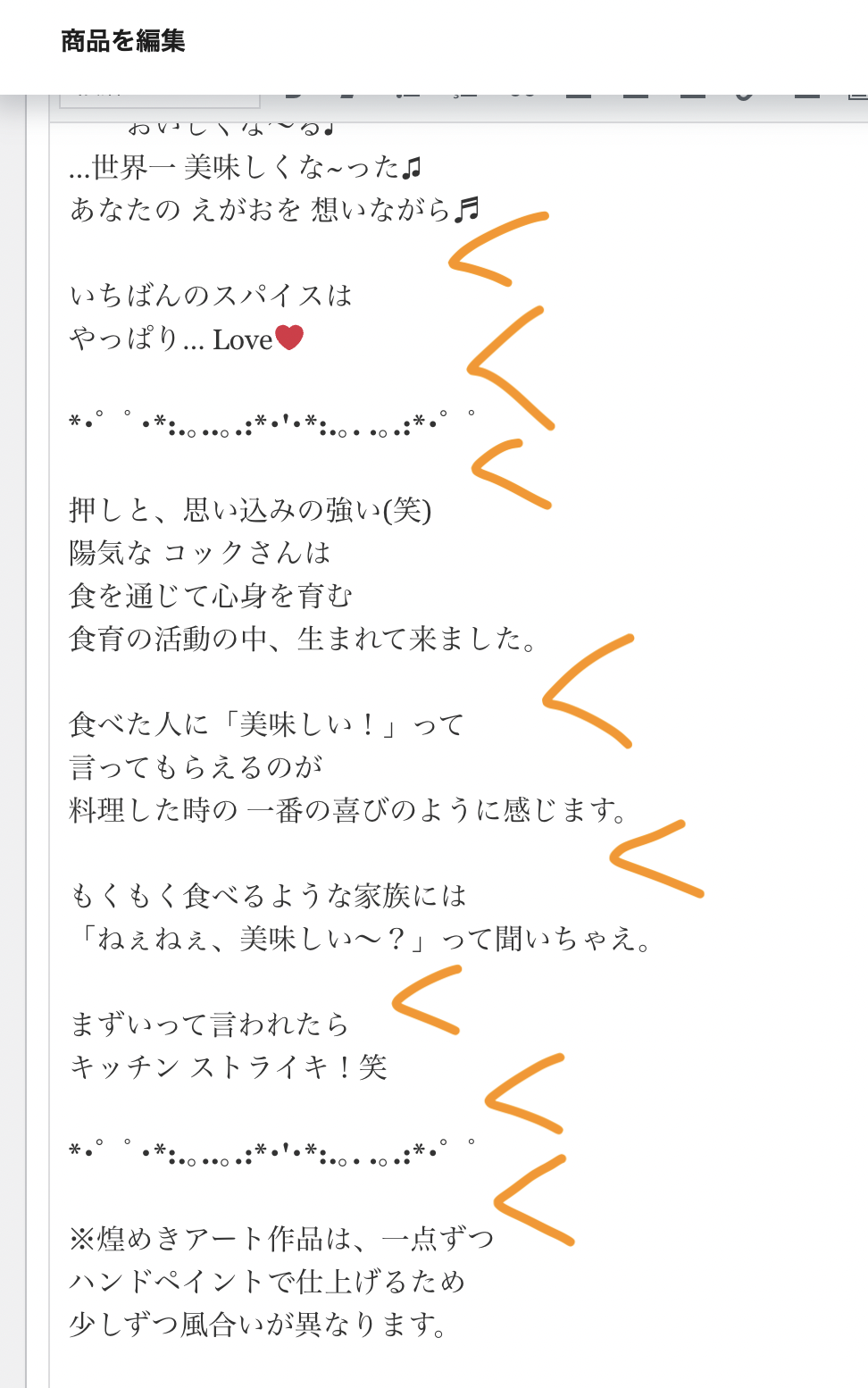 0
0 -
Hi Toshio,
Thank you for the update.
Please try the following CSS:
.brz-wp-post-content div > div > b {
    display: block;
    padding-top: 10px;
    padding-bottom: 10px;
}

.brz-wp-post-content div > div {
    display: block;
    padding-top: 5px;
    padding-bottom: 5px;
}
To add this CSS:
1. Log in to WordPress Admin Dashboard.
2. Go to Appearance > Customize.
3. Click on Additional CSS.
4. Paste the CSS:Unfortunately, it's hard to target text inside the `<div>` elements as they use the same HTML tags. The second CSS rule above will put a 5px gap on the top and bottom of the text.
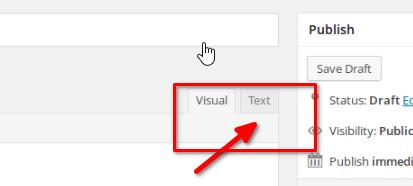
You can try to manually add `<br>` at the end of each text line in Text view, or `<br><br>` if you need more gaps.
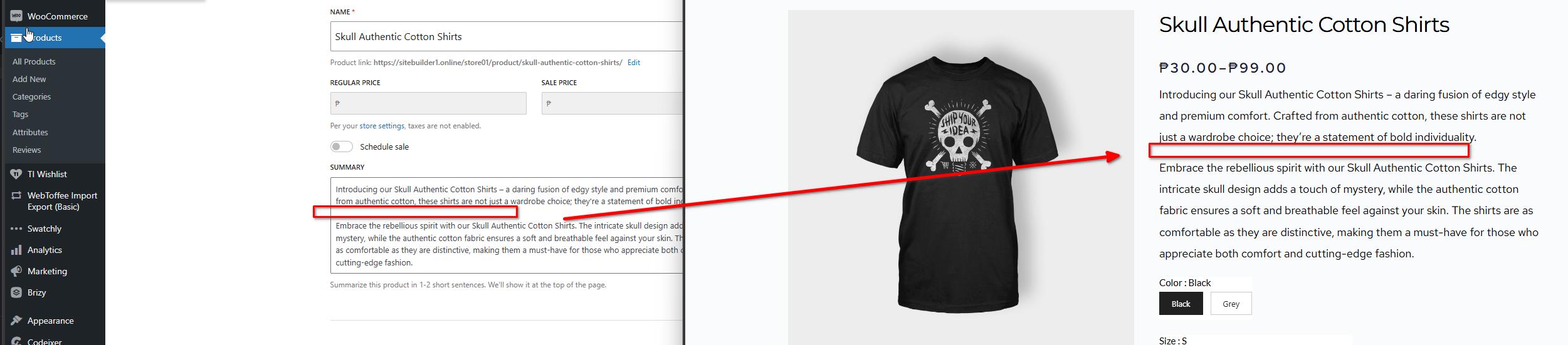
It looks like there is an issue using the Classic Editor: https://wordpress.org/support/topic/product-descriptions-not-displaying-correctly/
This doesn't seem to occur when using the new product editor.
If you have any further questions, please let us know.
Best regards,
Ariel H.0 -
Dear Ariel
Thanks for getting back to me so quickly.
It is very helpful to receive detailed explanations.
I will try this. I will let you know how things are going!0 -
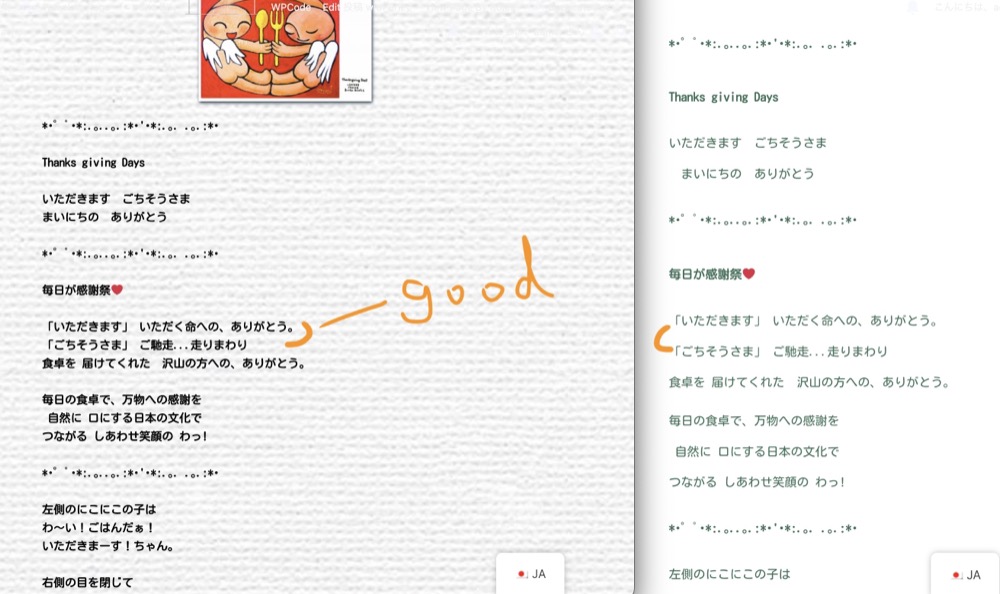
Thanks to you, I can now see the spaces that didn't show up before.
Now I want to fix the wide line spacing in all of them. The diagram on the left is the correct one and I want to make it as close as possible to that.I tried adjusting the CSS values you showed me, but it seems to be difficult, so can you tell me how to do it?
0 -
Hi Toshio,
Thank you for the update.
Another option is to manually insert spaces between lines of text. Access Text Mode, select the text line where you want to add a space separator, then hold down the Shift key and press Enter to create a gap between the lines of text, as shown in this screencast - https://youtu.be/DaG-mpjGhds
Afterward, preview your changes to see if the gaps have been successfully applied between the lines of text on your product pages.
Best regards,
Ariel H.0 -
Thank you very much for your kindness! Thank you very much for the video.
It is very easy to understand.I am sorry for my poor explanation of this matter.
Actually, there are many articles on this website in the same format as the one you saw.
It would be difficult to correct all of them manually, and more articles will be added in the future as well,
I would like to solve this problem fundamentally with css etc. so that the problem will not occur in the future.Can you tell me how to do this?
Sorry to keep repeating myself. I am very sorry.
0 -
Hi Toshio,
Thank you for the update.
You can try increasing the padding on this CSS as needed.
.brz-wp-post-content div > div > b {
    display: block;
    padding-top: 15px;
    padding-bottom: 15px;
}

.brz-wp-post-content div > div {
    display: block;
    padding-top: 10px;
    padding-bottom: 10px;
}
However, this will only affect the spacing between lines of text. Unfortunately, this issue is more related to WooCommerce using the classic editor. You may also want to report this issue to WooCommerce Support so they can provide you with more insights about this issue and possibly offer a solution.
If you have any further questions, please let us know.
Best regards,
Ariel H.0 -
Dear Ariel
Thank you for all your support!
I understand the situation very well now.
For the time being, we will try to overcome the problem by the method you have taught us.
Will the brizy team provide feedback to WOO on this matter?
I hope it improves for the future production of the site.Thank you.
0
Please sign in to leave a comment.
Comments
9 comments