Strange error on website - menu not updating

I have a website that has a strange error.
I added a page in the menu and it doesnt reflect on the front end.
If I change a name in the menu item that is already there then i see it.
I disabled all the plugins I still have the problem.
Also cleared the cache and that didnt work.
The strange thing is that the name Brizy is not visible at the plugin overview.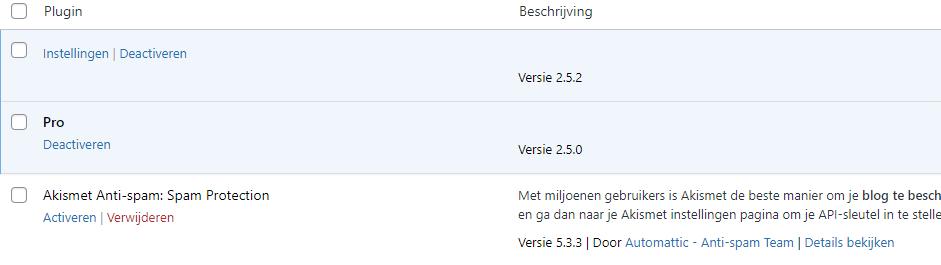 I created a staging website and deleted and installed Brizy and Brizy Pro again and then the same thing happens.
If I turn Brizy pro off then the description shows again:

But then the front end show an error in the menu:
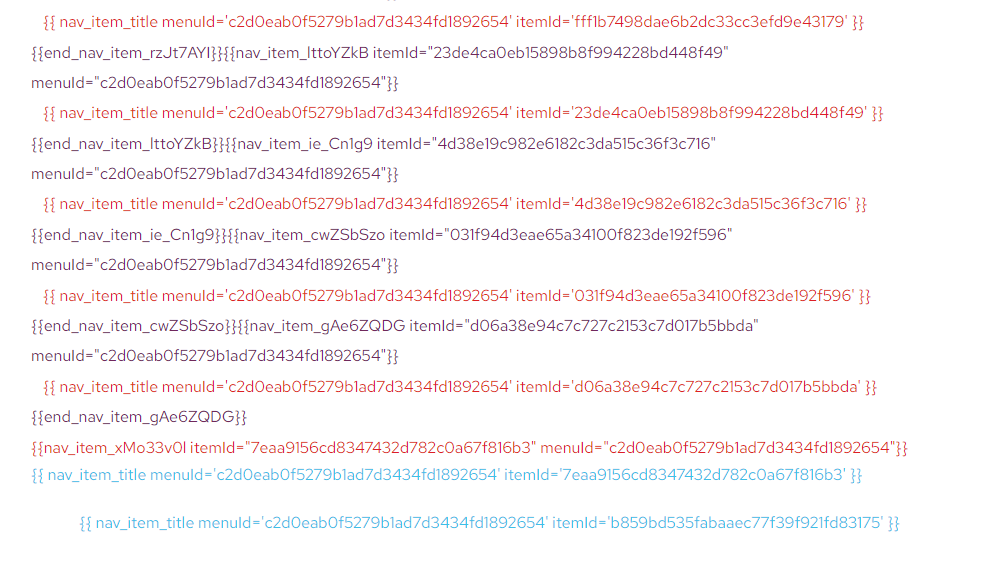
Please help.
-

Hi Roeland,
Kindly check if you have enabled the Brizy Whitelabel option by mistake. If you have, kindly reset the white label option following this procedure.
- In order to access the White Label options kindly add this variable at the end of your wp-admin path after you have logged in into your WordPress dashboard
/?brizy_enable_wl=true - Your URL may look like
https://brizy.online/wp-admin/?brizy_enable_wl=true
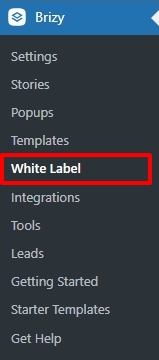
- Select the White Label option under Brizy
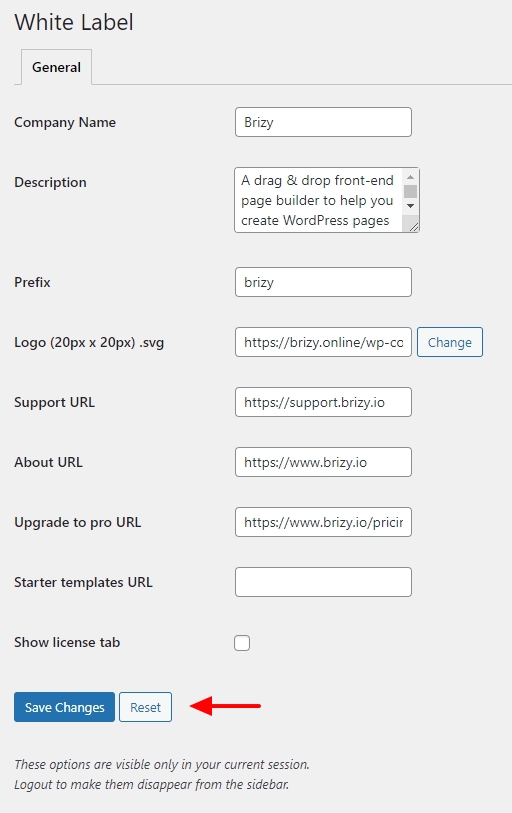
- Click on the 'Reset' button to bring back the original name of the plugin.
To fix the issue with the menu, open the Brizy Editor, kindly make a minor change to the Menu element (like increasing the padding by a pixel) and reverse it. Then save your work by clicking on the "Update" button at the bottom right corner and check if the errors disappear from the website.
0 - In order to access the White Label options kindly add this variable at the end of your wp-admin path after you have logged in into your WordPress dashboard
-
KC George, you are my hero! Both solutions worked! Thank you!
0
Please sign in to leave a comment.
Comments
2 comments