Bug Issue: Refresh Page Issue

Dear Brizy Support Team -
I hope this message finds you well.
After unsuccessfully trying to complete various site updates, we have been consistently receiving the following message:
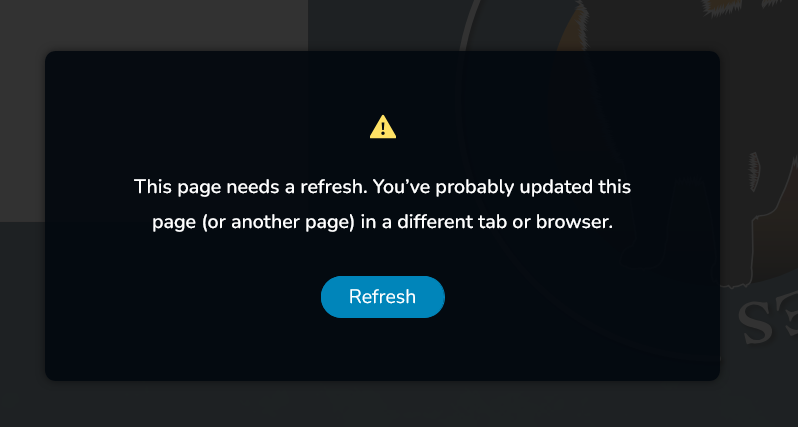
This situation has become quite frustrating and has significantly hindered our productivity, to the point where we are unable to proceed with updating our client's sites.
While searching through the Community Forum, I found an overwhelming 1000 results for "Page Refresh." This has left me feeling quite overwhelmed.
Your assistance in providing an estimated time for the resolution of this issue would be hugely appreciated. Additionally, any information on where updates or more details can be accessed globally would be a great help.
In the meantime, please keep in mind that this issue has us, along with other business professionals using Brizy, in a very precarious situation with our clients.
Thank you for your attention to this urgent issue. I look forward to your prompt response.
-

Hi Eryka,
In the projects where you are encountering the above error, are you using the Wordfence Security plugin? If you are, please follow these steps and see if this will help resolve the issue with saving changes to your project.
- In your WordPress Dashboard under WordFence - All Option , navigate to "Firewall Options"
- Enable Learning Mode - https://jmp.sh/dXzpSFmk
- Return to your Brizy page, make some minor changes, and then update the page
- Once done, return to the WordFence settings and re-enable the "Enabled and Protecting" mode
If this does not work for you, we will take a look at one of your projects and help you fix the problem. You can then implement the same solution in other projects.
1
Please sign in to leave a comment.
Comments
1 comment