need help to share with a developer brizy cloud

I am looking for a solution to grant access to a specific project to one developer, but I cannot find any options for this in Brizy Cloud. I haven't found any tutorials either. I need to provide total access to just one project without giving access to all my projects by sharing my master password. It seems like Brizy Cloud is not designed for this. Can you help me?
-

Hi Bernard,
Thank you for reaching out to us.
To invite a team member in Brizy Cloud, follow these steps:
1. Navigate to your account dashboard and click on "Members."
2. This action will open the Team Members area.
3. Enter the email address of your developer.
4. Lastly, assign the role of Designer so that they will have permission to update your website and click "Send."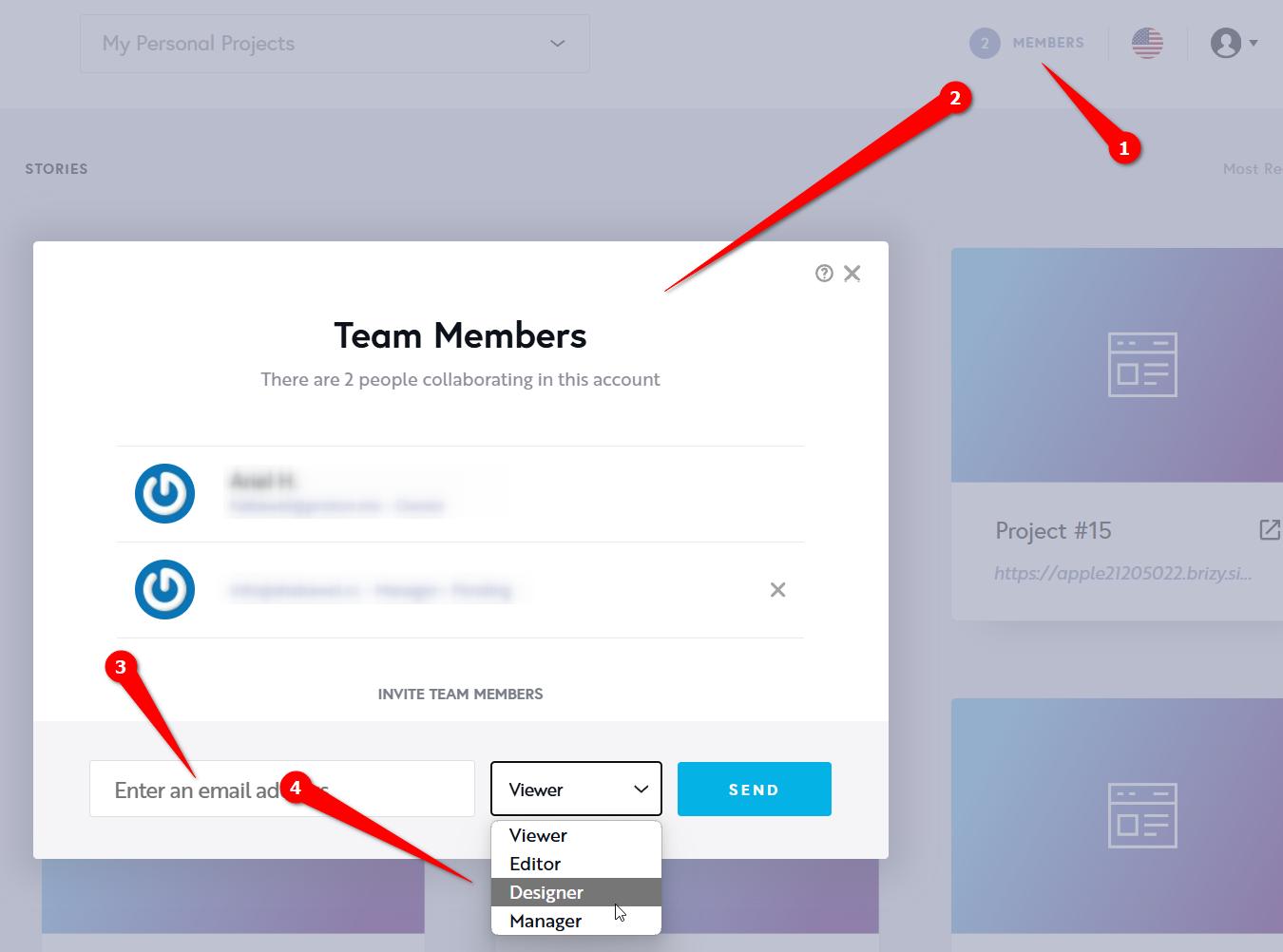
Your developer should receive a link to access your site.
If you have any questions, feel free to ask.
Best regards,
Ariel H.0 -
Hi Ariel, Thank you! But I don't understand, it's the same as giving the person his codes! Because he has access to all the projects, but I would like to be able to give access to a specific project! is it possible and if so how because I can't find the solution? Thank you for your help!
0 -

Hi Bernard,
In Brizy Cloud, you invite a Team Member to a "Workspace". If your 'Workspace' has 10 projects, your Team Members will have access to all 10 projects.
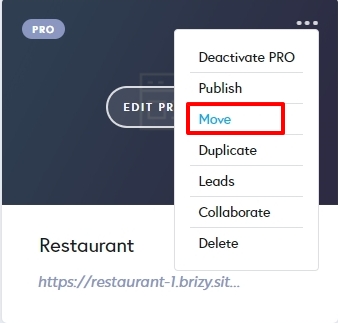
If you want to provide someone access to a single project, you must first create a new Workspace and move the specific project to that workspace. You can then invite your developer to the newly created workspace. Kindly have a look at this tutorial for more about workspaces Get Ready to Supercharge Your Workspace with Brizy Cloud 101 | Lesson 04
To move a project to a different workspace, use the "Move" option in your project thumbnail
Have a look at this tutorial for the procedure to add Team Members Take a Look to this Functionality with Brizy Cloud 101 | Lesson 05
0 -
it works! Thank you!
0
Please sign in to leave a comment.
Comments
4 comments