Login Element Problems

Hello. I am using Login element for intranet purposes. But when i have activated plugin Wordference or Deffender on my website, Login element starts every few days having issue to work untill i update login page manually, then it works again.
Do you have any experience with this issue how to make Wordference work on website without interrupting Login element workability?
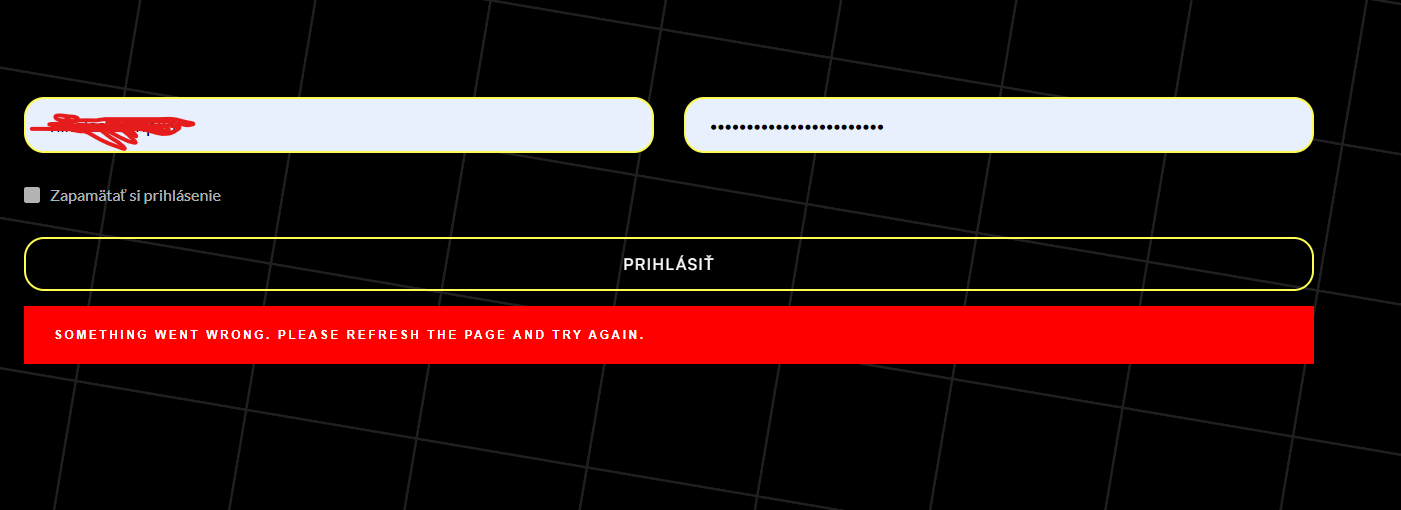
The error message after succesful login is : Something went wrong plase refresh the page and try again.
-

Hi Ľudovít,
Thank you for contacting us.
Please try setting WordFence to learning mode to see if it can help resolve the issue.
1. In the WordFence plugin settings, navigate to Firewall.
2. Enable Learning Mode - https://imgur.com/TucapoH.
3. You can also configure it to automatically switch back to Enabled Protection after a specified number of days.Please give this a try and inform me of the outcome.
Best regards,
Ariel H.0 -
Hello Ariel, it was working for 3 days and today it doesnt work again and it says : SOMETHING WENT WRONG, PLEASE REFRESH THE PAGE AND TRY AGAIN. So i have update page in Brizy again and then it will work again, but i guess again just for few days... Wordference is in learning mode.
 0
0 -
Hi Ľudovít,
Thank you for staying in touch.
Could you please confirm if it functions in incognito mode or when using another browser to log in to your intranet?
Also, please try the following steps:
1. Extend Learning Mode by configuring it to Automatically enable in 5-7 days.
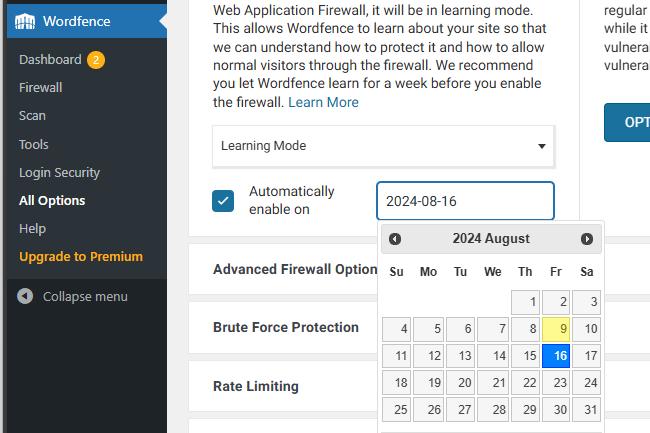
2. You can also add your private network's IP address to the Allowlist.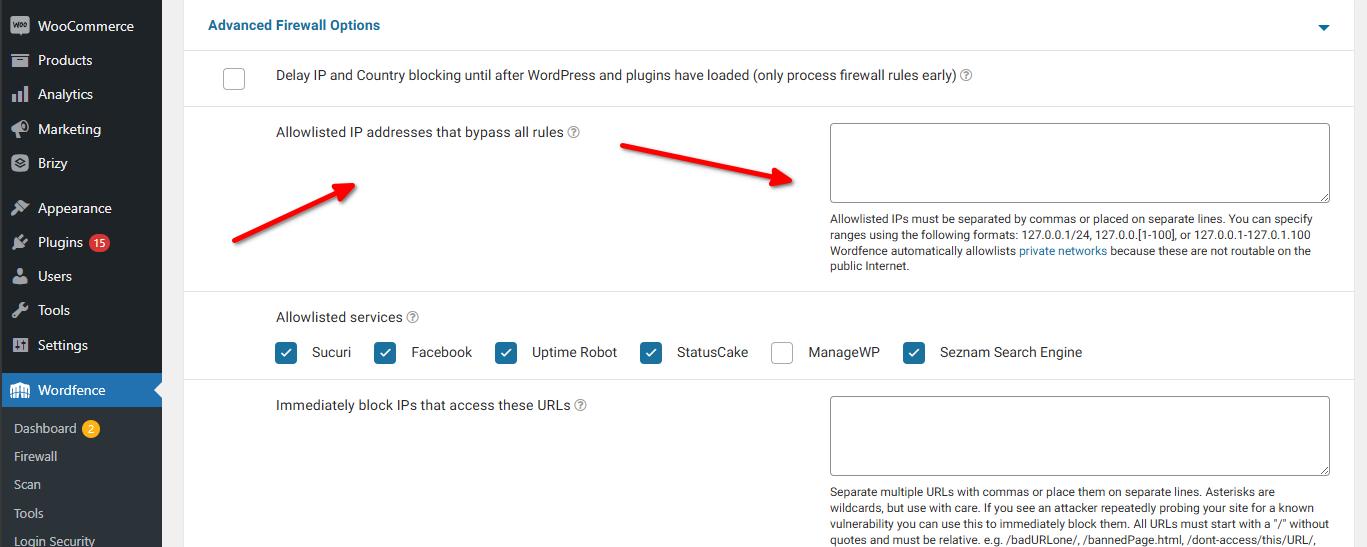
Please give this a try and inform me of the outcome.
Best regards,
Ariel H.0
Please sign in to leave a comment.
Comments
3 comments