Translate Press Not Working after update to Brizy Pro 5.0

Hi,
I updated to the latest Brizy Pro 2.5.0 and Brizy 2.5.1 and my Translate Press pages have stopped working. You can see the live website here.
I tried rolling back to 5.0 and its still not working. When I tried to roll back to 4.9 all the pages failed. I'm guessing due to Brizy Pro is still 2.5.0.
I have also tried switching to a default theme and the issue is still there.
Someone else posted about this in the Facebook group. Can you help before my client spots the error?
-

Hi David,
The most recent Brizy versions have an incompatibility with the TranslatePress language switcher. We are currently working on fixing it and we hope to release a fix along with one of the future Brizy updates.
Until we have a fix available for this issue, kindly use these files to roll back to the previous versions.
- Brizy 2.4.45: https://jmp.sh/6w60BmCr
- Brizy Pro 2.4.38: https://jmp.sh/5610QZIA
Kindly follow this procedure to roll back.
- Deactivate and delete Brizy Pro
- Deactivate and delete Brizy
- Download Brizy 2.4.45 and in your WordPress Dashboard under Plugins - Add New - Upload Plugin, upload Brizy
- Download Brizy Pro 2.4.38 and under Plugins - Add New - Upload Plugin, upload Brizy Pro
0 -
Hi KC George,
Thanks for getting back to me so fast. I have rolled back and the website is now back to normal.
0 -

Hi KC George,
just to report that i had the same identical problem.
TranslatePress language switcher hangs after the latest Brizy updates.
I had made a previous backup and now i have restored the old version to bypass this incompatibility.
Looking forward to a prompt update that could fix this issue.
Thank you very much and best regards.
Dan
0 -

Hi KC George,
Any news about this bug? Have this fixed with the latest Pro version 2.5.1?
Triin
0 -
Hello Triin,
We have developed a fix for this issue at out end. We plan to release this fix along with our next Brizy update. We are likely to have our next update in 2-3 weeks.
0 -
Hi KC George,
I have noticed that updates have been published recently. Is this issue being fixed by one of the latest versions? (2.5.4 or higher)
Thank you very much and best regards.
Dan
0 -

Hi Dan,
Thank you for the update.
We are still experiencing some minor issues with Translate Press. We have already discussed this internally with the rest of the support team. I will get back to you as soon as I have an update. We apologize for the inconvenience.
Best regards,
Ariel H.0 -

Hi Ariel,
I came across this thread since I am experiencing issues with a WP Brizy site that uses TranslatePress. When I do a post in English the spaces between paragraphs appears as they should. But when the text is translated with TranslatePress all spaces between paragraphs dissapear both in the Engslish and Ukranian versions and the text becomes one long chunk. Would you have a suggested solution for this?
Best,
Nina
0 -
Hi Nina,
Thank you for reaching out.
Could you please provide some screenshots demonstrating the issue so we can better understand what’s happening on your end?
In the meantime, could you try temporarily switching to one of the default WordPress themes such as Twenty Twenty-One and check if the issue still occurs?
If the issue persists, please temporarily disable all plugins except Brizy, Brizy Pro, and TranslatePress, then test again to see if that helps isolate the problem.
Looking forward to your update.
Best regards,
Ariel H.0 -
Hi Ariel,
Thanks for the response and advice. I have tried the suggestions, unfortunately the problem persists.
This is what it looks like on the backend, and the way we would like to have the paragraphs divided. This is also the case on the front end before we do the translations:
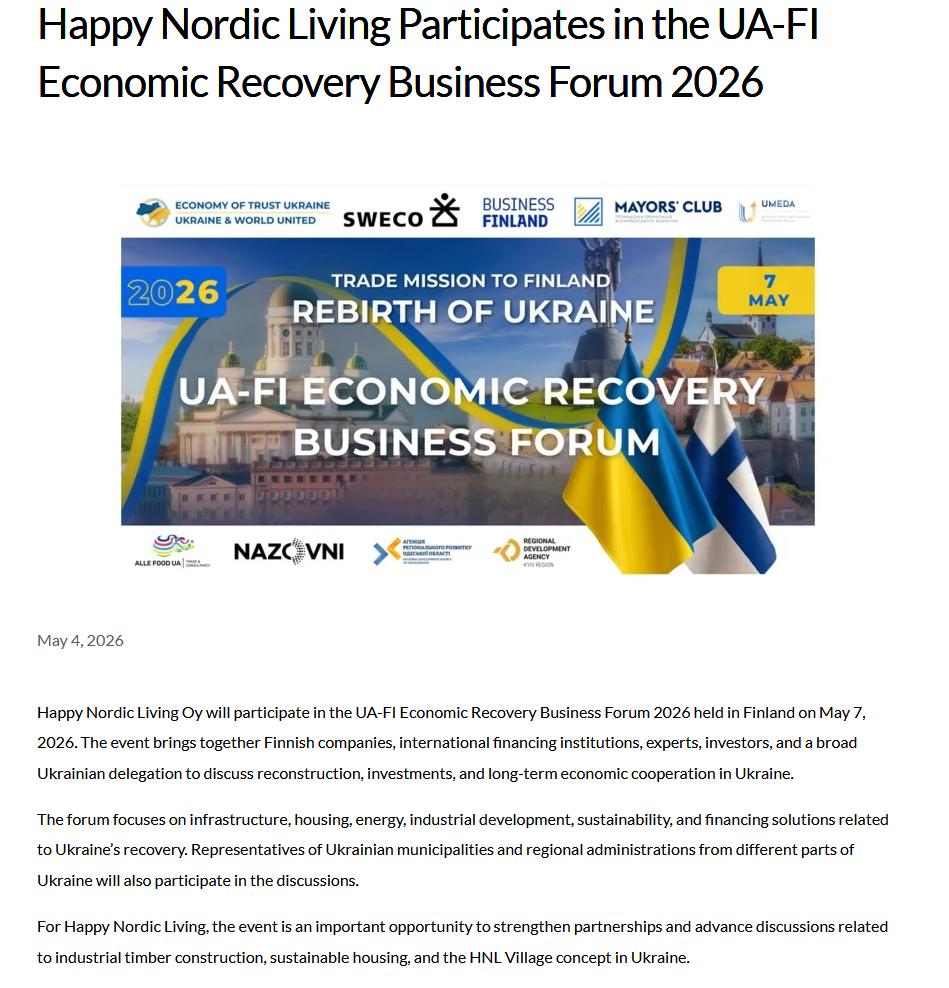
 After the Ukrainian translation is added the text looks like this for both the English and Ukrainian versions :
Thanks for any additional advice you might have.
Best,
Nina
0 -
Hi Nina,
Could you please provide temporary administrator access to your WordPress dashboard so we can take a closer look at the issue?
Kindly send the following details to communitysupport@brizy.io:
Community post link: https://support.brizy.io/hc/en-us/community/posts/20489419414674
WordPress Admin URL:
Username:
Password:We’ll be glad to assist as soon as we have access.
Best regards,
Ariel H.0 -
Dear Ariel,
Thanks, I have done so, hope it works.
Best,
Nina
0 -
Hi Nina,
We’ve made a small adjustment to your layout.
Instead of using the # symbol to display dynamic elements, we used the Title element to display the post title, the Text element to pull the post date, and the Content element to display the blog content itself.
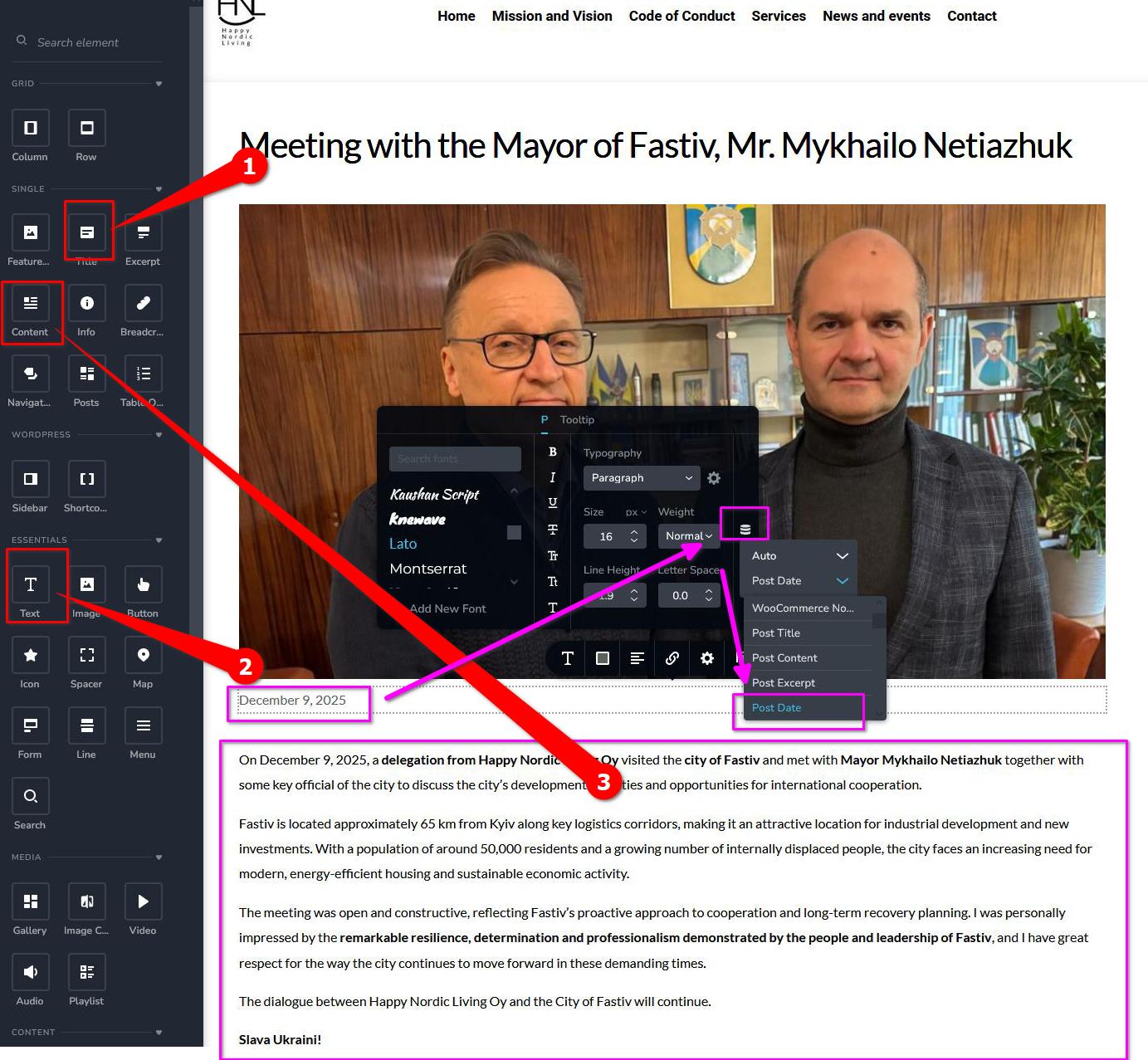
This approach should provide a more stable and reliable setup for your template.
 0
0 -
Dear Ariel,
thank you so much for this swift and kind support, much appreaciated. We will take note of this for future posts and pages.
Best,
Nina
0
Please sign in to leave a comment.
Comments
14 comments