When I press “Update” or “Save Draft” it forces me to refresh the page.

Hi, I am currently trying to create a new landing page and I can't perform any action with Brizy.
Whether it's importing a layout and modifying it (which is exactly what I need to do), creating a new design from scratch, or even modifying existing pages.
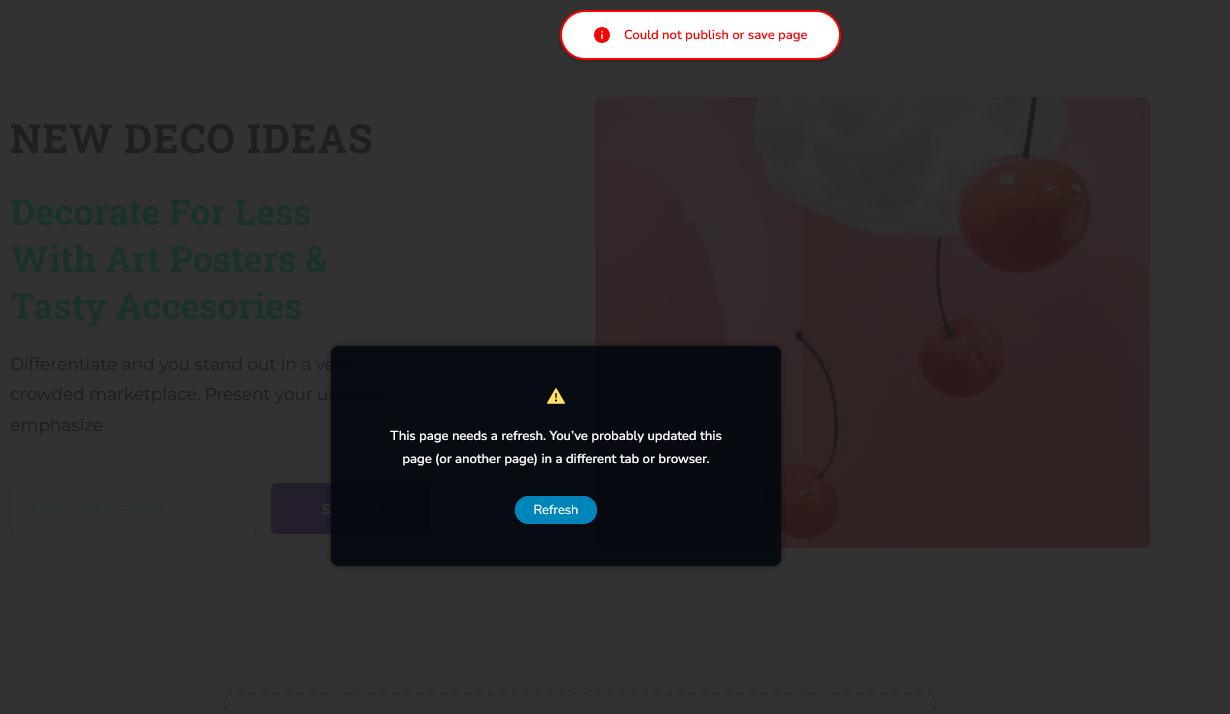
What happens is that when I press “update” or “save draft”, it forces me to refresh the page, saying that I already updated that page in another window or browser. Which is not the case.
I am attaching a screenshot of what I get each time.
Please, I need your help, as it is urgent to update and create new posts on my website.
Any information you need to guide me to a solution, I will be glad to answer you.
Thank you very much.
-

Hi Lenie,
Thank you for contacting us.
This issue seems to be related to WordFence. If you have it installed on your site, please consider trying the following steps to resolve the issue.
1. In the WordFence plugin settings, go to Firewall;
2. Turn on Learning Mode - https://imgur.com/TucapoH;
3. Go back to your Brizy page, make some minor adjustments, and then save the changes;
4. After completing the changes, go back to the WordFence settings and re-enable the 'Enabled and Protecting' option.If you don't use WordFence, please also verify if you have access to temporarily disable the Firewall/Mod Security in your hosting console. This should help resolve the issue.
If the issue continues, this is something we need to inspect from your WP Admin page. Please add us as an Admin user to your WordPress Dashboard and send the following details to: communitysupport@brizy.io
Community Post link: https://support.brizy.io/hc/en-us/community/posts/20467107310610
WordPress Admin URL:
Username:
Password:Please make a full backup of your site as a precaution.
Best regards,
Ariel H.0
Please sign in to leave a comment.
Comments
1 comment