Persistent Caching Issue Affecting Navigation Updates

Dear Brizy Support Team,
I am experiencing a persistent caching issue with the Brizy builder that is affecting the navigation menus on my websites. Despite multiple attempts to resolve the problem, the changes I make to the navigation menus do not reflect on the front end, although they appear correctly in the Brizy editor.
Specifically, I am encountering the following issues:
1.For numerous websites, any changes made to the navigation menus are not updating on the front end. Even after deleting both SiteGround plugins and turning off caching in the SiteGround tools, the changes are not reflected.
2.For one website, a recent theme update did update the navigation menu, but subsequent attempts to adjust it did not reflect the changes. This issue seems to be effecting numerous sites.
3.I have also tried a workaround of editing the page with Brizy, making adjustments, and saving repeatedly. While this method eventually worked for one site, it does not consistently resolve the issue for other sites.
I have reviewed the Brizy support forums and found that the suggested solutions, such as updating to the latest versions and avoiding caching plugins, have not resolved this issue. There was mention of a potential “rebuild cache” option, but it seems this was not implemented.
Could you please provide guidance on how to address this caching issue? Is there a way to force a cache rebuild, or are there other troubleshooting steps I should take?
Here are 3 website examples:
Thank you for your assistance.
-

Hi Cari,
Thank you for contacting us. Unfortunately, this issue is still ongoing and it appears that you have already attempted most of the recommended troubleshooting steps to potentially resolve the problem.
If it is urgent and you manage multiple websites, you can access the previous version of Brizy Pro through this link - https://tinyurl.com/mr3b4bev.
If you are considering reverting to older versions, please also disable automatic updates to prevent the Brizy free version from updating after installation - https://www.wpbeginner.com/wp-tutorials/how-to-disable-automatic-updates-in-wordpress/.
The easier approach is to install "Easy Updates Manager plugin" as described in the above article to disable automatic updates.We apologize for the inconvenience. I will keep you updated if we receive any new information regarding this issue.
Best regards,
Ariel H.0 -
Please keep me posted as this is a huge issue as we manage many sites that we are constantly building new content on that needs to be present in the menus
0 -
Hi Cari,
Thank you for staying connected.
There has been a recent update for both Brizy and Brizy Pro. Prior to updating these on your live websites, I suggest updating them on a staging site first to identify any potential conflicts.
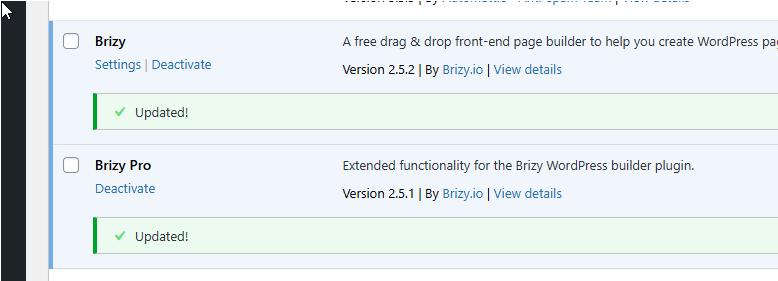
Please try this and let me know how it goes.
Best regards,
Ariel H.0 -
Hi, we are still having the same issue. I have updated everything.
0 -

Hi Cari,
After updating the menu in your WordPress Dashboard, kindly open a Brizy page and make a small edit to the global header (like increasing the padding by 1 pixel), reverse the change and save your work by clicking on the "Update" button at the bottom right corner. This should help fix this issue.
We are working on a fix for this bug. Until we are able to release the fix, kindly follow this work around.
1
Please sign in to leave a comment.
Comments
5 comments