Brizy pagespeed optimization

Hi,
I am a completely new wordpress and brizy user, so this is my first time posting in this forum.
First of i want to say i really enjoy working with the brizy builder. You have done an awesome job :)
Now to my question. As i have a developer background i prioritize performance, and while building my site i have frequently ran pagespeed tests with lighthouse.
Right now my performance score on mobile is around 90, with Phastpress plugin installed.
Below are image of google pagespeed, where two css files takes up some resources, and from my understanding they have something to do with brizy. Do you have any idea how to optimize this?
I find it weird that bunny.net css is still there since i have uploaded my own font and i only use it within my site.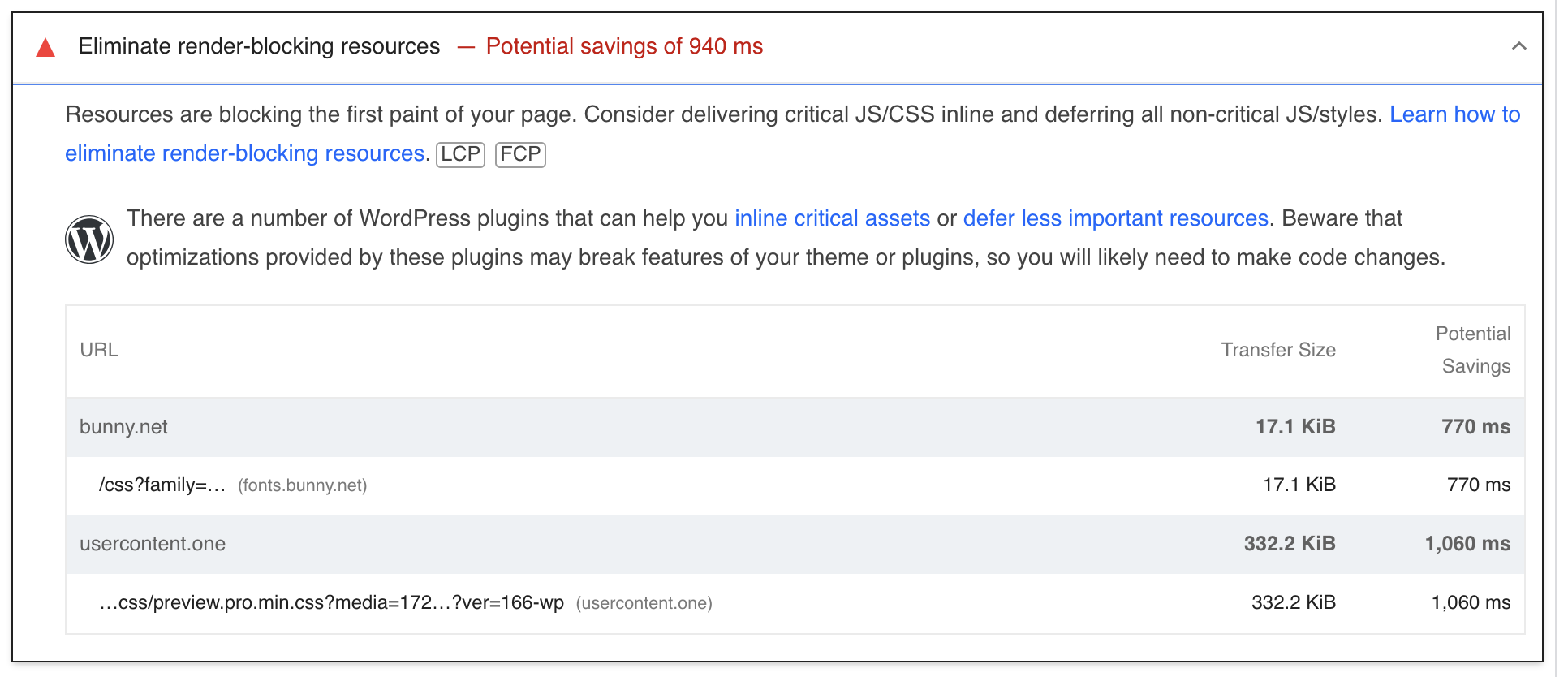
When i inspect my page i find this:
<link rel="stylesheet" id="brizy-asset-google-10-css" class="brz-link brz-link-google" type="text/css" href="https://fonts.bunny.net/css?family=Lato%3A100%2C100italic%2C300%2C300italic%2Cregular%2Citalic%2C700%2C700italic%2C900%2C900italic%7CBlinker%3A100%2C200%2C300%2Cregular%2C600%2C700%2C800%2C900&subset=arabic%2Cbengali%2Ccyrillic%2Ccyrillic-ext%2Cdevanagari%2Cgreek%2Cgreek-ext%2Cgujarati%2Chebrew%2Ckhmer%2Ckorean%2Clatin-ext%2Ctamil%2Ctelugu%2Cthai%2Cvietnamese&display=swap&ver=292-wp" media="all">
So i tried the following code snippet to remove bunny.net css:
function remove_bunny_net_css() {
wp_dequeue_style('brizy-asset-google-10-css');
wp_deregister_style('brizy-asset-google-10-css');
}
add_action('wp_enqueue_scripts', 'remove_bunny_net_css', 100);
Although scoring around 90 is fine. But for my super simple website i do expect higher score.
Any help is appreciated :)
-

Hi Tobias,
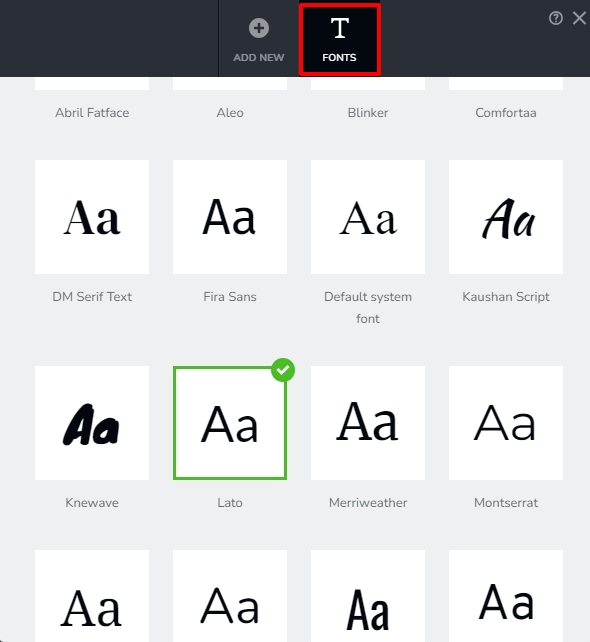
The reason why your website requests 'Lato' font from fonts.bunny.net is because you have set "Lato" as your default font. 'Default' font is the fallback font that is used when the primary font face is not loaded yet, or is missing glyphs necessary to render page content.
In the Brizy Font Manager under the 'Fonts' tab, you can set another font as the 'Default'. For instance, you can set locally hosted 'Blinker' as the 'Default'
 0
0 -
Thanks!
I am sorry, i must be missing something very crucial. I have looked everywhere for the window in you post but i cannot find it.
I am using the Brizy Pro in Wordpress.
In the image below all text types is set to use my local (downloaded) font.
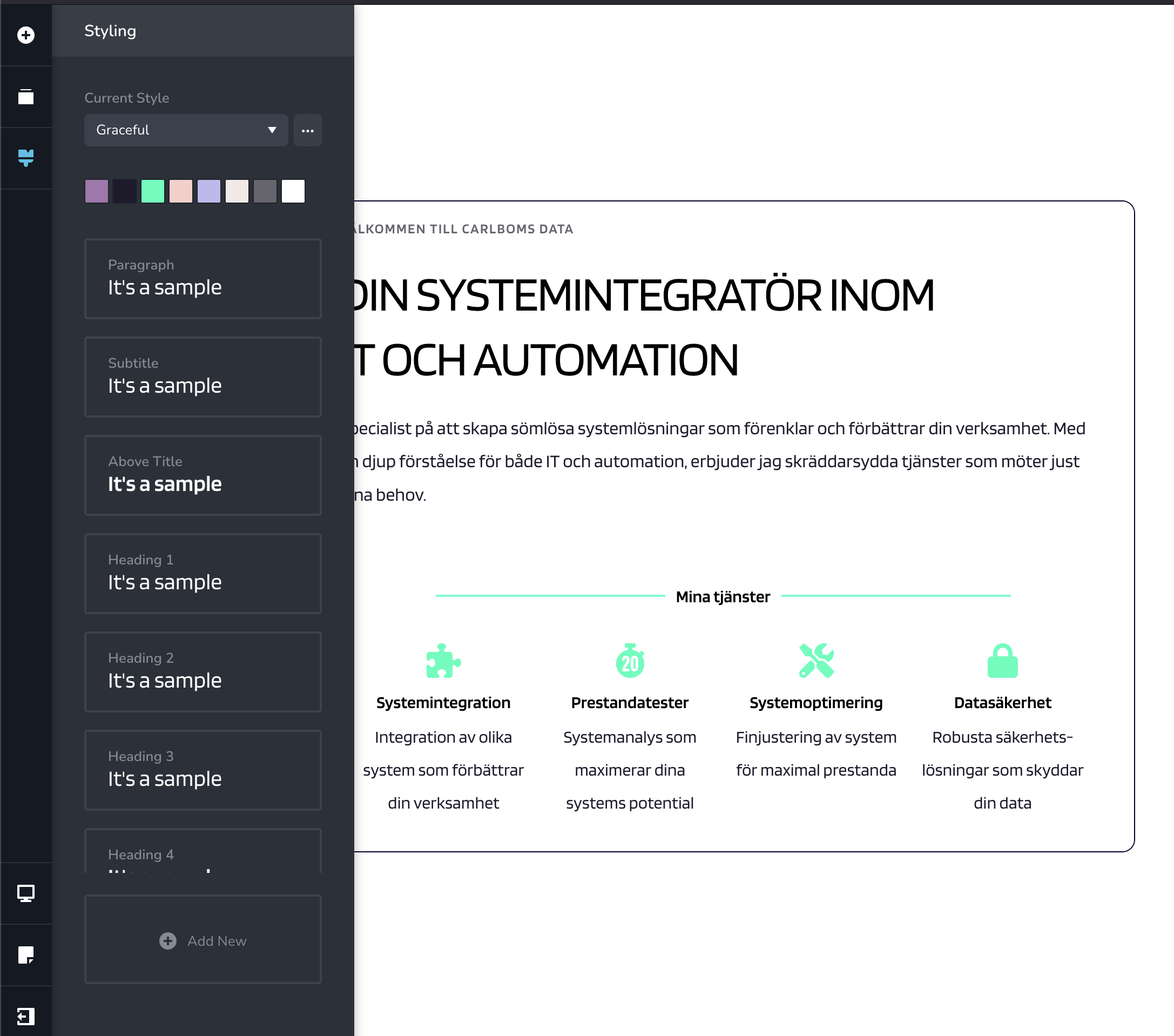
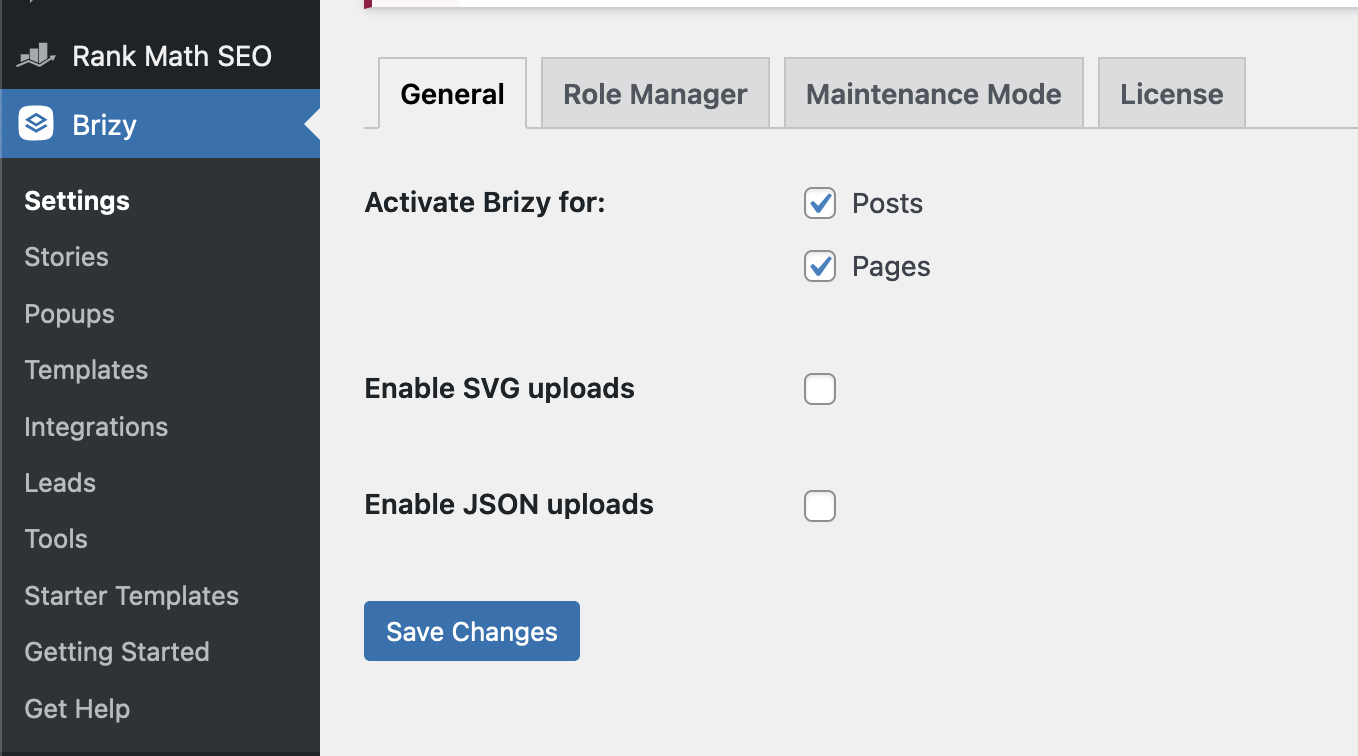
I have checked every tab and page for anything similar to Font Manager but i cannot find any.
0 -
I am sorry. Now i think i found it :)
I have double checked every text type again, and all is set to use my local font. But Bunny.net is still loaded in the page.
I have ofc cleared wordpress cache and browser cache.0 -
Hi Tobias,
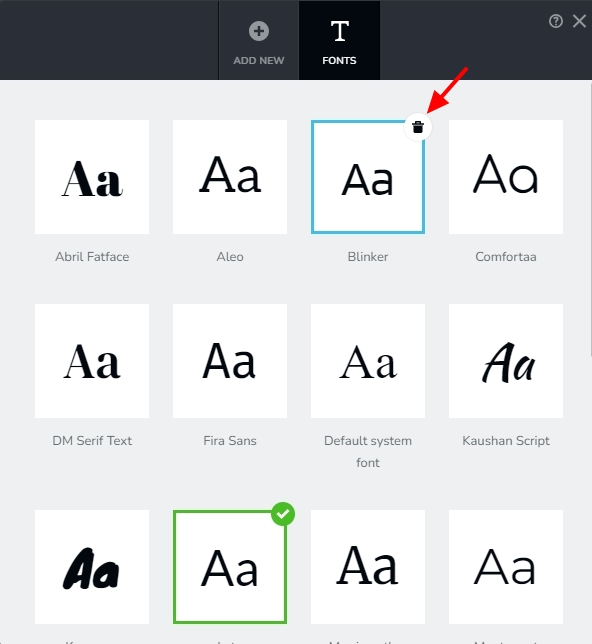
Your website stopped requesting for the Lato font after the recent change you have made. However it is still requesting Bunny hosted Blinker font. To get rid of this request, kindly delete the Bunny hosted Blinker font from your Font Manager by selecting the 'Trash' icon at the top right corner of the font.
You have a locally hosted as well as Bunny hosted Blinker fonts. Kindly ensure that you do not delete the locally hosted but the default Blinker font which was there before you installed the local font.
Once you do this, your website should not request the Blinker font from Bunny.
 0
0 -
Everything works like a charm now :) Thanks very much!
0 -
Hi again,
If i set all text objects to use my local font family and then close the editor, then run a pagespeed test; i no longer see the bunny.net css being loaded.
Although
When i open the brizy builder again, the font family is set to Lato for Paragraphs. If i change this to my local font, then close the brizy builder, then edit my page again with brizy builder, Lato is set again for Paragraphs.
Also while in brizy builder, if i remove all font familys (trashcan) besides my local font and system default, then close the brizy builder, then edit my page again with brizy builder, all deletes fonts is showing again.
This behaviur is consistant event with only using brizy plugins; i deactivated my other plugins.
0 -
Also, this might to be off topic. Running brizy pro 2.5.1 gives be a pagespeed performace score of around 80. (my website is super simple, only one page and one tiny image).
Adding the WP Meteor plugin boosts the performance scor up to 97-98%.
But, while having WP Metor plugin activated, the Brizy builder will not load.
 0
0 -
Hi Tobias,
As per the waterfall tab of the GT Metrix performance report of your website, your website makes 3 font requests. Please see the report at https://gtmetrix.com/reports/www.carlbomsdata.se/nvJenZbk/ The third request is from fonts.bunny.net

If you have deleted the Bunny hosted Blinker font in your Font Manager and have set locally uploaded Blinker font as the Default font, ideally you should not see a single HTTP request going to fonts.bunny.net.
Using global typography and setting the local Blinker font as your Paragraph typography and selecting Paragraph typography for all your texts is a better approach (than selecting Blinker as a custom typography for your texts)
Its possible that the WP Meteor plugin may have some incompatibility with Brizy. You could keep it disabled during the Brizy editing and enable it when the page goes live.
0 -
Thanks!
Yes, i have removed the Blinker font, made a small change and clicked on update. All "objects" on my page follow the global typography.
Its a little weird, when i reopen the brizy builder the hosted Blinker font appears again. Sadly its not consistent that the bunny.net font is Not loaded, even after i have tried to removed the hosted blinker font. It sometimes takes a view tries of removing the hosted blinker font before it is not loaded on the page.
With a fiew tries i mean the following steps: i open the brizy builder, remove the hosted blinker font, update, clear cache
0 -
Hi Tobias,
I checked again now. There are no more font requests going to fonts.bunny.net. The only two font requests are being sent to your website.
0
Please sign in to leave a comment.
Comments
10 comments