Adding menu in wordpress

I've made a menu in Wordpress. When I go to select it from the Brizy element options it doesn't appear in the drop down list. This is the link to my site:
-

Hi Anne,
I have added the Blocksy theme to your project and have added a Menu. You can access the menu under Appearance - Menus. Kindly add appropriate pages to the menu.
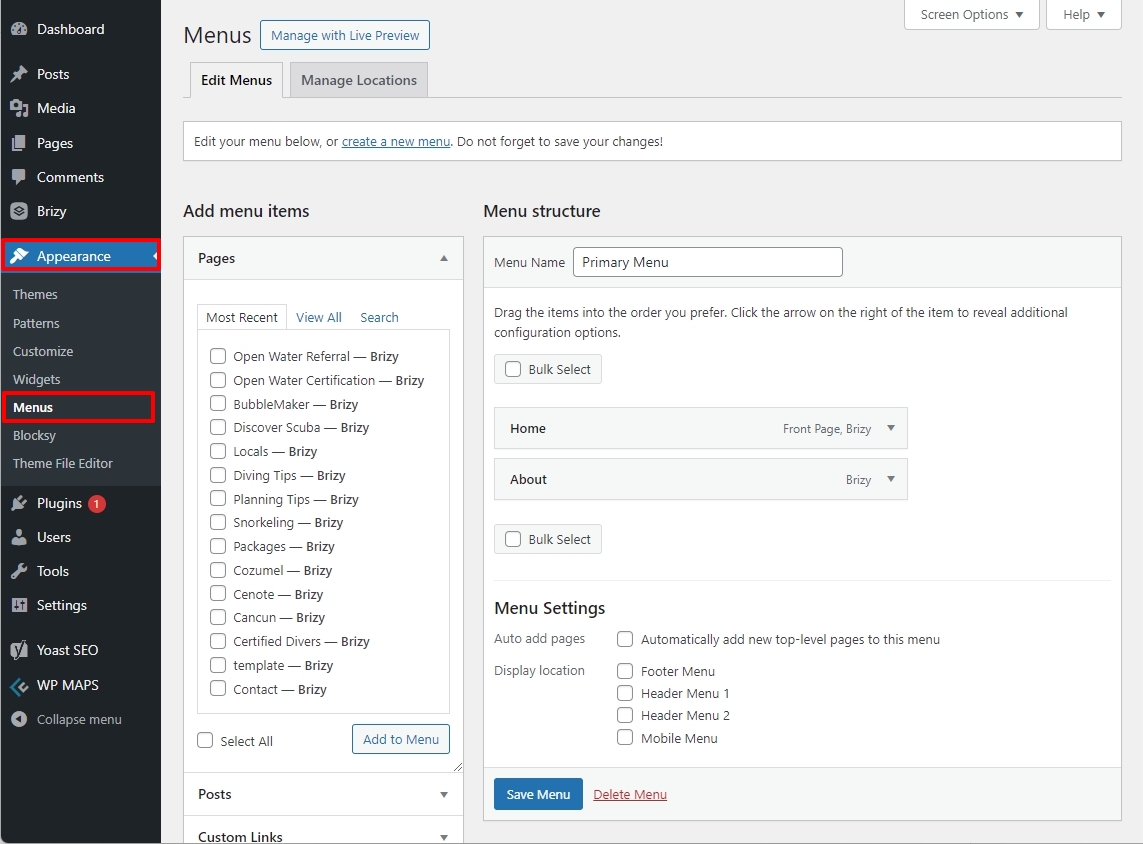
You can then select this menu in the Brizy Menu element
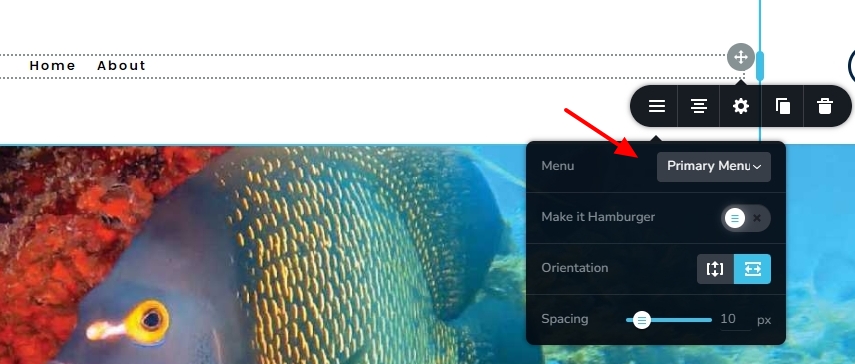 0
0 -
This is what I sent to Blocksy support:
Annie Paulus
Jul 30, 2024, 23:17 GMT+3
I went into Menu/Dropdown Design and changed the background color from black to off white. I published the change and reloaded the page, and the background color is still black. Actually none of the color the color changes I'm making are having any effect at all.
Attachment(s)
Screenshot 2024-07-30 151448.pngThis is their responseL
Eduard (CreativeThemes)
Jul 31, 2024, 12:08 GMT+3
Hello Annie,
From what I can see, everything is correct here. For the website that you have submitted, you are using a header created with Brizy, not Blocksy. Since our code is not executed there, our options will not work naturally.
It would be required to either continue editing these with Brizy, or delete these Brizy templates in order to use Blocksy's. That would get you on the right track.
Hope this clears things up!
Thanks,
EduardI just want a very simple menu with dropdown boxes. I don't understand what I'm doing wrong. Sorry for my stupidity.
0 -
Hello Annie,
As the Blocksy Support has pointed out, you must set the header background color and menu text color in Brizy. Kindly have a look at this screen recording for the proceure. https://jmp.sh/hBe4N0sK
0 -
Hi Annie,
To change the background color of the drop down menu, kindly click somewhere on the drop down menu. For example, you could click on the red circle in the screenshot. In the toolbar that pops up, select the 'Color' icon and select the Bg tab to change the drop down background color.
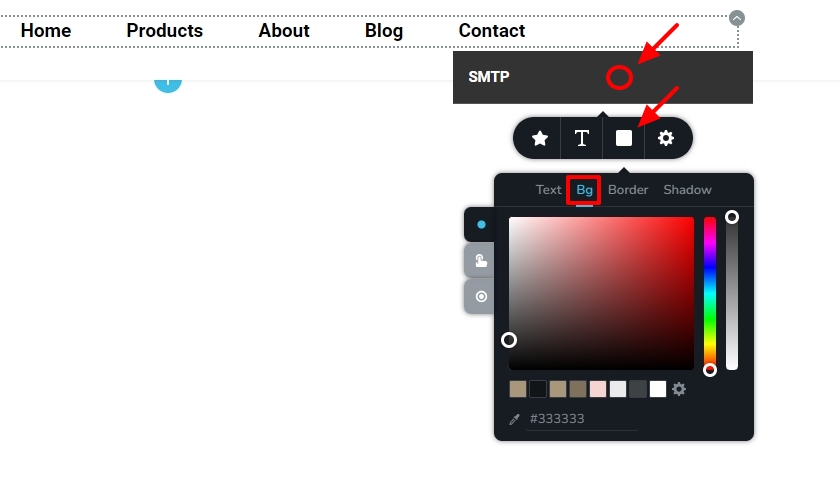 0
0

Please sign in to leave a comment.
Comments
4 comments