Changes dont reflect on the live website

Since yesterday most of my websites built in brizy, the changes in the brizy builder is ok but when you load the websites the changes are not seen
https://berengeiafricasafaris.com/
https://robylinks.com/primate/
-

Hi Omoya,
I'm Mark from Brizy support. Thank you for contacting us about this issue.
For this, can you please try clearing your litespeed server cache using the "Purge all" option.
You should see the option at the Litespeed dropdown:
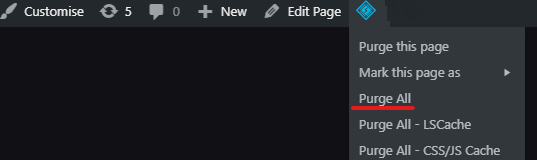
If the issue persist, please add us as an Admin user to your WordPress Dashboard and send the following details to: communitysupport@brizy.io.
- Community Post link:https://support.brizy.io/hc/en-us/community/posts/20407658702098
- WordPress Admin URL:
- Username:
- Password:
Please make a full backup of your site as a precaution.
Best regards,
Mark.
0 -
did all that nothing happens
0 -

Hi Omoya,
If you want us to take a look at your project, kindly send us credentials to your WordPress Dashboard as my colleague Mark suggested above. Please also let us know how to reproduce the error. What changes in the editor are not reflecting in the frontend.
0 -
i already sent the email with credentials
0 -
Hi Omoya,
If you are hosting with https://liquidnetltd.net/ kindly request them to purge all server cache. For instance, they must purge these server caches
- Memcached: https://liquidnetltd.net/terminology/memcached/
- Varnish cache: https://liquidnetltd.net/terminology/varnish/
If you are hosting with another hosting provider, similarly request them to purge all server cache.
0 -
the host did all that but there is no change
0 -
I guess the issue. is with brizy, all other websites that i didnt use brizy load fast and have no issue
0 -
Hi Omoya,
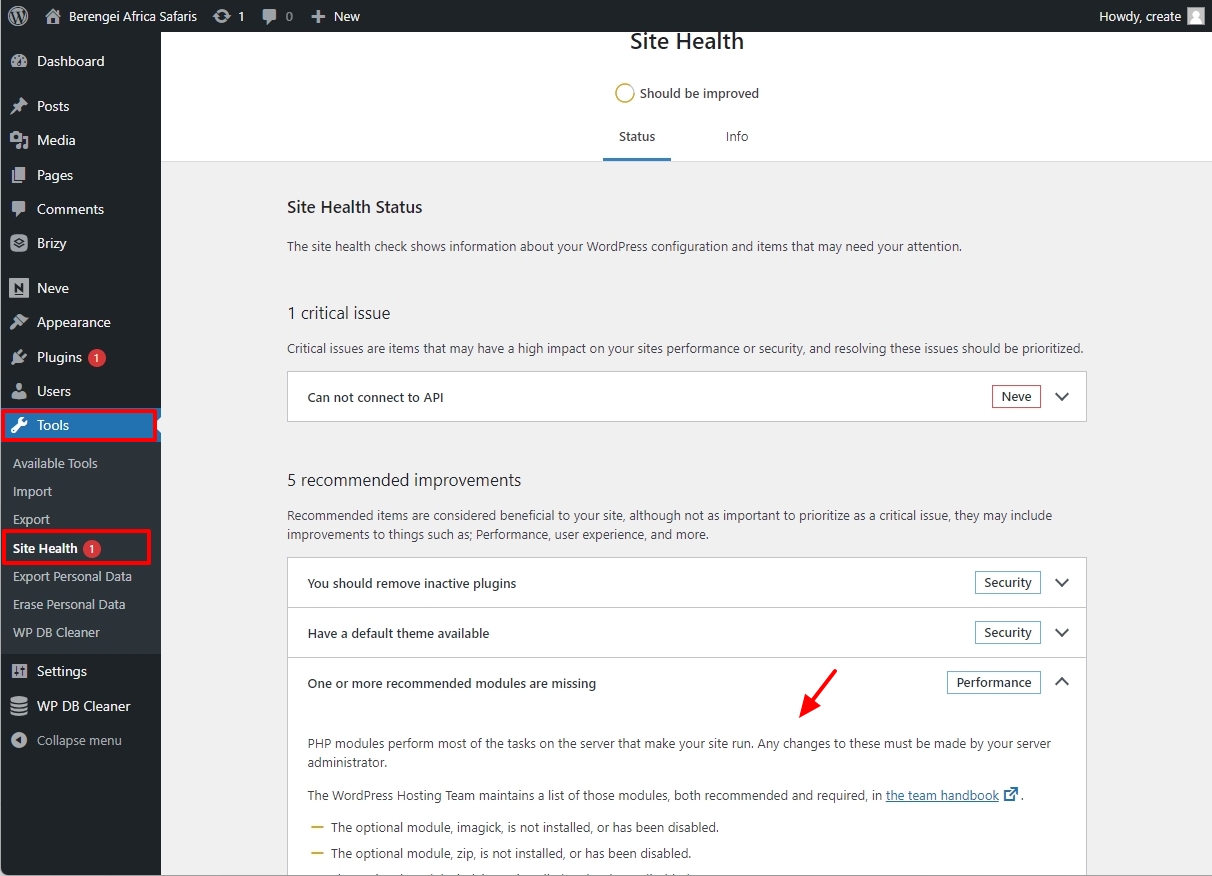
There are three PHP Extensions which are missing in your WordPress Dashboard. Can you also request your hosting provider to add the missing extensions?
- Imagick
- Zip
- Intl
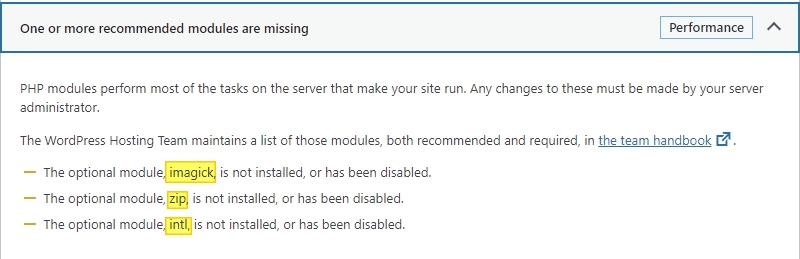
Once your host adds these extensions, in your WordPress Dashboard under Tools - Site Health - check if the notification "One or more recommended modules are missing" goes away.
 0
0 -
All the above are activated but still not change
0 -
This is happening. to all the 15 websites i built with brizy
0 -
Please Will i get help????????
0 -

Hi Omoya,
We tried to uninstall / reinstall Brizy Pro however, your site is throwing this error message:
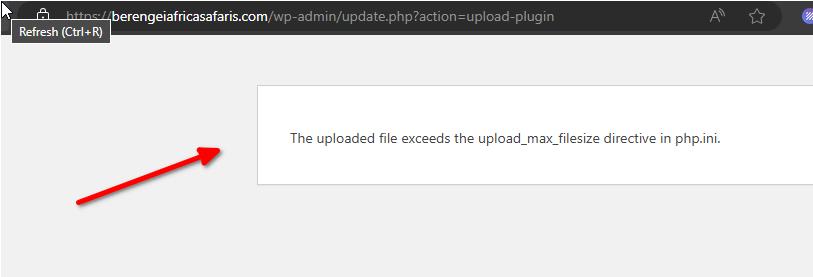
Additionally, the fonts directory is not writable:
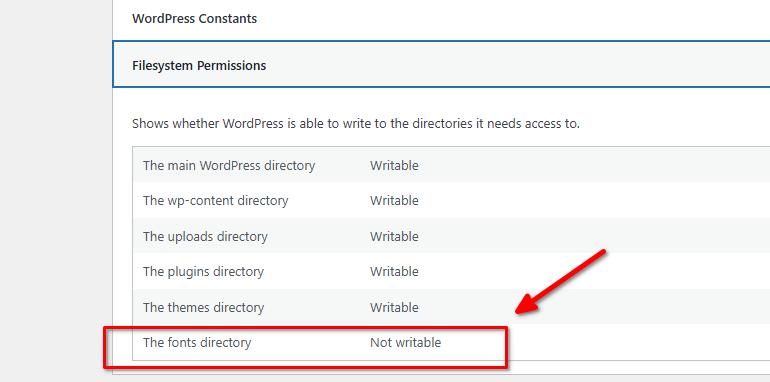
The issue appears to be more related to your server, could you also please provide us temporary access to cPanel so we can further investigate the issue.I am looking forward to your response.
Best regards,
Ariel H.0 -
i have it it to the email
0 -
Hi Omaya,
Unfortunately, the cPanel credentials don't work.
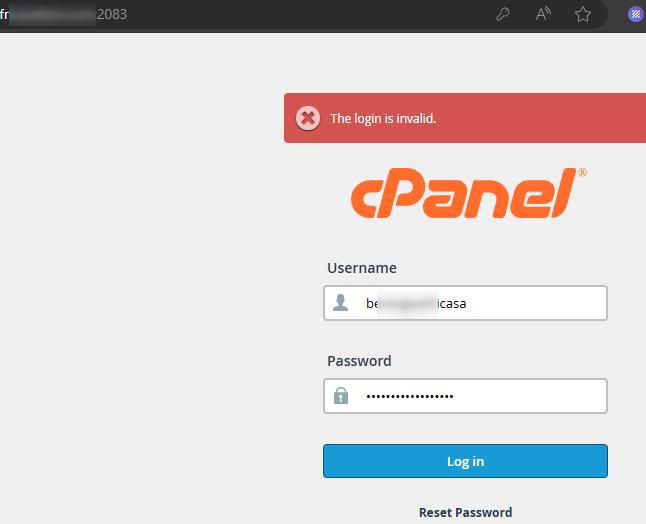
Please revise and send it again.
Kind regards,
Ariel H.0 -
the last email i sent has the correct password
0 -
Hi Omaya,
Thank you for the update.
We have now escalated this issue to our senior support team. I will get back to you as soon as I have an update.
Best regards,
Ariel H.0 -
- All websites DONOT reflect changes
0 -
Hi Omaya,
We apologize for the delay, we're still looking into this issue. I will reach out to you as soon as I have an update.
Best regards,
Ariel H.0 -
Hi Omoya,
This issue has been fixed. Kindly check if the changes you make get updates in the frontend. These were the changes that we had made
- Increased the server parameters to these values
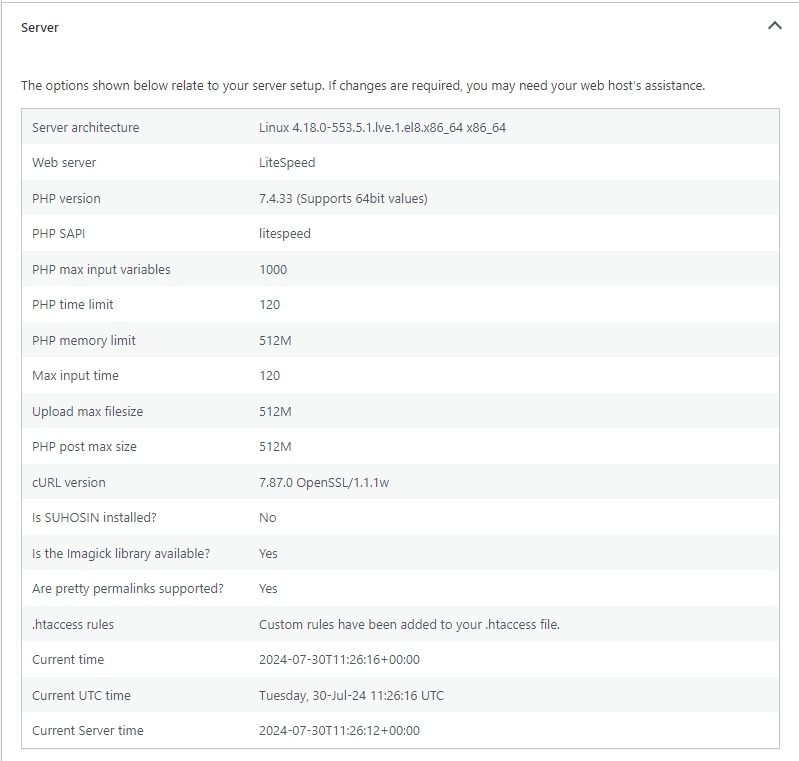
- Updated Brizy and Brizy Pro plugins to its latest version
Then the changes you make in the editor reflects in the frontend
0 - Increased the server parameters to these values
Please sign in to leave a comment.
Comments
19 comments