Header and footer and other components not showing

Hi support team,
I've noticed that the header and footer are not showing on my website, in the home www.wrccdesign.com
There is a section: UX Cases is not showing as well.
It shows when I do EDIT WITH BRIZY, everything is there, but the live site is not showing:
Please check the screenshots, let me know what is going on
Thank you
Live site screenshot:
Home on brizy edit mode:
My UX Case live mode

my ux case Edit with brizy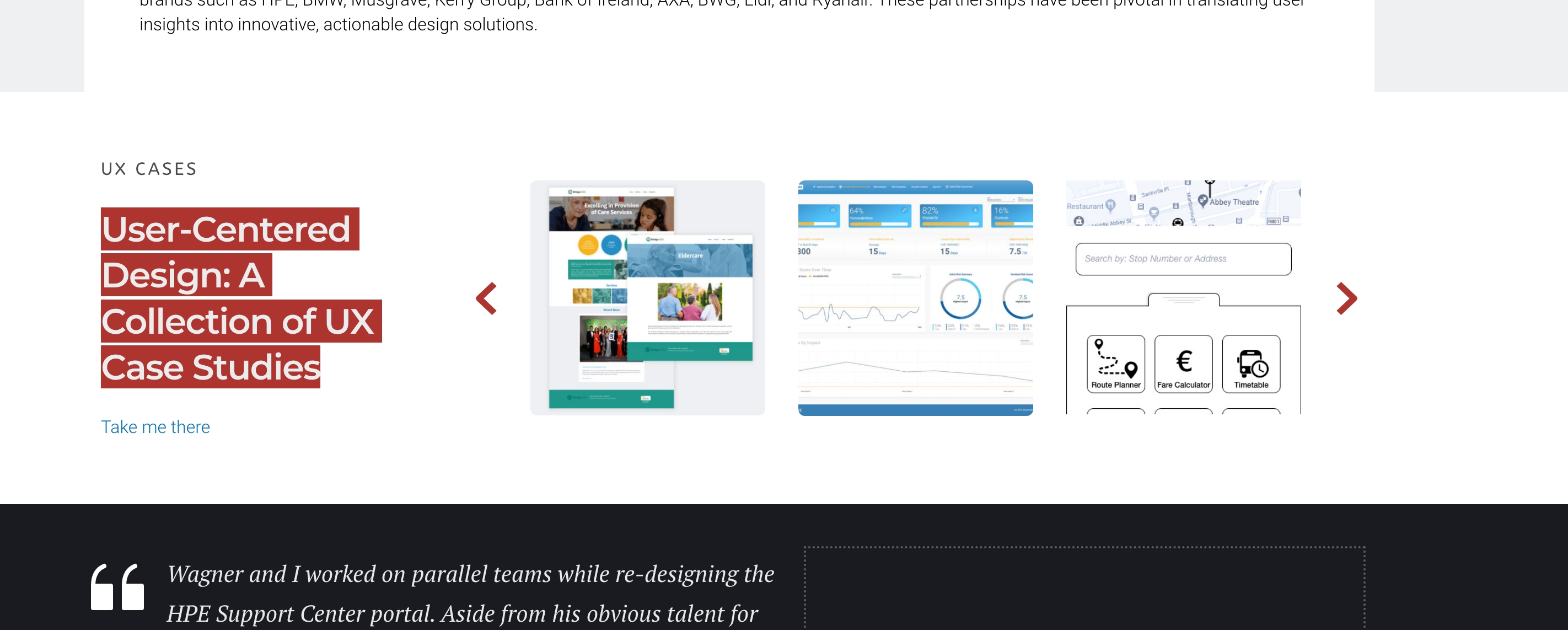
-

Hi Wagner,
Thank you for contacting us.
You can try to fix the issue, by making minor modifications to your pages, dynamic templates, or in your global header and footer, such as adding extra letters or adjusting elements. Save the changes and update the page. Next, undo your changes, update the page again, and preview the site to check if this resolves the issue.
Please try these steps and inform me of the outcome.
Best regards,
Ariel H.0 -
Hi Ariel,
Thanks for that. It worked following the other tip by enabling learning mode on the Wordfence plugin and then doing what you recommended by making small changes in the header and the footer, saving and undoing it.
The issue is urgent as all the pages and design styles are currently in disarray.
I think it messed it all up after I tried to create a new page, but with a different layout, not following the existing one.
I would like to return to the previous version, is there a way to do that?0 -
Hi Wagner,
We apologize for the inconvenience.
You can access the previous versions of Brizy and Brizy Pro through this link - https://tinyurl.com/mr3b4bev.
If you are considering reverting to older versions, please also disable automatic updates to prevent the Brizy free version from updating after installation - https://www.wpbeginner.com/wp-tutorials/how-to-disable-automatic-updates-in-wordpress/.
The easier approach is to install "Easy Updates Manager plugin" as described in the above article to disable automtic updates.If you have any further questions, please let us know.
Best regards,
Ariel H.0 -

I am having this problem too and it is a royal pain to fix because you have to adjust EVERY affected page (which, in this case, is a lot of different instances). This problem shows up for Brizy since about 2019 and I can see complaints about it EVERY YEAR SINCE. When are you actually going to fix this?
0 -

Hi Glenn,
With the Version 2.5.2 and Brizy Pro 2.5.0, we have launched a new compiler. You can read more about it here https://www.brizy.io/new-compiler-200-loading-performance-boost To activate the new compiler, you must update to these versions.
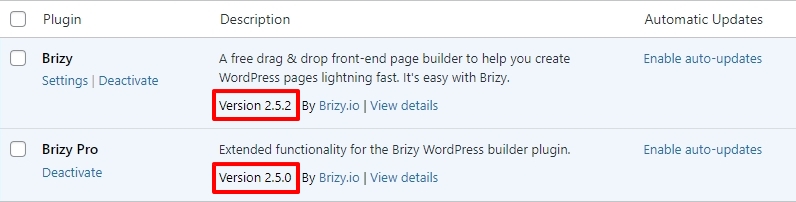
For new projects, the compiler's benefits are automatically applied, ensuring immediate performance boosts. However, to take advantage of these enhancements on existing projects, kindly follow these 4 steps- Open your project: Open the project you wish to optimize in the Brizy Editor
- Make a minor change to the header: Navigate to any page within your project, make a small edit in the global header (such as modifying the padding by one pixel), and then revert the change.
- Make a minor change in the footer: Similarly make a small edit in the global footer (such as modifying the padding by one pixel), and then revert the change.
- Save your work: Save your work by clicking on the "Update" button at the bottom right corner.
0
Please sign in to leave a comment.
Comments
5 comments