Blog Issue

My website's blog is completely messed up. For now, the main issue I want to tackle are the extra headers and footers that are showing up in my blog posts. I thought this was an issue with the blog post template, but my template looks normal. I can't edit the posts individually in Brizy to delete the extra headers/footers because it overrides Wordpress and the content of my blog post gets deleted (I'm pretty sure that's what happened here).
Not sure if it makes any difference, but I have the Astra theme installed.
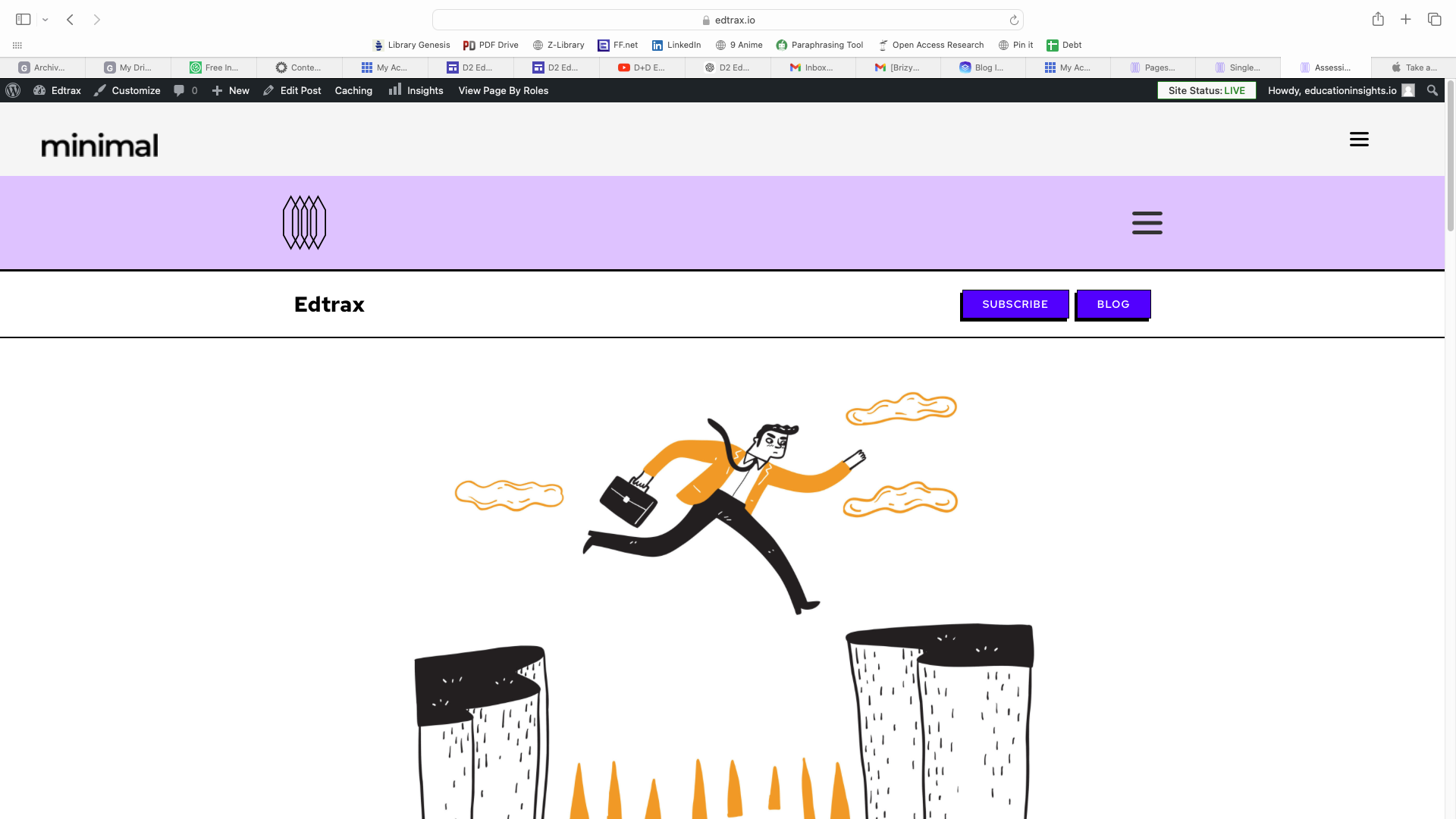
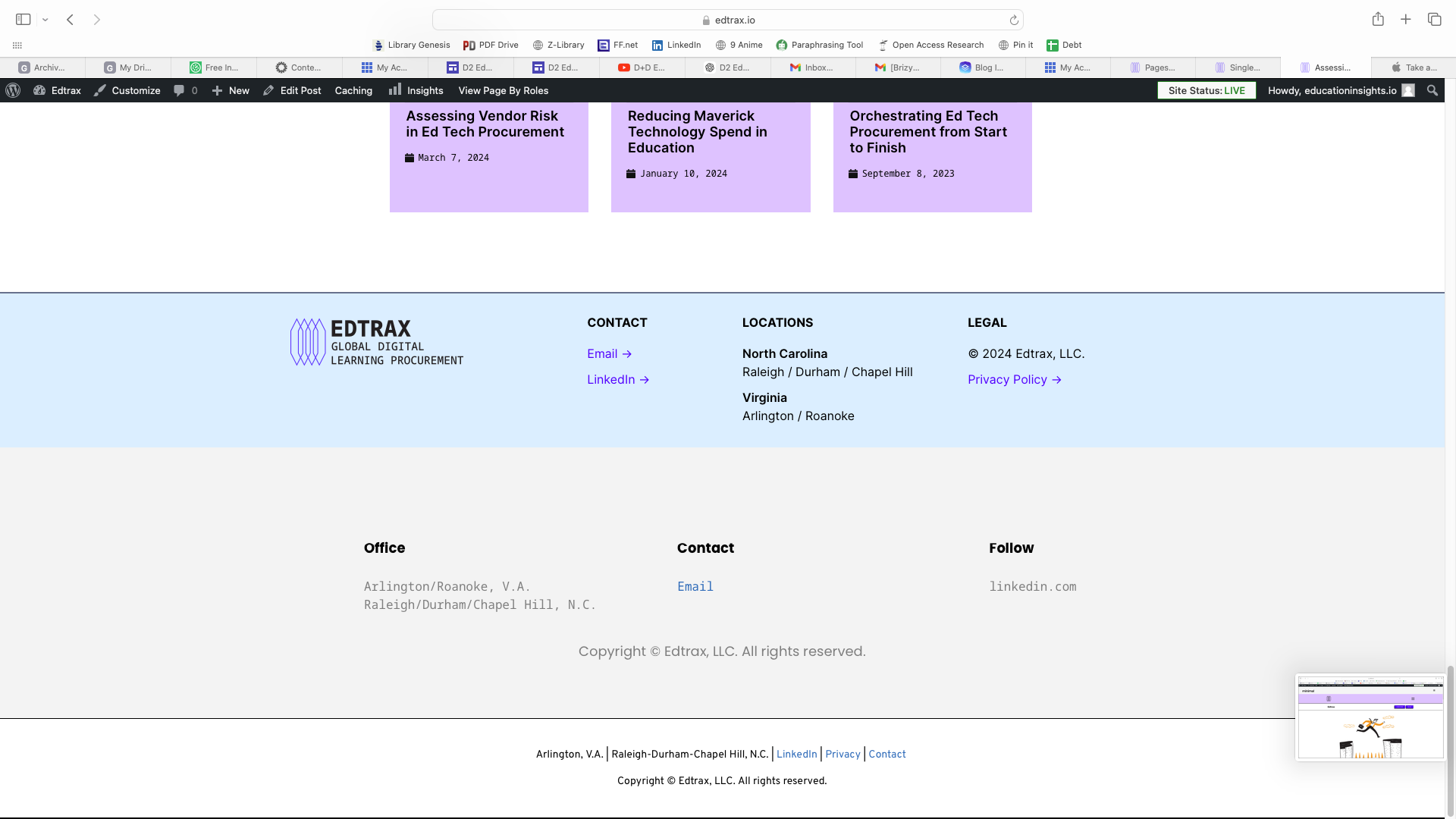
This is my website. Here is an example of a blog post with too many headers and footers. I believe this is a problem on every post. The extra headers and footers are not showing up on my single blog post template.
Thanks so much for your help.
-

Hi Patrick,
Thank you for reaching out to us.
To address the issue, please try making minor modifications to your pages, dynamic templates, or in your global header and footer, such as adding extra letters or adjusting elements. Save the changes and update the page. Next, undo your changes, update the page again, and preview the site to check if this resolves the issue.
If you are seeing double headers, remove the second one, and thereafter, ensure that the display conditions are correct as demonstrated in this screencast - https://youtu.be/4lgJxjQ32Bk.
Please try these steps and let me know the outcome.
Best regards,
Ariel H.0 -
This didn't work, unfortunately. I also did the following to no avail:
- deleted every unnecessary page or template through Wordpress and emptied the trash
- made sure that the display conditions were correct on the actual header and footer
- went through every single page and template on our website to ensure that the superfluous headers and footers weren't hiding in any of the pages
- purged the Wordpress cache multiple times
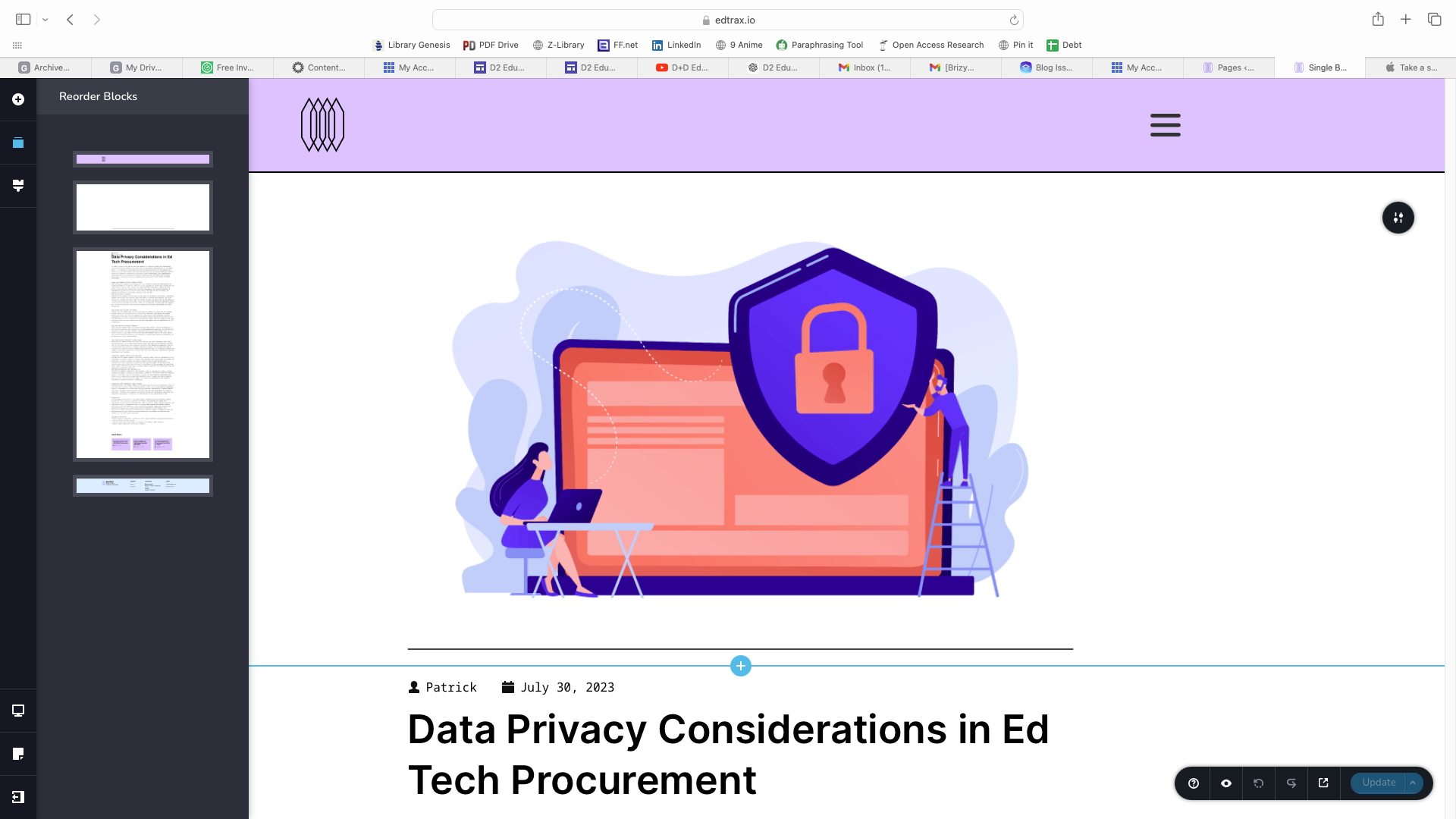
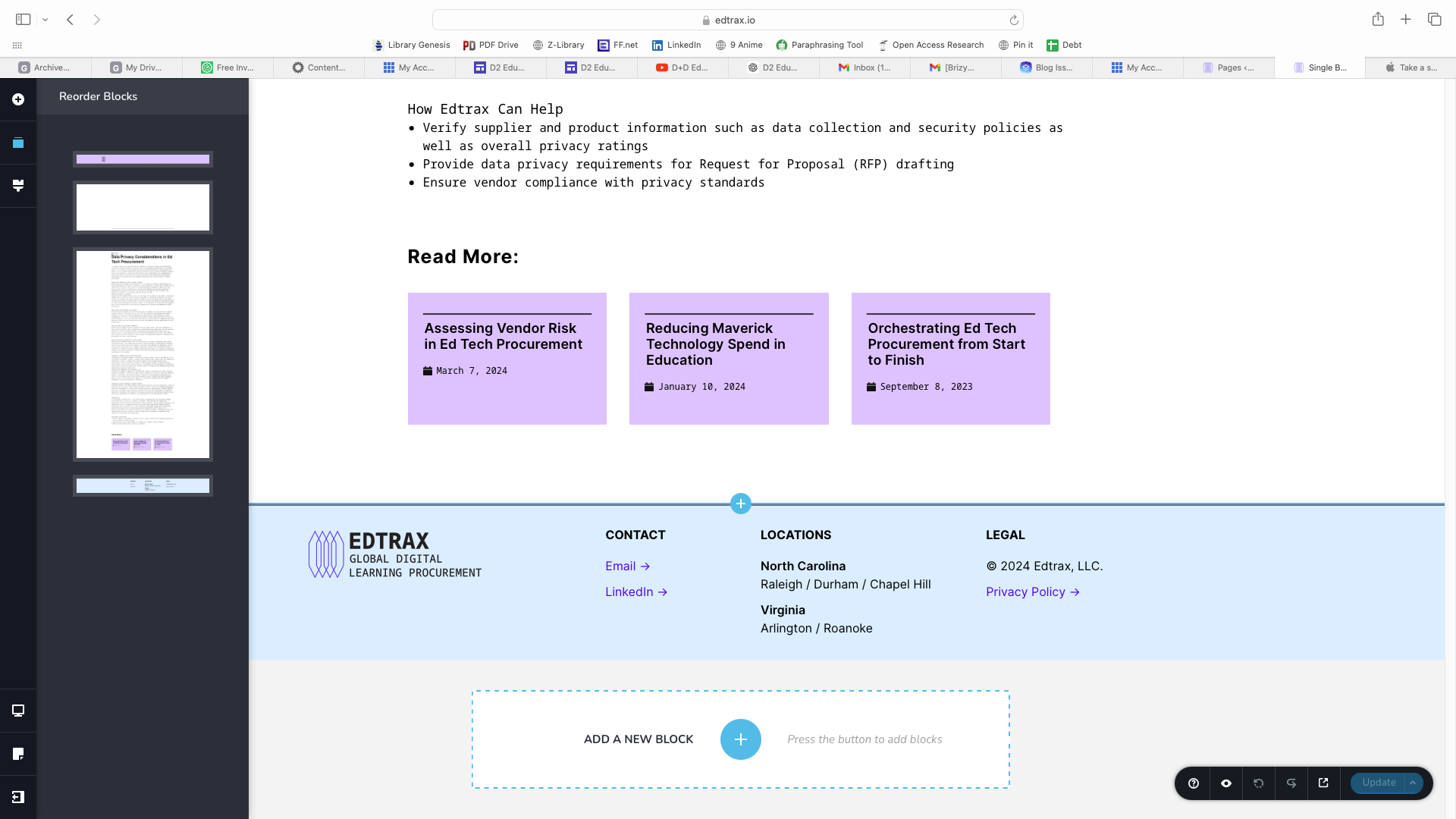
Here are screen shots of what my template looks like inside the Brizy editor:
This is what my blog posts look like:
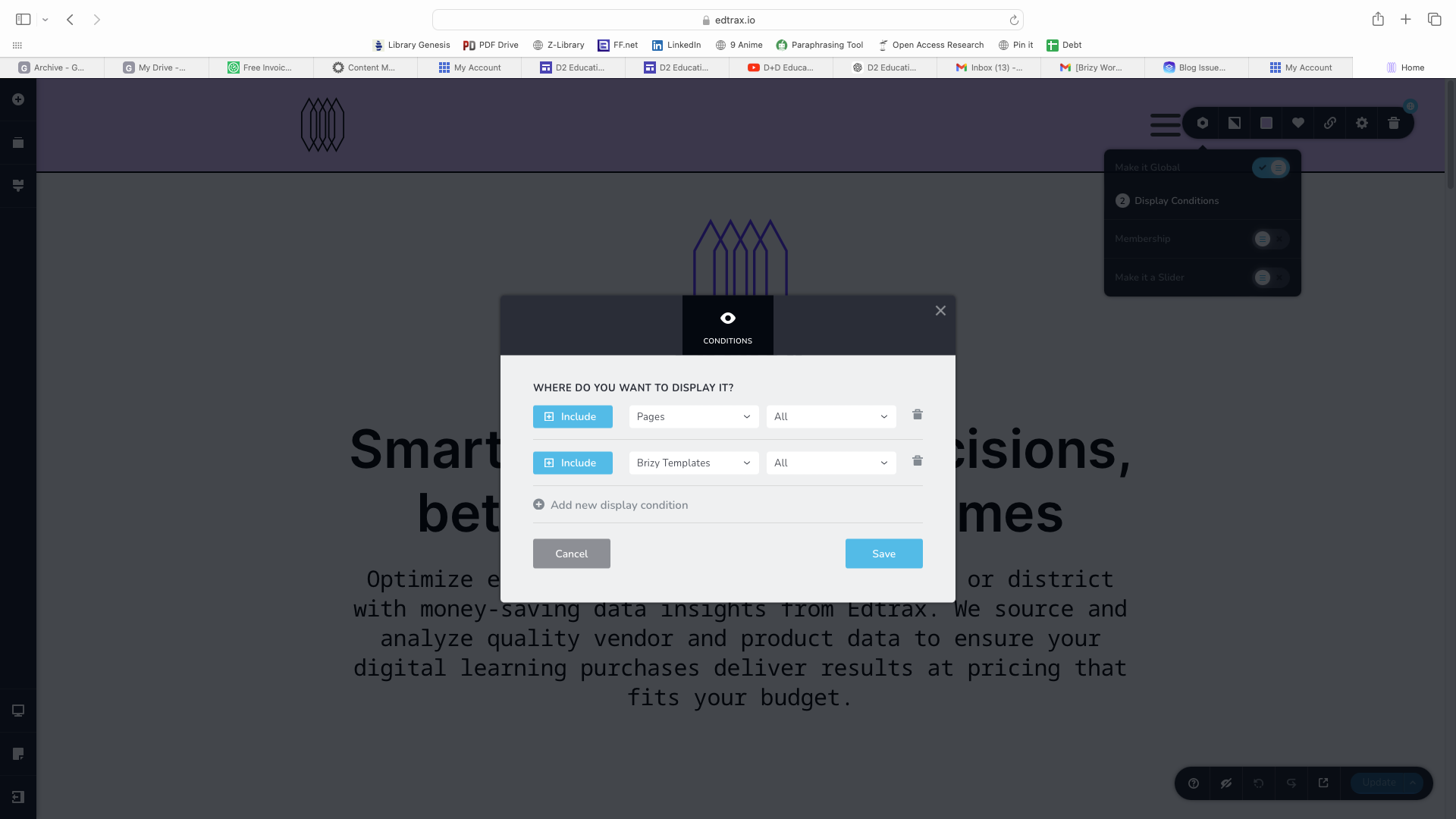
Here are the display conditions on my global header; the global footer display conditions are the same:
 0
0 -
Hi Patrick,
Thank you for the update.
Could you please try using another theme and see if you get the same result?
If the issue continues, this is something we need to inspect from your WP Admin page. Please add us as an Admin user to your WordPress Dashboard and send the following details to: communitysupport@brizy.io
Community Post link: https://support.brizy.io/hc/en-us/community/posts/20394815521298
WordPress Admin URL:
Username:
Password:Please make a full backup of your site as a precaution.
Best regards,
Ariel H.0 -
Hi Patrick,
Thank you for the update.
Unfortunately, we are unable to do screen sharing due to the time difference. Additionally, each website presents unique issues, so there is no guarantee that they can all be resolved in a single screen sharing session. Based on my recent experience fixing a website, it may typically take around 1 to 2 hours.
If you are uncomfortable sharing your credentials, you may consider creating a staging version of your website where we can replicate the issue. This way, we can create a screencast to demonstrate and explain how we resolve the issue.
I look forward to your response.
Best regards,
Ariel H.0
Please sign in to leave a comment.
Comments
4 comments