Brizy Cloud Form Text Is Muted

I've set the form text to appear white, it displays that way in the builder, but when I view this form online the text is gray with the drop-down field being even lighter gray -- why isn't the text appearing white online (there is no reduction of opacity being applied either)? Visit 'cybersecurityconference.mdsny-events.com' and you'll see what I mean.
There is white text, Register Today!, above the form, but the white text in the form is not displaying white, why? And why is the drop-down field's text a different color than the rest of the field text?
Furthermore, the teal border on the input fields is much brighter than the rollover text color but both are using the same HEX values -- what's going on here? Why aren't colors reproduced accurately? In addition, the drop-down field text is supposed to be black but appears gray, why?
It's almost as all text in a form is muted or has some sort of backend reduction of opacity. Please have the developers check on this issue.
The attached image shows the online version (Chrome) on the left and Brizy Cloud builder on the right -- this clearly shows that the colors are not being produced accurately.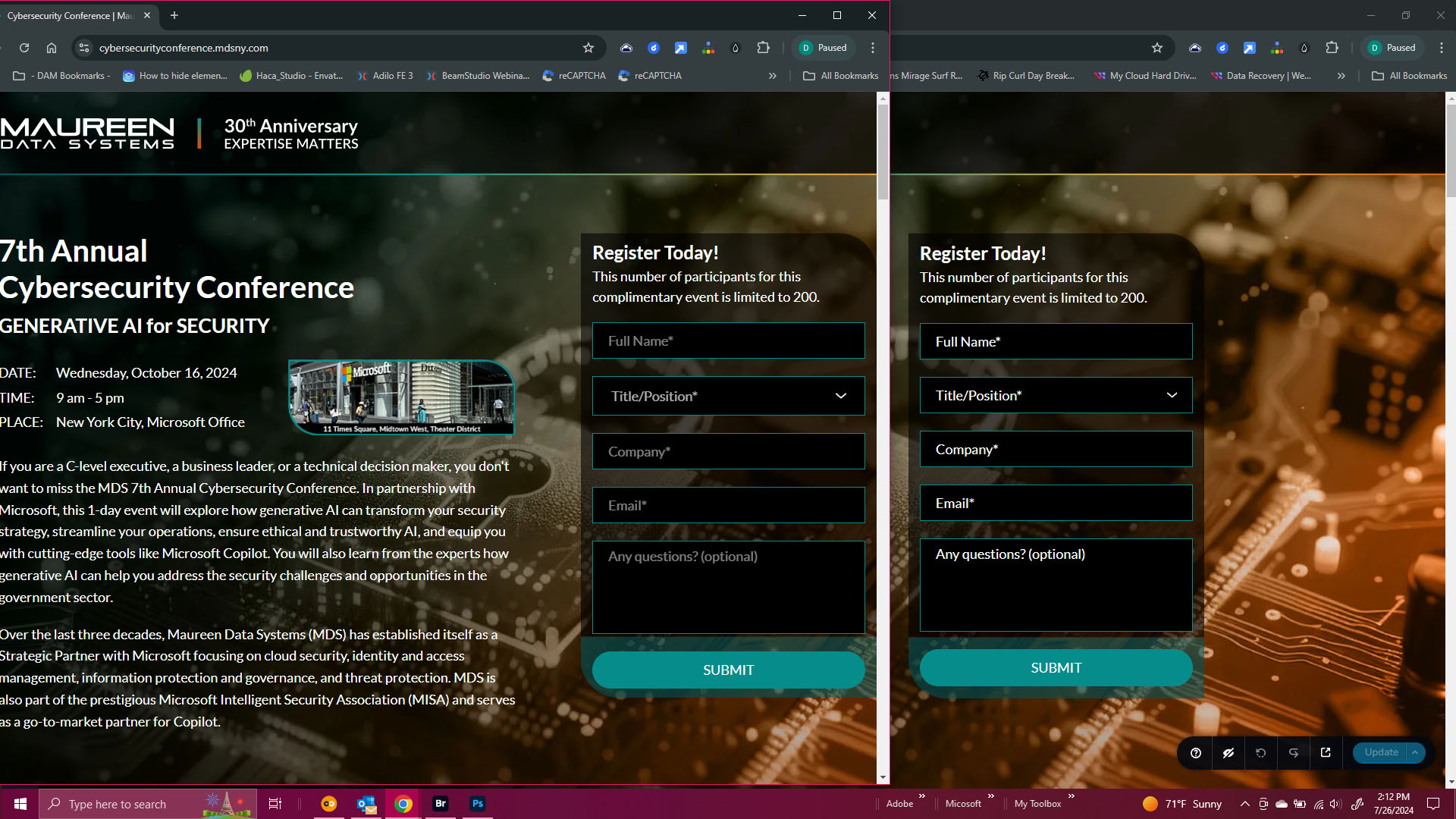
-

Hi Daniel,
You are in fact setting the color of the text that a user would enter when they fill up the form. The user text turns white when they fill out the form, as seen in the screenshot below. The placeholder text is presented with an opacity.
You are right about the color for the 'Select' filed is different from the rest of the form fields. We will bring this to the notice of the developers.
 0
0 -
Hi KC,
In light of your response, yes, I now understand that the color selected is for the final appearance when the user fills out the form, but given this automatic reduction in opacity, for those users that want the initial appearance of white text what is to be done? It sounds as if one sets white, that the initial view is a light gray which means several values of lighter gray and white aren't available for the initial appearance -- so some brand colors may not be strictly adhered to.
Giving control to the designer in that allowing a set color for initial appearance and then for when the form is filled out (and hover state) would be a welcomed addition/feature request. This way if a client wants white or very light gray text to appear before the user fills out the form, this would be achievable.
0 -

Hi Daniel,
Thank you for the update and we appreciate your suggestion to allow different colors for the initial appearance and form fill-out. We will consider this as a feature enhancement for future updates. Thank you for taking the time to share your thoughts with us.
Best regards,
Ariel H.0
Please sign in to leave a comment.
Comments
3 comments