Updated and site destroyed

I updated Wordpress and plugins and my site is destroyed. What can I do? www.vision-india.org
Thanks in advance
-

Hi Randy,
I see several "Mixed Content" errors on the browser console when visiting https://vision-india.org/ Have a look at the screenshot at https://jmp.sh/KRhkonTu
Mixed content occurs when a secure webpage, like one that uses HTTPS, tries to use resources that are not secure, like those that use HTTP. This can happen when a website is migrated from HTTP to HTTPS but still contains references to the old HTTP address. Mixed content can include images, video, audio, fonts, and scripts. Kindly take the help of your hosting provider to fix the 'Mixed Content' issue. Once this issue is resolved, kindly get back to us. We will take another look.
0 -
I think the conflicts have been resolved. after that all worked but the home page was blank except for the menu. I am starting to rebuild the home page. Now the phone page menu isn't working but works on iPad. Not sure what to do there.
0 -
Hi Randy,
I checked all pages of https://vision-india.org/ and could not find a page where the menu is not working. Kindly share with us the URL of the page and we will take a look.
0 -
Menu doesn't work on the iPhone https://vision-india.org/wp/
thanks for the help.
randy
0 -

Hi Randy,
Thank you for the update.
Your website appears to be working on my end as demonstrated on this screencast - https://youtu.be/np_1y6ZEBlY
Please try clearing your browser cache or try using another browser to confirm.
Best regards,
Ariel H.0 -
The hamburger menu doesn't work. With the hamburger I'm getting some not found (404) errors:
it isn't working with the hamburger on any browser.
0 -
Looks like group-2.pro.min.js. (JavaScript) may be missing.
0 -
Hi Randy,
Do you want us to take a look at your project and make the hamburger menu work? If so, kindly give us access to your project. Please add a new user to your WordPress Dashboard and send the following details to our email: communitysupport@brizy.io
- Community Post link: https://support.brizy.io/hc/en-us/community/posts/20385294979474
- WordPress Admin URL:
- Username
- Password
Please let us know in this forum when you send us the email.
0 -
I sent the info - thanks
0 -
Hi Randy,
The issue seems to be due to missing JS and CSS files in the main website https://vision-india.org/. Reinstalling Brizy WP in the sub folder https://vision-india.org/wp/ did not help.
Kindly sign into the WordPress Dashboard of the main website https://vision-india.org/ and uninstall Brizy Pro and reinstall it and check if the issue resolves.
0 -
I deleted the pro plugin but forgot how to reload it or where to find it.
0 -
Hi Randy,
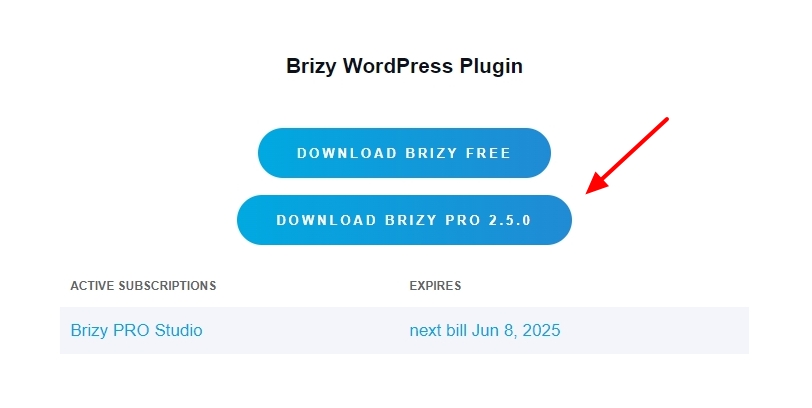
Kindly sign into your Brizy account at https://www.brizy.io/account/login and download Brizy Pro by clicking on the button "Download Brizy Pro 2.5.0".
Then in your WordPress Dashboard under Plugins - Add New, kindly upload the ZIP file.
 0
0 -
ok, it is up and running on the desktop, but the hamburger menu is still not working on the mobile...
0 -
Hi Randy,
Thank you for your patience.
To resolve the issue, we have temporarily restored your site to the previous functional versions of Brizy and Brizy Pro. The mobile menu is now functioning on iPhone.
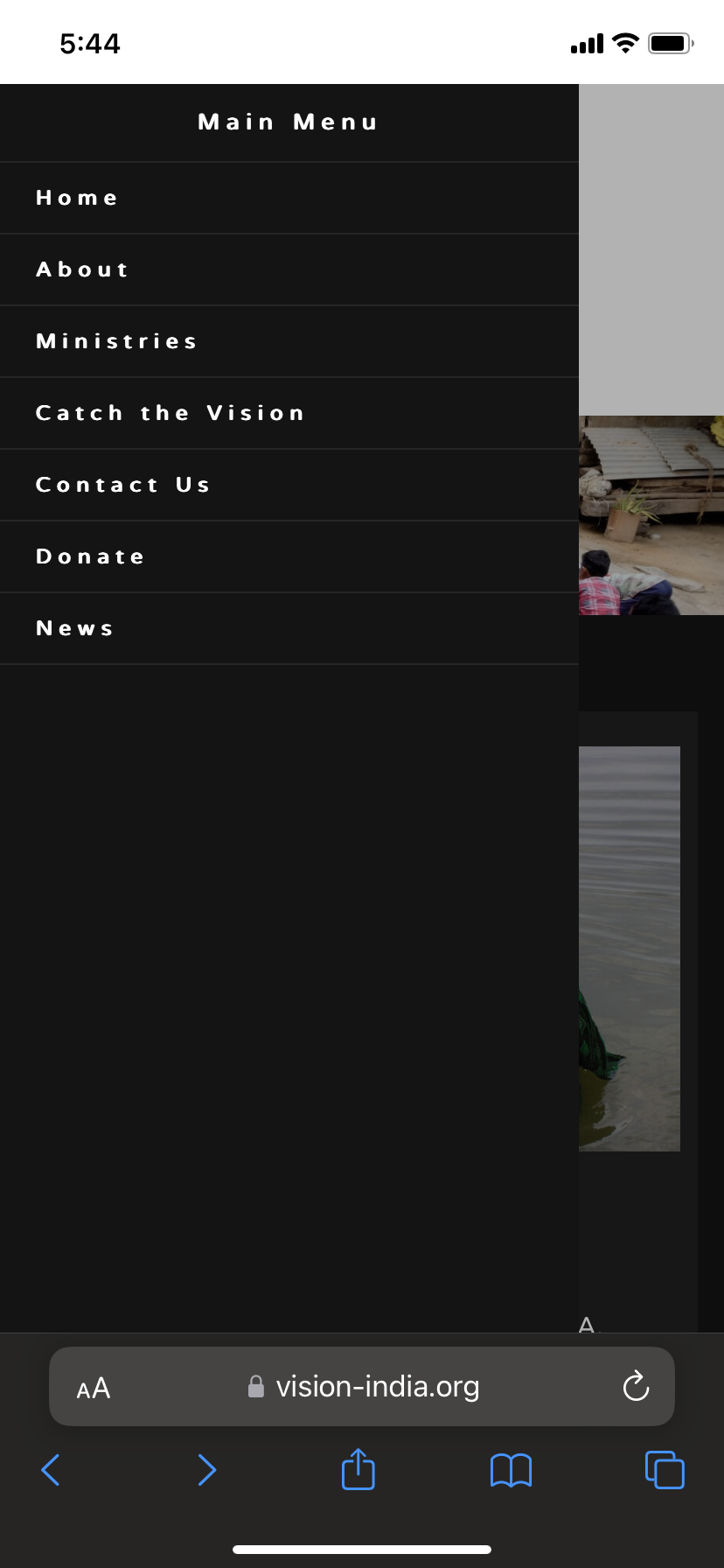
We are currently investigating the issue with the new update. We will get back to you as soon as we have any new information.
Best regards,
Ariel H.0 -
thank you
0
Please sign in to leave a comment.
Comments
15 comments