Global elements not showing

On all our websites the global elements are not showing.
-

Hi Stijn,
I'm Mark from Brizy support. Thank you for contacting us about this issue.
This is something we need to inspect from your WP Admin page. Please add us as an Admin user to your WordPress Dashboard and send the following details to: communitysupport@brizy.io
Community Post link: https://support.brizy.io/hc/en-us/community/posts/20361424414866
WordPress Admin URL:
Username:
Password:Please make a full backup of your site as a precaution.
Best regards,
Mark.
0 -
Hi Mark,
It is on all our brizy websites, so this is not relevant?
What have you done with the update in this version? Cause it is not okay in global elements.0 -

Hi Stijn,
Thank you for reaching out to us.
To address the issue, please try to make minor modifications to your pages or in your global header and footer, such as adding extra letters or adjusting elements. Save the changes and update the page. Next, undo your changes, update the page once more, and preview the site to check if this resolves the issue.
This approach has been successful for another customer who encountered a similar issue in this support thread: https://support.brizy.io/hc/en-us/community/posts/20307368904594
Please try these steps and inform me of the outcome.
Best regards,
Ariel H.0 -

Hi Ariel,
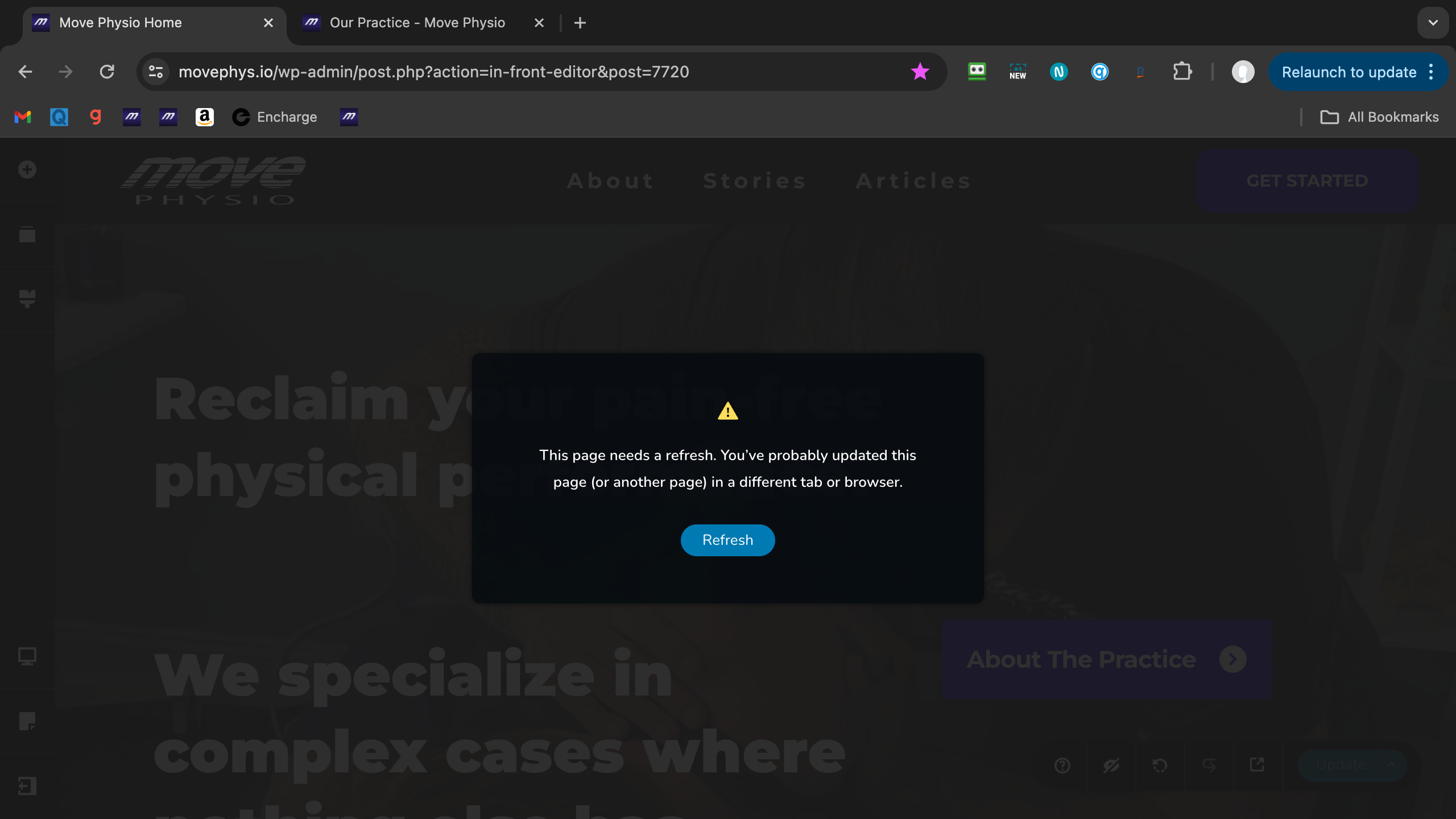
I am having the same issue on my site. I've tried making small changes and updating, but I get an error message after hitting the Update button. Please see the following screenshot:
 0
0 -
Hi Justin,
Thank you for reaching out to us.
This issue often occurs on websites using WordFence, or similar security plugins. Disabling the Firewall or setting it to learning mode often fixes the issue. You can find more information on this here: https://help.elegantthemes.com/en/articles/2395855-how-to-fix-saving-issues-while-wordfence-plugin-is-enabled
If this doesn't help, try to isolate the issue by disabling all other plugins besides Brizy and Brizy Pro to check if it's coming from a plugin conflict. If this resolves the issue, gradually enable the other plugins one by one as you test and edit your pages until the issue comes back. This will help you determine which plugin is causing this issue.
If the issue continues, could you kindly give us temporary access to your WP Admin? This will allow us to further investigate the issue. Please add us as an Admin user to your WordPress Dashboard and send the following details to communitysupport@brizy.io:
Community Post link: https://support.brizy.io/hc/en-us/community/posts/20361424414866
WordPress Admin URL:
Username:
Password:Please make a full backup of your site as a precaution.
Best regards,
Ariel H.0 -
Setting Wordfence on learning mode did it. thanks!
0
Please sign in to leave a comment.
Comments
6 comments