Wordpress Page Updates Will Not Save

Hi,
I get a Refresh message and Page Cannot Save message whenever I edit my pages and attempt to update.
We edited wp-config.php with the following setting: define('WP_MEMORY_LIMIT', '512M').
We installed a database optimizer and optimized the database.
We cleared the Brizy logs.
We need help.
Thanks!
-

Hi Kevin,
I'm Mark from Brizy Support.
Thank you for contacting us about encountering Refresh and Page Cannot save message. Please rest assured that we'll look into this for you.
For this, we'll need a screenshot of the problem you're encountering and we'll need to investigate the problem through your Admin page.
Please add us as an Admin user to your WordPress Dashboard and send the following details to: communitysupport@brizy.io
Community Post link: https://support.brizy.io/hc/en-us/community/posts/20354659538450
WordPress Admin URL:
Username:
Password:Please make a full backup of your site as a precaution.
We'll be awaiting your response.
Best regards,
Mark.
0 -

Hi Kevin,
Thank you for your cooperation.
Unfortunately, we are unable to access your site. Please disable Two-Factor Authentication so that we can log in to your site and inspect the issue.
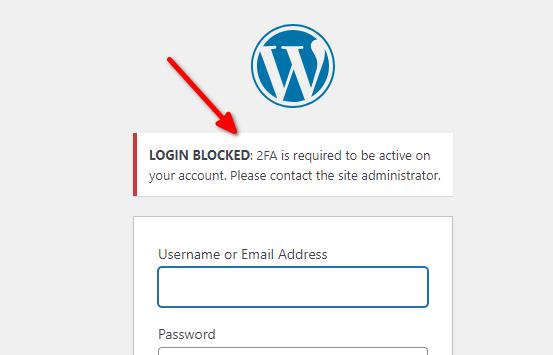
In the meantime, in case you are using WordFence, please set it to learning mode and see if this helps fix the issue:
- In the WordFence plugin settings, navigate to Firewall;
- Enable Learning Mode - https://imgur.com/TucapoH
- Return to your Brizy page, make some minor changes, and then update the page;
- Once done, return to the WordFence settings and re-enable the Enabled and Protecting option.
Please try this and let me know how it goes.
Best regards,
Ariel H.0 -
The learning mode quickfix worked for a while. The problem has returned. I'd like this ticket to be reopened if it was closed.
0 -
Hi Kevin,
Please follow the steps provided by Mark in one of our previous replies to send your WP Admin credentials so we can investigate this issue.
Best regards,
Ariel H.0 -

Hi Kevin,
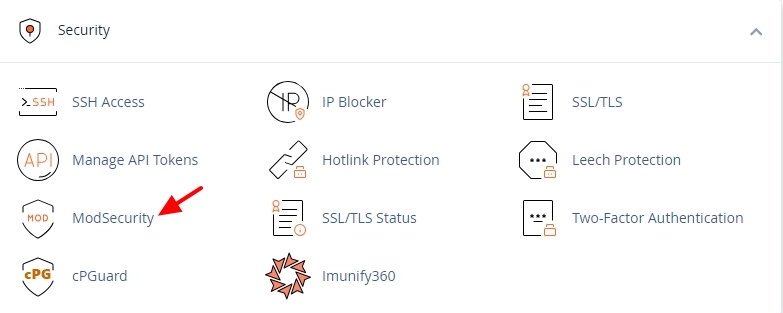
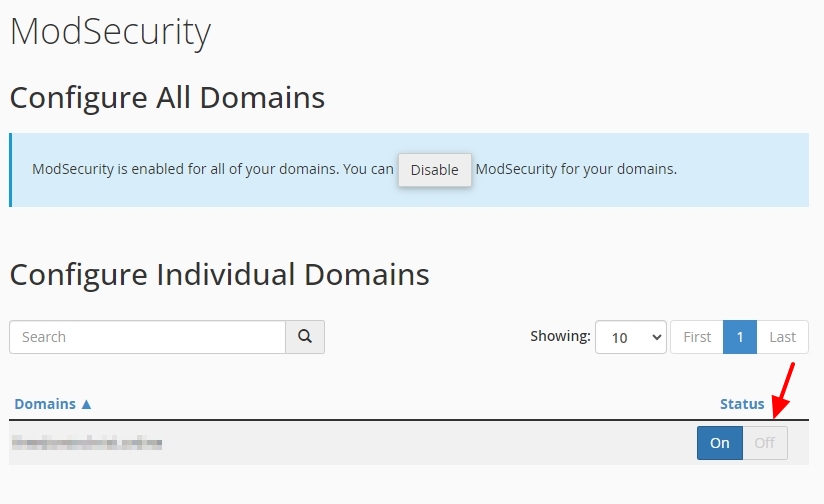
In your hosting control panel (like cPanel), kindly disable any security software installed like ModSecurity and check if that helps resolve the issue.
 0
0
Please sign in to leave a comment.
Comments
5 comments