Help with Brizy and images when using different screen sizes...

0
-

Hi,
Thank you for reaching out to us.
Unfortunately, you cannot move elements in tablet and mobile views. To adjust the position of the image, you can use the arrow icons as demonstrated in this example.
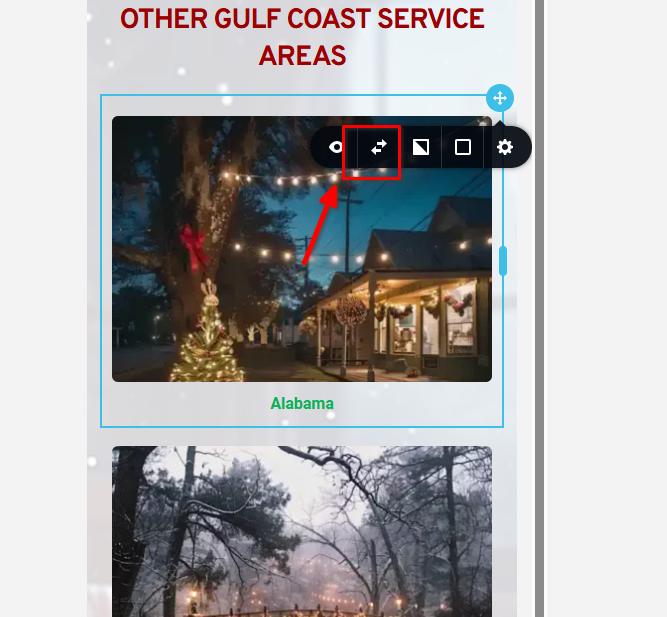
Alternatively, you can create two versions of the block—one for desktop and another for mobile view. In the mobile block version, you can arrange your image accordingly and hide it in the desktop and tablet views as shown in this screencast: https://youtu.be/Eu-t0_YE4-c?si=T0XbTcqWvee-LLDo&t=48
Please try this, and if you have any further questions, feel free to let us know.
Best regards,
Ariel H.0
Please sign in to leave a comment.
Comments
1 comment