Brizy and Brizy Pro 2.5.0 Upgrade Broke Site

Upgraded to Brizy and Brizy Pro 2.5.0 has caused site display issues. Top navigation is no longer showing and pages are not loading correctly. Also, WP-Dashboard says Rest API encountered an error. https://deepdishdigital.com/
-
It took a few hard refreshes and I re-saved the top navigation. The issue seems to be resolved.
0 -

Hi Harley,
I'm Mark from Brizy Support. Thank you for contacting us about your issue with Brizy and Brizy Pro 2.5.0.It's great to hear that your issue is already resolved but rest assured that the team is aware and actively looking into this problem. We appreciate you sharing your workaround, we'll be taking note of this.
If you have any other issue, please do feel free to contact us again. We'll be happy to assist.
Best regards,
Mark.
0 -

Hi... Seems many of us including myself with all my sites (10+) have gone down. I had to downgrade and not happy about it. Will Brizy come out with a update to resolve this ?
0 -

Hi Dan,
With the Version 2.5.1 and Brizy Pro 2.5.0, we have launched a new compiler. You can read more about it here https://www.brizy.io/new-compiler-200-loading-performance-boost To activate the new compiler, you must update to these versions.
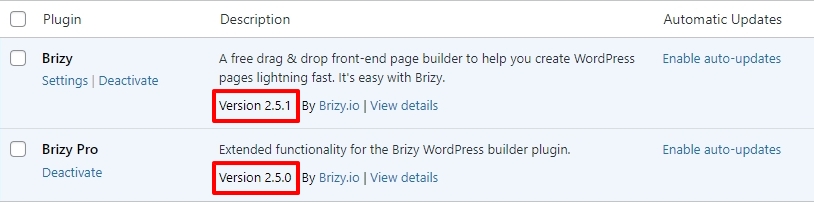
For new projects, the compiler's benefits are automatically applied, ensuring immediate performance boosts. However, to take advantage of these enhancements on existing projects, kindly follow these 3 steps- Open Your Project: Open the project you wish to optimize in the Brizy Editor
- Make a Minor Change: Navigate to any page within your project, make a small edit (such as modifying the padding by one pixel), and then revert the change.
- Save the Project: Update the page to activate the compiler.
For the websites that have gone down, kindly update to the latest versions and follow the above three steps.
0
Please sign in to leave a comment.
Comments
4 comments