Some elements on our website are not showing

Hello, heres the link of our site. some elements are not showing. Thanks!
-

Hi Joshua,
Thank you for contacting us.
Could you please confirm if you're able to replicate the issue when all other plugins, except for Brizy and Brizy Pro, are disabled? There's a chance that this issue is occurring due to a conflict with another plugin.
Please try this and let us know how it goes.
Best regards,
Ariel H.0 -
Hi Ariel,
Did you want me to disable all the plugins except for brizy and brizy pro? We did nothing when this problem occurred.
0 -
Hi Joshua,
Thank you for the update.
This issue could be due to caching problems, even if you haven't made any changes to your site. I have observed this issue on websites using JetPack plugin. If you are using it, please disable it first and check if it resolves the issue. Once done, I will provide the next steps. Alternatively, it could be another plugin causing this issue, so you will need to isolate it by disabling all other plugins except for Brizy and Brizy Pro to see if this makes any difference.
Additionally, we have recently released updates for both Brizy and Brizy Pro. Please ensure that you are using the latest versions.

Please follow these steps and let me know the outcome.
Best regards,
Ariel H.0 -
Hello Ariel,
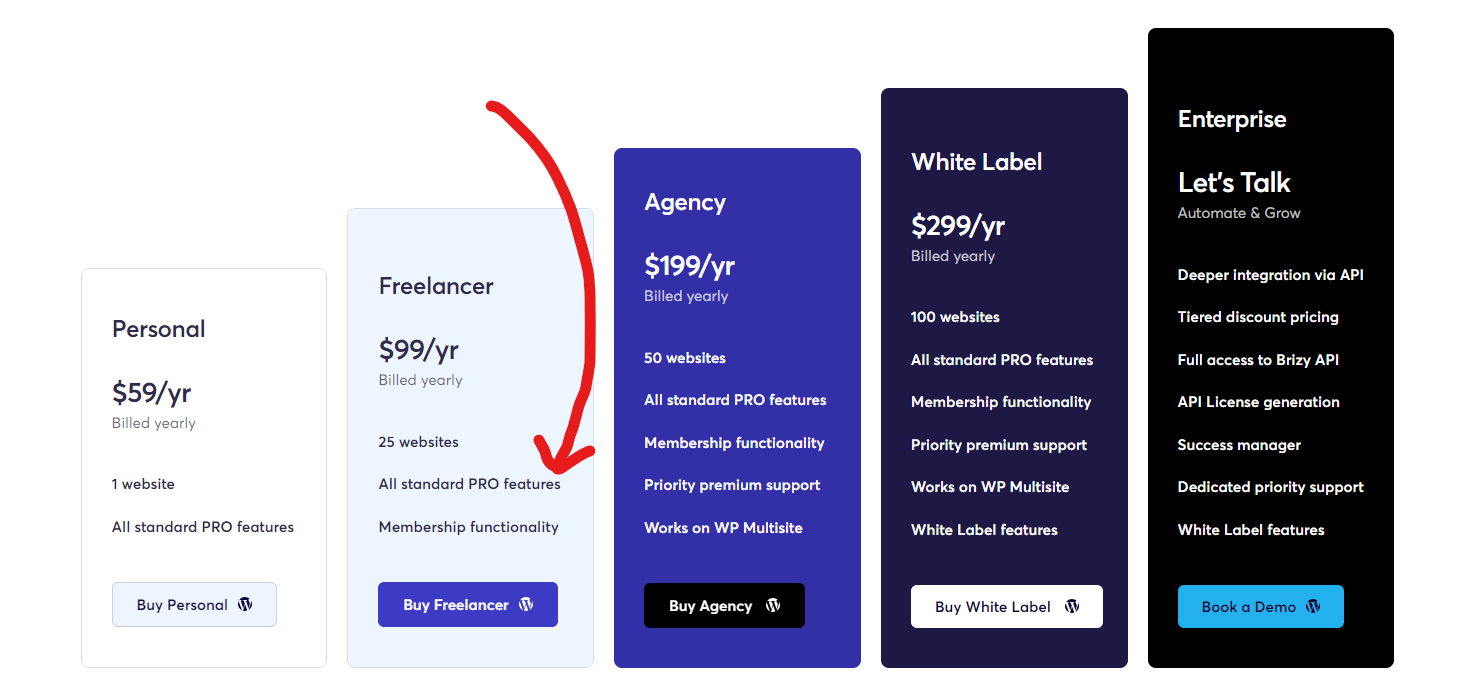
Can you help us out with this? I can't update Brizy Pro to the latest version. We have already paid for the license. Please see below SS.
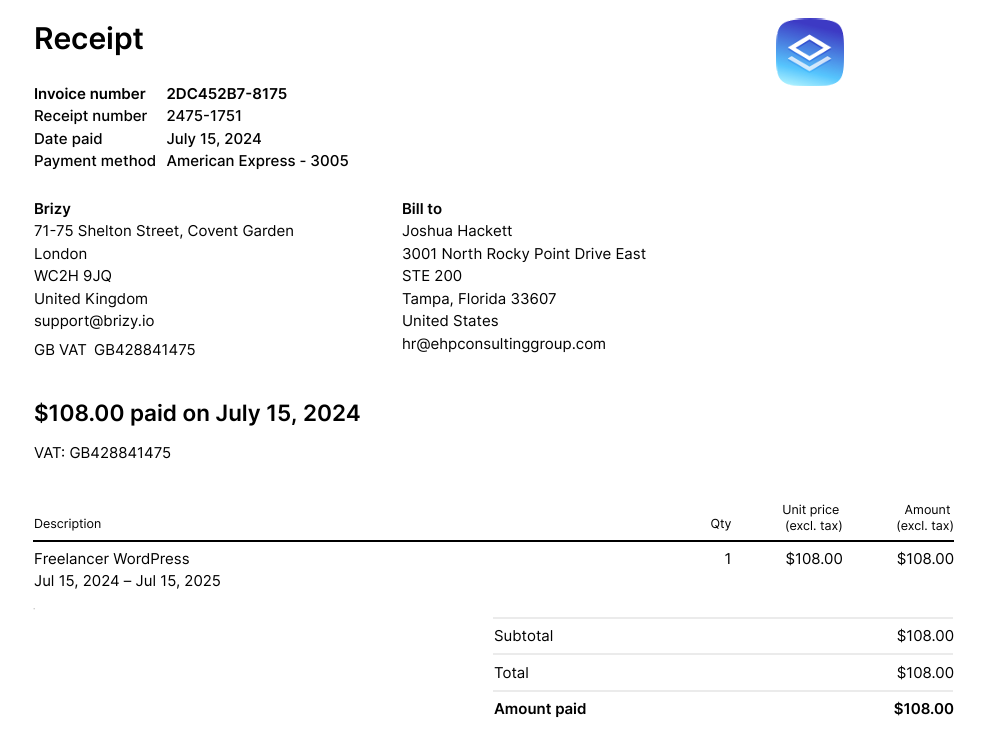

We paid freelancer. This includes the pro right?
 0
0 -
Hi Joshua,
Thank you for the update.
This is something we need to inspect from your WP Admin page. Please add us as an Admin user to your WordPress Dashboard and send the following details to: communitysupport@brizy.io
Community Post link: https://support.brizy.io/hc/en-us/community/posts/20258423635602
WordPress Admin URL:
Username:
Password:Please make a full backup of your site as a precaution.
Best regards,
Ariel H.0 -
Hi Ariel,
Email already sent. Thanks!
0 -

Hello Joshua,
Natalia here, Brizy technical team.
I was able to update the PRO version to the latest 2.5.0 update and renew your old WordPress licenses.
I made a short inspection - it seems that all blocks and elements are in place.
Please, check your project and your pages and let me know if everything is working correctly at your side.
Thank you,
Natalia
0 -
Hi Natalia,
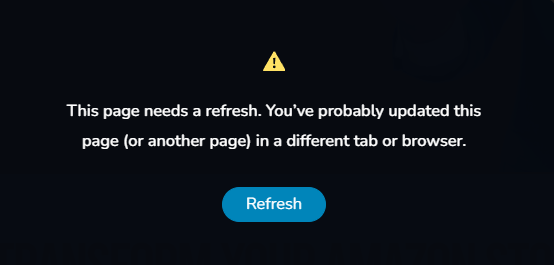
Thank you for that. Still, the issue of some elements not showing is not fixed. When I tried to edit a page this notification appeared. Can you help us out with this? Thanks!
 0
0 -
Hi Joshua,
Let me investigate this issue.
Regards, Natalia
0 -
Joshua,
I fixed. It was related to WordFence Firewall Status - https://jmp.sh/nUy4SH9p. What I did:
Changed the status to Learning Mode >> Updated a Brizy page >> changed back to Enabled and Protecting status.
Let me know if you have any other issues.
Regards, Natalia
0 -
Thank you so much, Natalia!
0 -
My pleasure ;)
Regards. Natalia
0
Please sign in to leave a comment.
Comments
12 comments