Is there a way to go back to the main page after being redirected to another page (PDF)?

The form is in a popup. On completing the form, I would like a PDF (the redirect) to open in a separate tab because there is no navigation back to the website once it is redirected outside the page.
-

Hi Joshua,
PDF files usually open in a new tab and the user closes the tab to go back to the website. You have the option to display the PDF as a popup as well. Have a look at 3 options for you to link to a PDF file at https://brizy.tech/pdf/
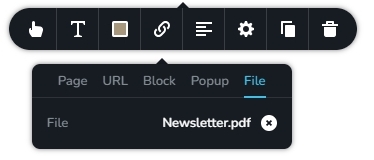
You add the PDF file under the 'File' tab of the link tool to make the PDF available in a new tab.
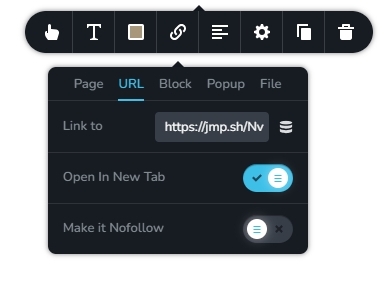
You can also upload the PDF file to an external drive like Google Drive, Jumpshare, or Dropbox, and add the PDF hyperlink under the URL tab of the link tool. Kindly enable the option "Open In New Tab".
The third option is to add the PDF file to a popup as an iframe using the Brizy Embed element. I have used this iframe code to add the PDF in a popup.
<iframe src="https://brizy.tech/wp-content/uploads/2024/06/Newsletter.pdf" id="Ebooks">  </iframe>
  <style>
     iframe {
       width: 100%;
       height: 100vw;
                }
   </style>
0 -
H KC,
As you can see in the screenshot below, once you click the download button you'll get redirected to the PDF file but the problem is when you click the back icon

it will not go back to the home page of the site.
 0
0 -
and by the way, we're using a contact form in the popup where viewers are supposed to sign up their names and email and download the PDF, not the regular button. thanks
0 -
Hi Joshua,
Like I have mentioned earlier, PDF files usually open in a new tab and the user closes the tab to go back to the website. One way to force users to stay on your website when viewing and downloading the PDF document is to embed the PDF as an iframe. Have a look at https://brizy.tech/pdf/
I have embedded the PDF file using the following code
<iframe src="https://ehpconsultinggroup.com/wp-content/uploads/2024/06/First-Image-Guide-1.pdf" width="100%" height="2000" scrolling="no" style="border:0px solid black;">
</iframe>
Instead of redirecting users to your PDF file, you can then redirect users to the page on your website with the PDF Embed.
0 -
Thanks KC. Can you give me the step-by-step process on how to embed the code into the PDF file? That would be very much appreciated.
0 -
Hi Joshua,
Kindly watch the screen recording at https://jmp.sh/yPjRdkIl for the procedure to embed a PDF file to a Brizy page.
0 -
Hi KC,
I followed your instructions and it worked. However, when I click on the go-back button, It does not go back to the home page. Please see below video.
https://www.dropbox.com/scl/fo/prnc23lvxmdponbto0cee/AJhj82_NmKgk-5YNAVlL_qs?rlkey=q8xyu7bbjexhqagq89e4hvj44&st=q8k5ypnp&dl=00 -

Hi Joshua,
Thank you for the update.
Unfortunately, this behavior is by design for now. When redirection occurs in the form element, the previous page isn't stored in the browser history. As a result, pressing the back button doesn't take the user to the prior page. To address this issue, you might consider adding a big "Back to Home Page" button on the page for users to click instead of using the browser's back button.
If you have any further questions, please let us know.
Best regards,
Ariel H.0 -
Hi Joshua,
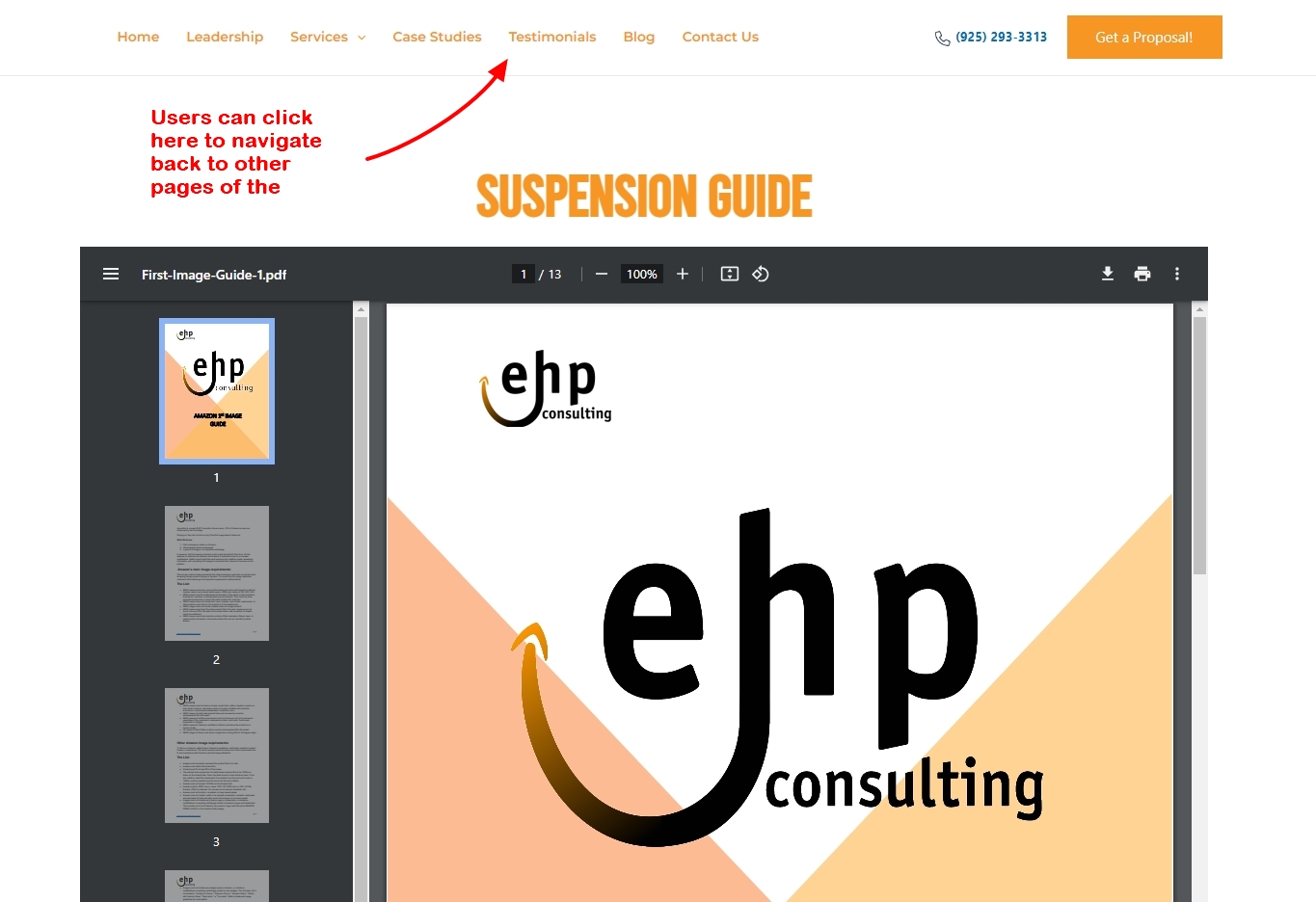
Usually website visitors use the header navigation to move back and forth to different pages of a website. After being redirected to https://ehpconsultinggroup.com/suspension-guide-2, visitors can click on the website navigation in the header, instead of using the back arrow to navigate to the website.
 0
0
Please sign in to leave a comment.
Comments
9 comments