Global Styling in BrizyCloud

Hello, I believe you have a bug in BrizyCloud.
From my BrizyCloud dashboard, if I click: Create New Project > Website & Landing Page > Start with a template > Start with this design.
The template creates a new project and loads properly, but the global styling settings do not have that templates styling option.
I just did this process for the "Carpentry" template, and there is no global styling "Carpentry" in the list of options.
If I clear template and reload, then the "Carpentry" styling is available.
-

Hi Stephen,
You are right; in the past, when importing a design template, Brizy Cloud used to create a new global style with the name of the template; but that has now stopped. Instead, the global styles are added to the default 'Overpass' style when importing a design template. However when importing the same layout from the "Blocks and Layouts library" with the "Replace global styling" option enabled, it adds a new global style with the name of the template. I suppose that this doesn't pose a functional problem for web designers.
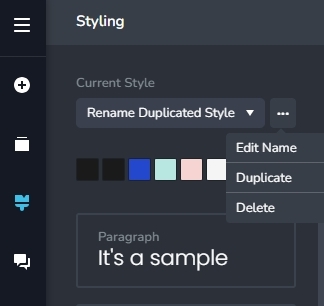
Additionally, Brizy now has the ability to duplicate an existing global style and change its name (after duplication).
 0
0 -
Hello KC George,
Thank you for your explanation.
That's great that we can duplicate and rename global styles. Does a duplicated and renamed global style save with the template, which can then be transferred to a WordPress site?0 -
Hi Stephen,
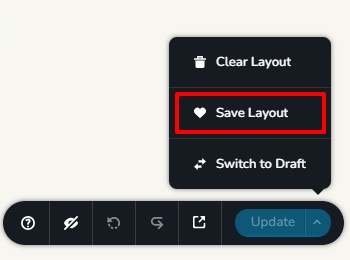
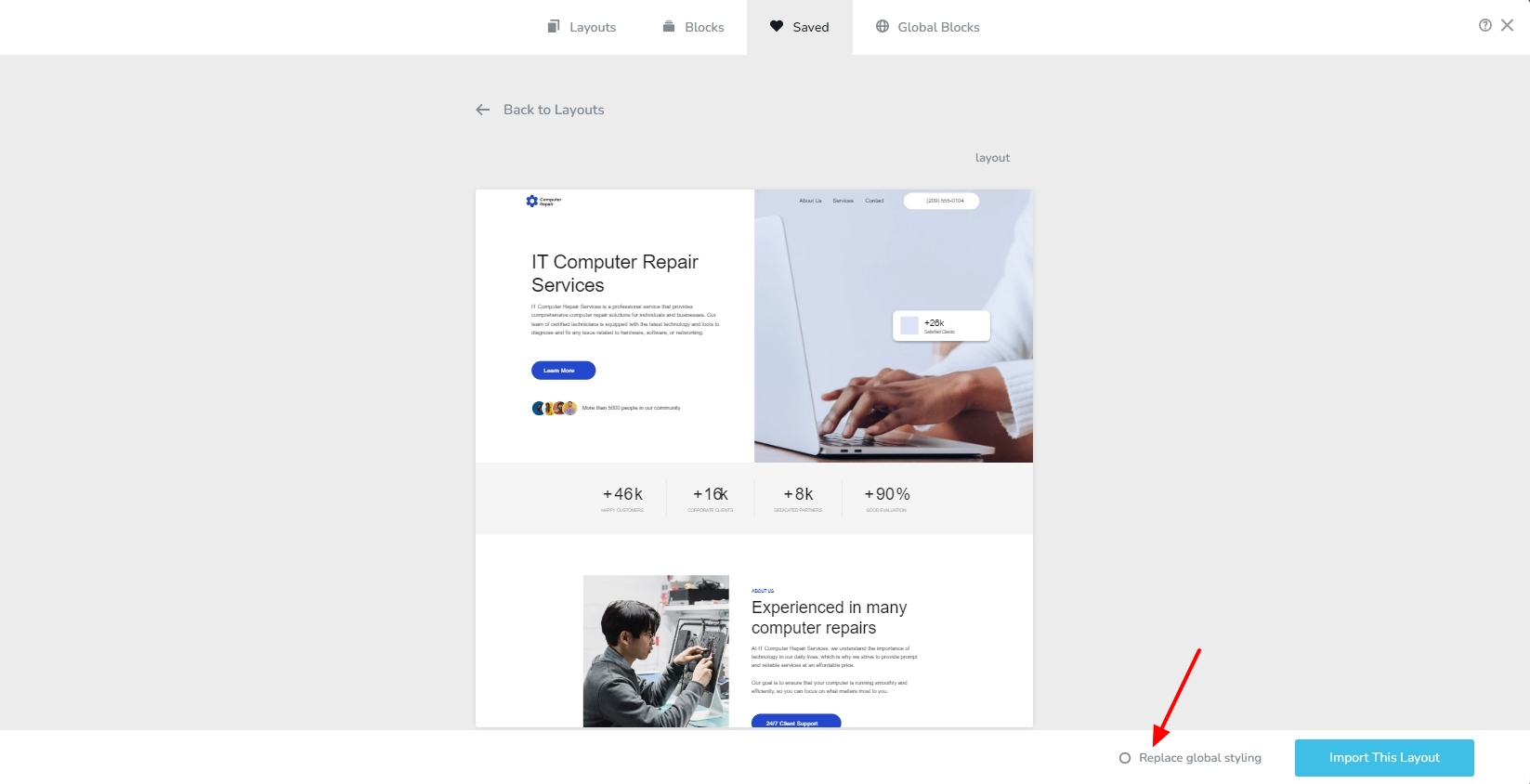
Yes; if you save a page as layout by selecting the 'Save Layout' option at the bottom right corner and import it into another project with the "Replace global styling" option enabled, the duplicated and renamed global style gets imported along with the layout.
 0
0 -
Thanks KC.
And will all my custom changes to that global style carry over to WordPress?0 -
Hi Stephen,
Yes; after making changes to a global style in a Brizy Cloud project, if you save your work, save the page as a layout, and import it into Brizy WordPress with the "Replace global styling" option enabled, the changes you made to that global style will carry forward to WordPress.
0 -
Thanks again KC.
It is definitely a little confusing to overwrite the "Overpass" styling.
I'd recommend you guys overwrite the "Default" styling, and have "Default" at the top of the "Current Style" list.0 -
Hi Stephen,
How about making a copy of the Overpass style, renaming it after your project and applying it? Wouldn't this be a better solution that overwriting the Default style?
0 -
Hi KC,
Sorry for the confusion. What I mean is this:
Overpass has been around for several years and people have used it as a global style.
Now, when we choose a new layout (such as 'Carpentry'), Overpass is overwritten, but it is still called Overpass.
That's quite weird.
When I pick a layout, the word "Default" makes a lot more sense for something that could be the 'default' style for whichever layout we choose.
Does that make sense?0 -
Hi Stephen,
It does make sense to apply the styling to "Default" when importing a new layout. Definitely a better choice than applying it to 'Overpass'.
I was suggesting duplicating and renaming Overpass to the name of your project, as a work around, given the effort required to rewrite, test, and then release the new method of naming global styles. This approach helps one to determine which project is associated with a global style by looking at its name.
0
Please sign in to leave a comment.
Comments
9 comments