Can't select Brizy Template as display conditions for Global Elements

Hi,
I'm having issues selecting the Brizy Templates as a Global Block display conditions.
For some reason the Brizy Template selection is set to "disabled", so it can't be chosen, which is a major issue for me as it prevents me from setting the Global Display option to my Brizy Templates.
See attached screenshot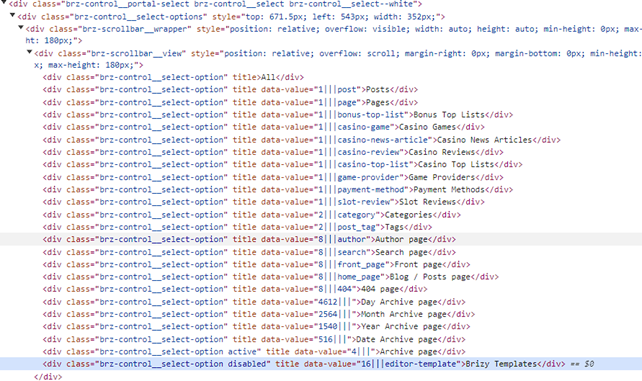
Please help.
Best,
Daniel
-

Hi Daniel,
Thank you for contacting us.
Could you provide us a short screencast to demonstrate the issue? This will allow us to better understand the problem and possibly offer a solution.
In the meantime, have you tried basic troubleshooting like disabling all other plugins besides Brizy and Brizy Pro to see if it's coming from a conflict? Have you tried temporarily switching to another theme?
Best regards,
Ariel H.0 -
Hi Ariel,
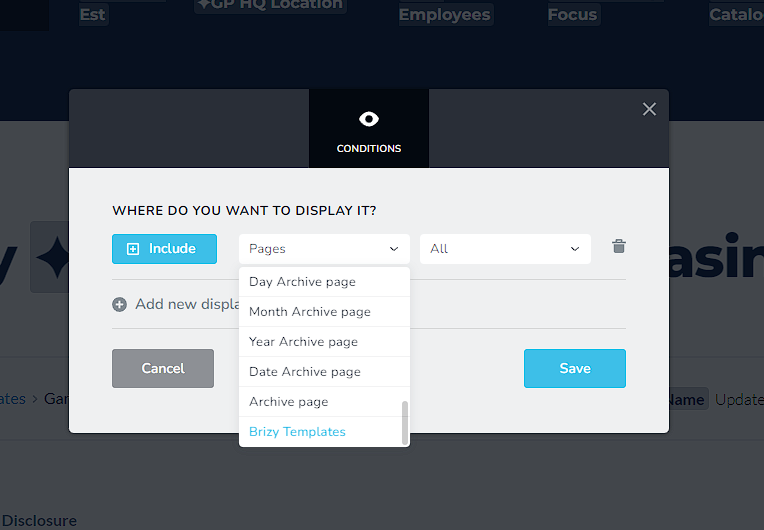
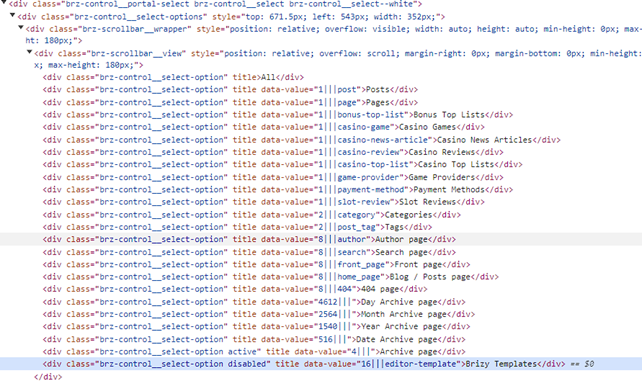
Yes, please see screenshot. I can't select the last option in the menu "Brizy Templastes". It wont let me click it, and when I look in the HTML code the class is "disabled", which explains why I can't select it.
Yes, I have tried all the troubleshooting options you describe.
Look forward to hearing from you.
Best,
Daniel0 -
Hi Daniel,
This issue often occurs if you have embedded custom scripts on the page, if this is the case, please remove those temporarily. Refresh Brizy and see if you can select the menu.
Also try using another browser and see if this makes any difference.
Please try this and let me know how it goes.
Best regards,
Ariel H.0 -
Hi Ariel,
I have tried in other browsers, and incognito browsers as well.
What type of custom scripts do you refer to? I mean, I have custom scripts in my theme funcstions.php and I'm also using a child theme. Are these the custom scripts you refer to?
Best,
Daniel
0 -
Hi Daniel,
I am referring to any custom JS/HTML that you have embedded into the page? Does this issue occur on all pages?
0 -
Hi Ariel,
OK, in that case, I do not have any custom JS/HTML on the page, and yes, it happens acros all my Brizy Templates, that I can't select the display conditions to be the Brizy Templates.
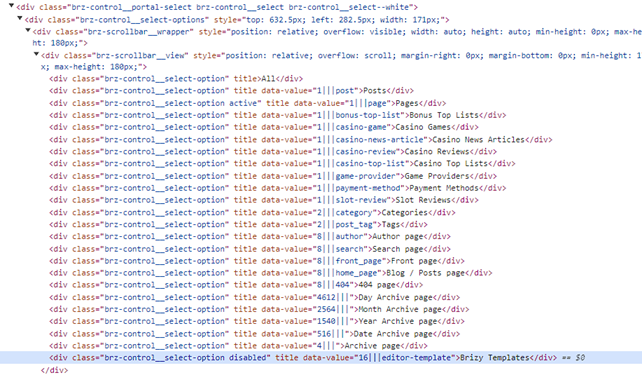
I just did a new test Brizy template with no content and also here I can't select the Brizy Templates as a display conditions for my global blocks and the class in the menu selector is still "disabled" when you look at the HTML code.
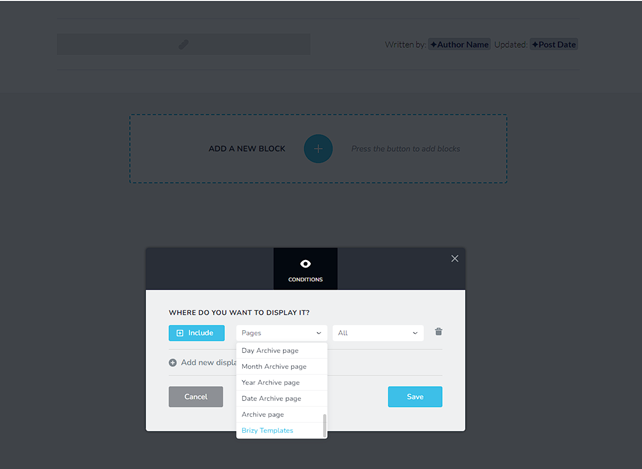
Best,
Daniel0 -
Hi Daniel,
This is something we need to inspect from your WP Admin page. Please add us as an Admin user to your WordPress Dashboard and send the following details to: communitysupport@brizy.io
Community Post link: https://support.brizy.io/hc/en-us/community/posts/19741976922770
WordPress Admin URL:
Username:
Password:Please make a full backup of your site as a precaution.
Best regards,
Ariel H.0 -
Hi Ariel,
OK, I will do tomorrow, as I have a meeting starting here at 1pm and rest of the afternoon.
Talk tomorrow.
Best,
Daniel
0 -
Hi Ariel,
I have found a solution for the issues.
If I make a Block Global on a Brizy Template page and change the Display Conditions to All Brizy Templates, it removes the "disable" class from the Brizy Templates, and I can select it. This only works if I first choose to display on all Brizy Templates. Doing so makes it possible to choose the Brizy Templates from the menu and select more display conditions for Brizy Templates.
To me, this looks like a bug in the Brizy WP Plugin, but I can't say for sure. At least now, I have found a solution that works for me and makes it possible to select the Brizy Templates as display conditions, but only if I first choose All and make the Block Global from a Brizy Template page.
Hope it makes sense to you.
Best,
Daniel
0 -
Hi Daniel,
Thank you for sharing your solution.
Unfortunately, I am unable to reporduce it on my end, or I might be approaching it differently. Would you be able to create a short screencast to demonstrate the issue?
I am looking forward to your response.
Best regards,
Ariel H.0
Please sign in to leave a comment.
Comments
10 comments