Justify-content: space-between? Is this possible on the text with icon feature for buttons?

As you can see from the image below, I have on the right hand side, created two buttons. What I can't seem to effect without scrapping your button feature and just embedding in raw html, is pushing the text to the left and the icon to the right.
This is a simple turn off and on feature on an Elementor etc, and here I am forced to try to use CSS but it seems the CSS doesn't work either. What would you do here?
Thanks, appreciate any advice :)
So - it's the right hand square (blue) we want each button to have the text aligned on the left hand side evenly vertically, so it looks clean visually. And on the right the icon arrow should sit at the same point on the right hand side of the button.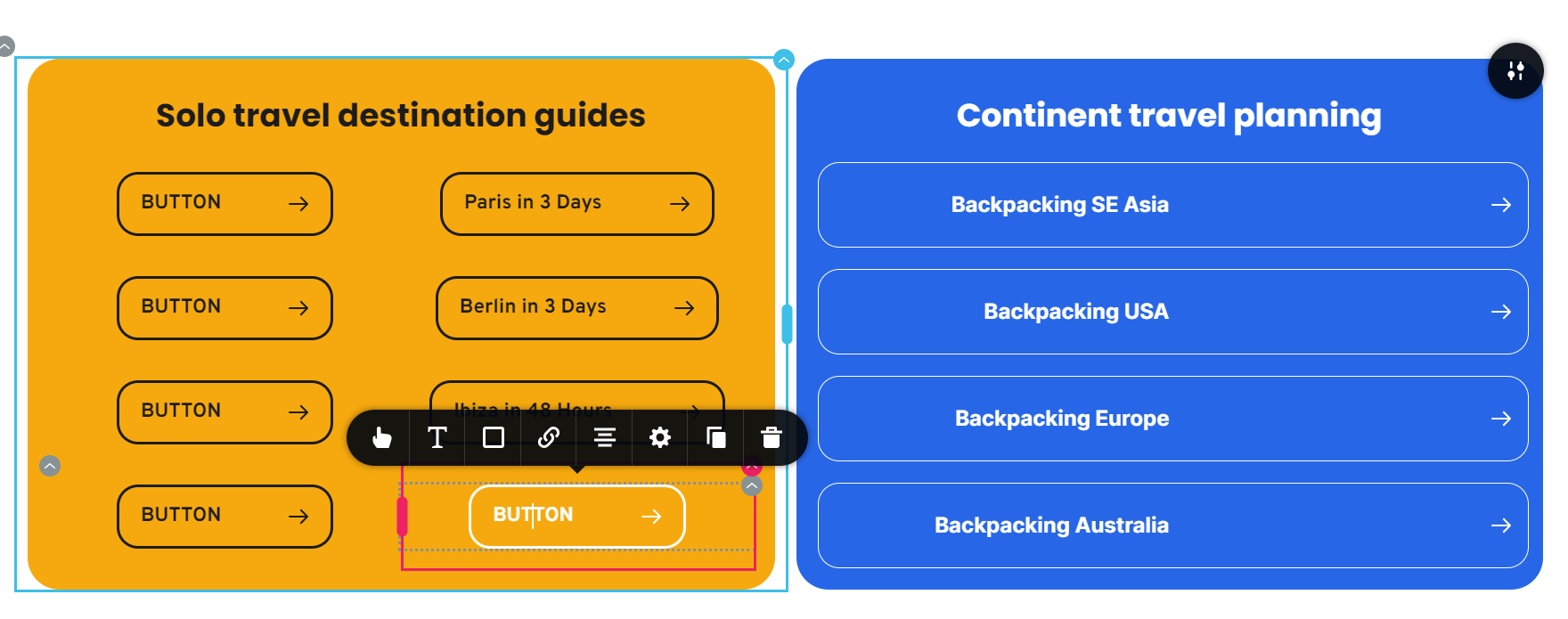 I am using css:
element {
justify-content: space-between;
}
I am using this css in the css section of the text element css spot.
Thanks
David
-

Hi David,
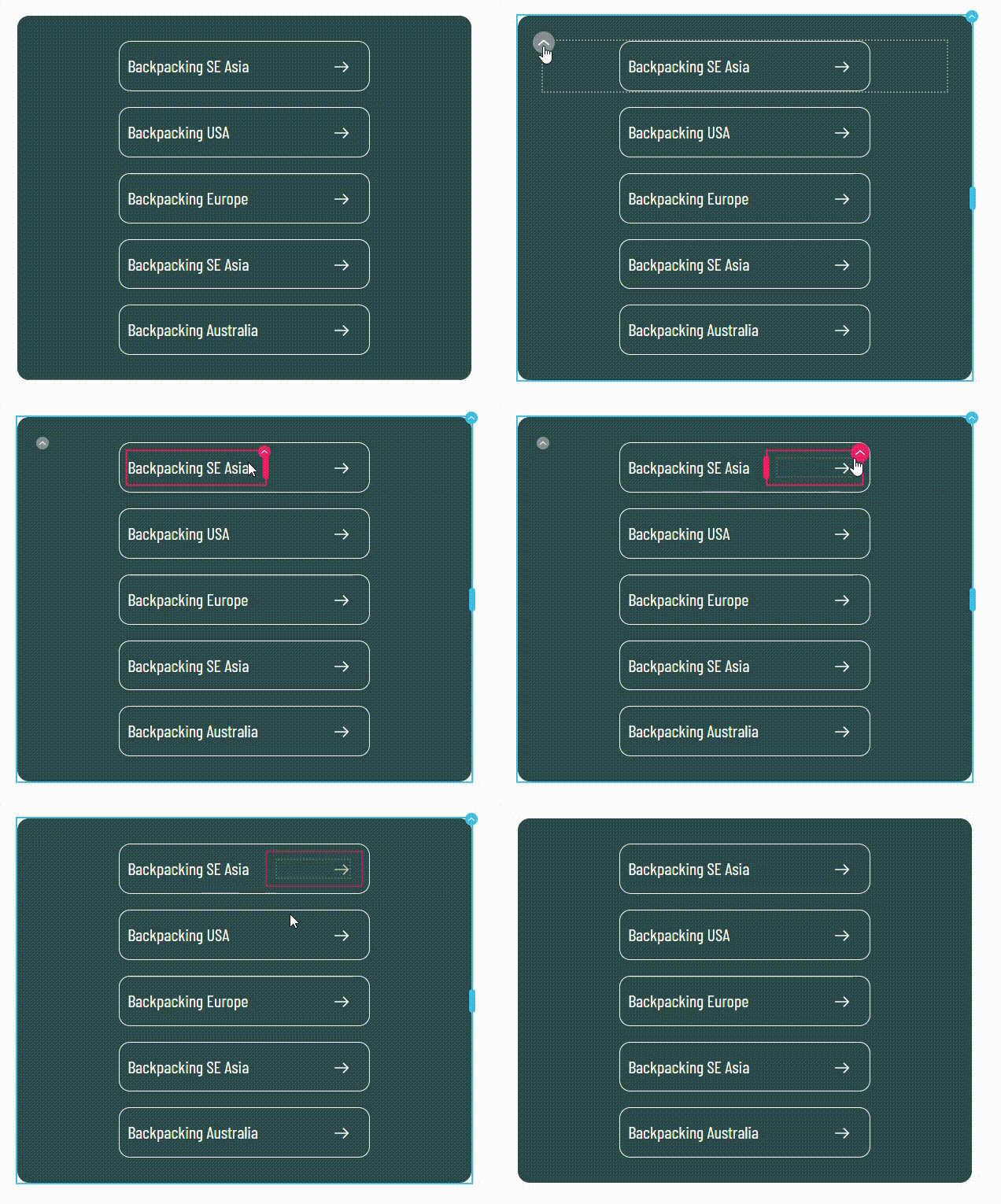
Buttons with left justified text and right justified icon can be best implement it using Rows, columns, text and icon elements. Kindly have a look at https://restaurant-1.brizy.site/justified-button
In this example, buttons are created using a Row element with two columns. Text in the left column is left justified and icon in the right column is right justified. Appropriate margins and corners are set to the Row element. Once you complete the design for the first Row element, duplicate it multiple times and change the text.
 0
0 -
Perfect. That worked. Thank you
0
Please sign in to leave a comment.
Comments
2 comments