Problem linking youtube player to custom URL

I created a Podcasts page as a custom post type.
I made a custom field for a youtube video URL for each podcast post item.
I tried to embed the youtube element inside the posts element which is set to display the podcast custom post type.
I then linked the youtube player URL to Podcasts > Podcast Youtube URL (the custom field I created for the podcast post type)... However, the video doesn't load in the editor or on the front end. Screenshots below. I'm looking for a solution for this.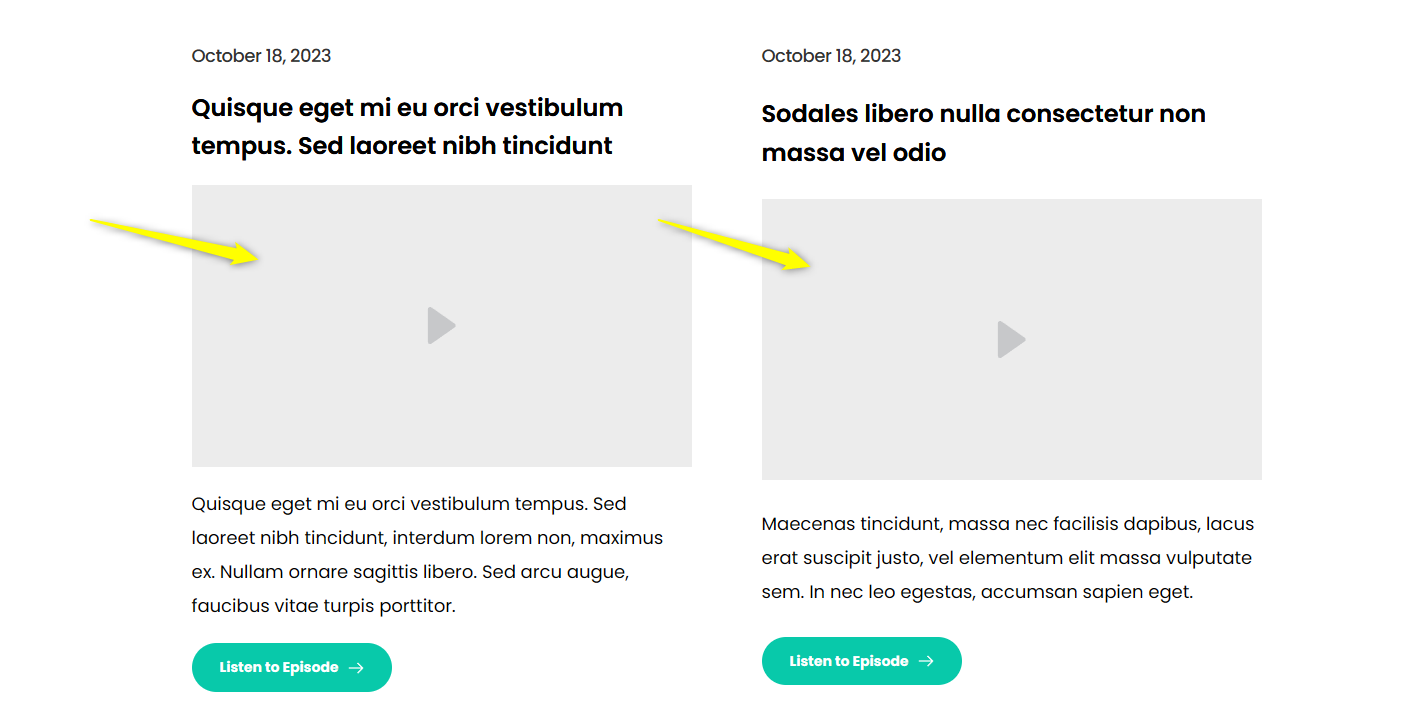
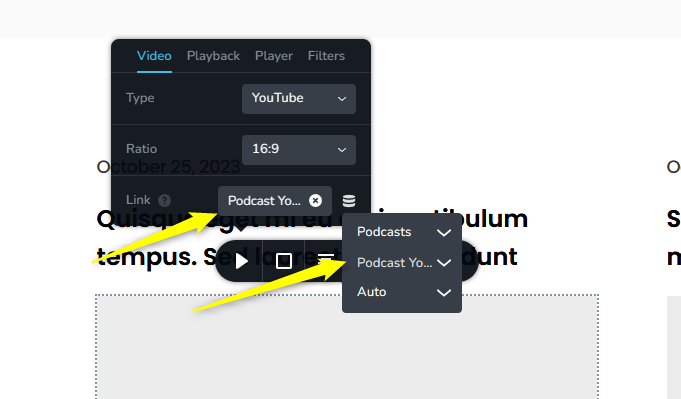
-

Hi Nick,
The video element supports dynamic URLs and hence you can play the videos in the Podcast pages using dynamic URLs. However unfortunately embedding the Video element inside the Posts element is not supported. Hence what you are attempting will not work.
0 -
That's unfortunate. So is there another way I can show the latest podcasts with the youtube player for each one? Or the SoundCloud player.
Second question, when I create a new asset (e.g. podcasts), I can access a page in my browser at /podcasts. But I can't figure out how to edit the template for this page. Instead I've been creating a separate page called "podcast" (to take the place of "podcasts"), but that's essentially a duplicate page. What am I missing here?0 -
Hi Nick,
Unfortunately there is no option to display the podcast video in the listing page. The video can be displayed only in the specific podcast page
You have setup the template for the Podcasts correctly. You can access your podcasts at
0 -
Ok thanks for answering my first question.
I still don't know how to edit the automatically created "podcasts" assets page (/podcasts - note the S at the end): https://www.purealpha.pro/podcasts
I had to manually create a page called podcast to edit the template in the editor (note: this page is podcast with out the S on the end): https://www.purealpha.pro/podcastSince the asset page is already there it seems redundant to have to create the podcasts page twice just so I can edit the layout. So my question is how do I edit the assets page (/podcasts).
Nick0 -
Hi Nick,
These are your Podcast category archive pages.
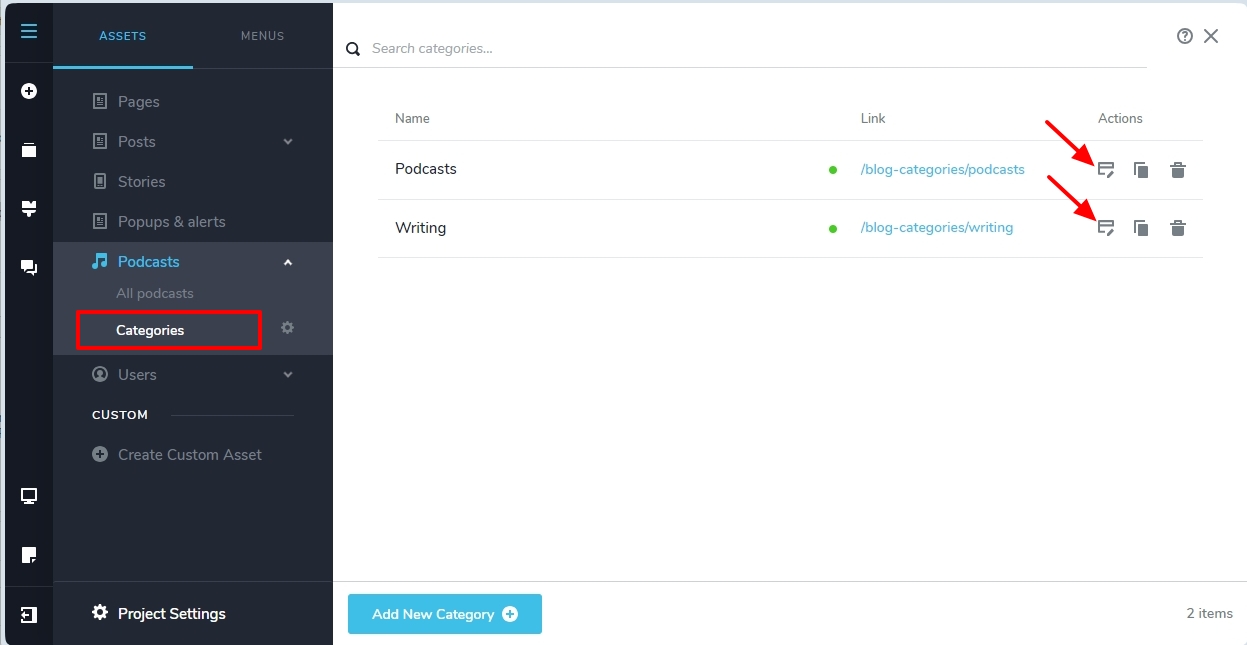
Select the 'Categories' option under the 'Podcasts' asset and on the right pane, click on the 'Edit' icon next to the specific category
 0
0 -
Thank you! That's what I was looking for. Problem solved.
Nick0
Please sign in to leave a comment.
Comments
6 comments