WooCommerce element "Pages" doesn't show the Brizy Product Template when choosing "product"

As the title says the Brizy Product Template I've made doesn't show when I use the element "Pages" under the WooCommerce elements. Instead it show the product without y template even though it has the Brizy Product Template as I view it in the wordpress customization tool. The template is applied to the product when I navigate to the product's own page but it just doesn't show when I use the "pages" element.
Is there something I could do?
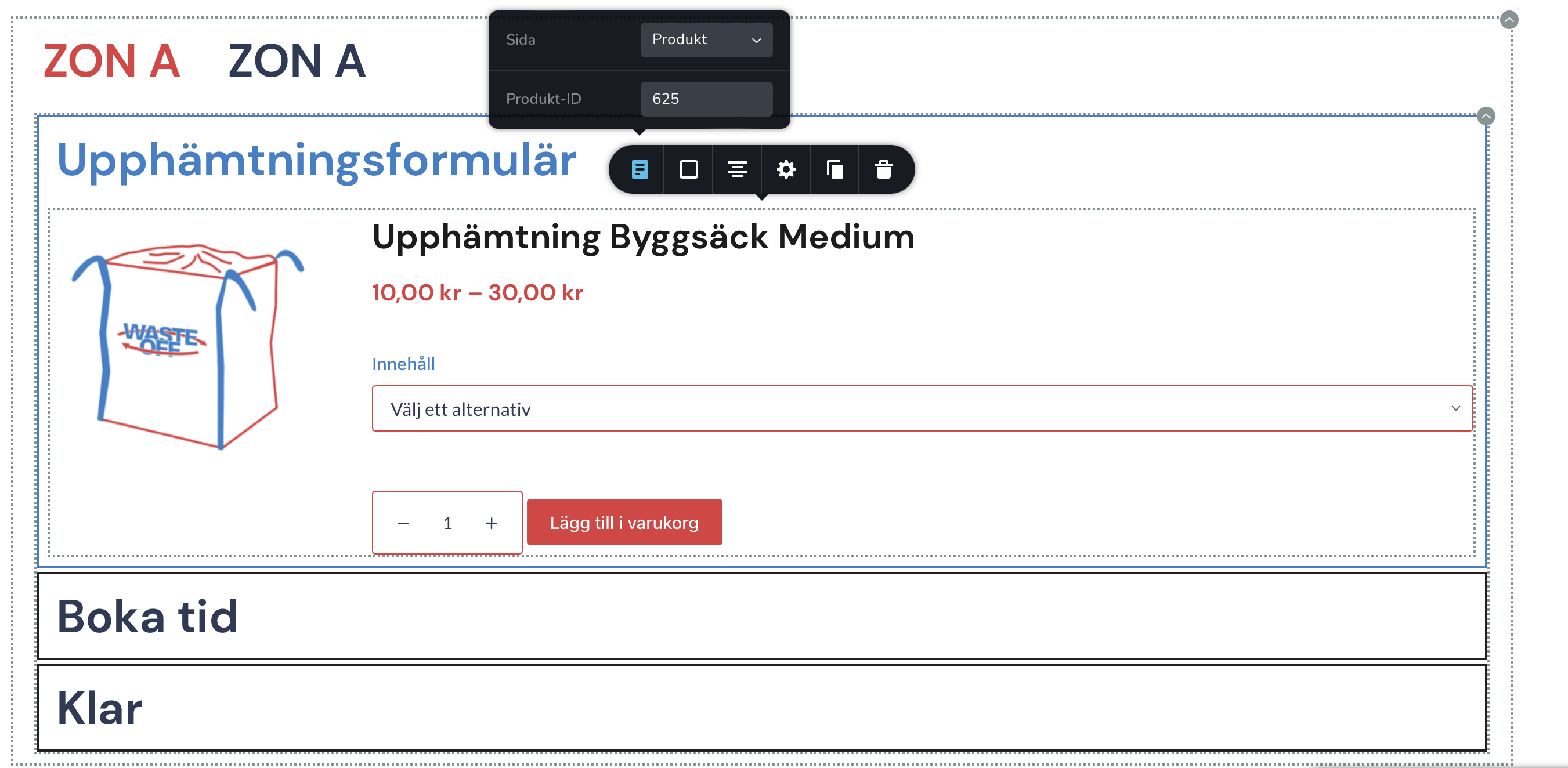
The product showing doesn't have the template as you see.
-

Hello Kristoffer,
The 'Pages' element's 'Product' option, isn't expected to be used in a Brizy Product template; it lets you display a single product's details on a Brizy page. Please explain to us the purpose of using the 'Product' option in the 'Pages' element in your project. We will advise you on most effective manner to implement your intended design.
0 -
Exuse me for the poor explanation. I want to use this element on a regular Brizy page, to be able to show the product title, attributes and foremost be able add the product to the cart without having to enter the product page.
0 -
Hi Kristoffer,
Although the 'Product' option of the 'Pages' element can be used to show a product's details on a Brizy page, it cannot be used to add the product to the Cart. To do this, you must set up a product template.
From any of the product pages, such as https://wasteoff.se/produkt/byggsack-small/, you can add products to your cart.
0 -
Okay then I see, so there is no way I can add a product from a page other than the product page itself?
0 -
Hi Kristoffer,
You can add a product to any Brizy page using the 'Products' element and the product can be added to the Cart as well. For instance, kindly have a look at https://brizy.tech/generic-page/ Scroll down to see the product.
Check out the process at https://jmp.sh/PDf66XTX
0 -
Amazing! Thanks for the help George. I've read a lot of threads here in the Brizy Help Center and I must say that it is very helpful, and now on I will definitely write here when I'm stuck. Have a good day!
0
Please sign in to leave a comment.
Comments
6 comments