Wrong Header on Production

The correct image is on the builder, but it's showing the wrong (not to mention deleted from media) image.
Also, why are crisp images blurry in Brizy?
https://trainings.revelationbreathwork.com/breathwork-for-beginners/
-

Hi Kyle,
Thank you for reaching out to us.
This is how the page looks like on my end.
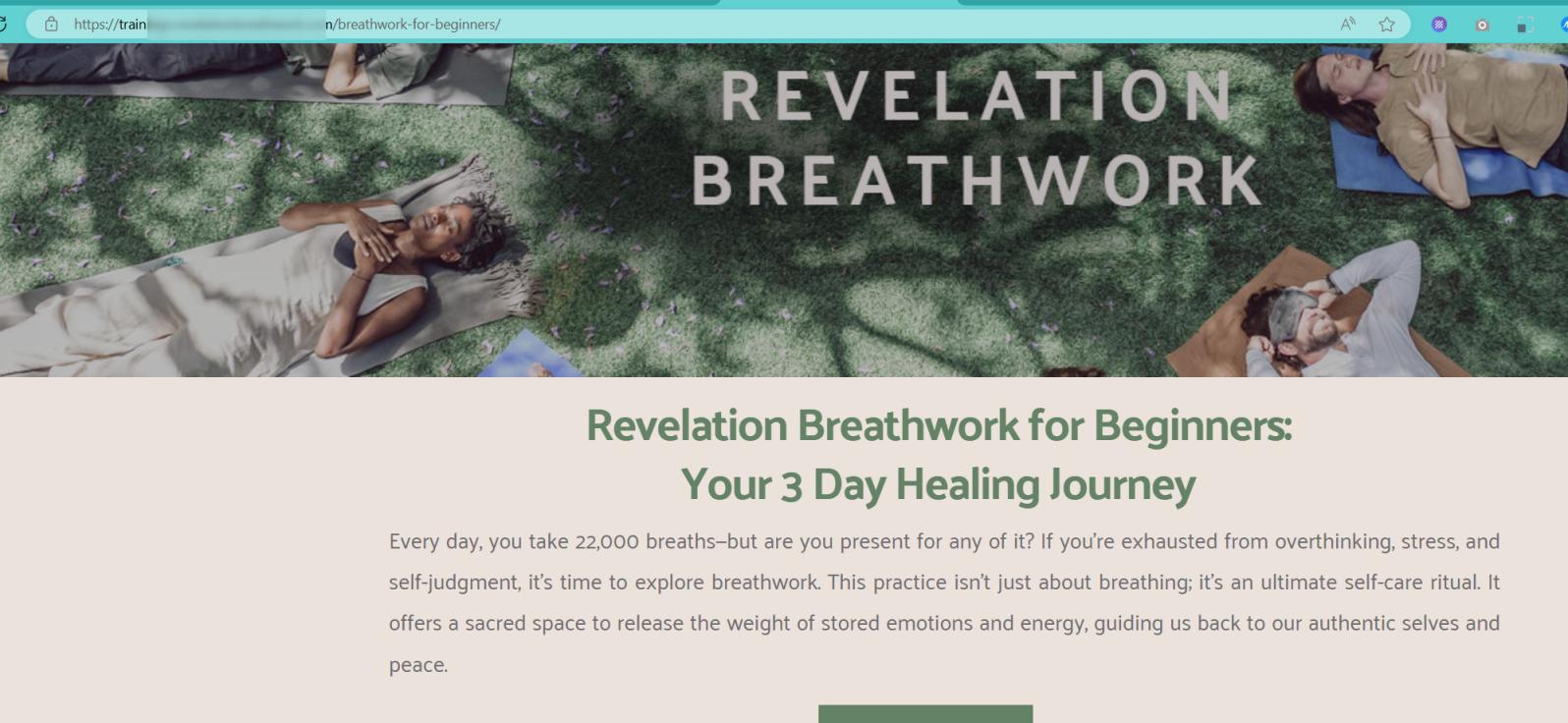
If the incorrect image is displaying on the page, it is probably due to caching issues. In such a situation, we recommend clearing your browser cache or trying a different browser to verify.
Additionally, if the image appears blurry, please switch the background image setting to "Original" instead of "Custom."
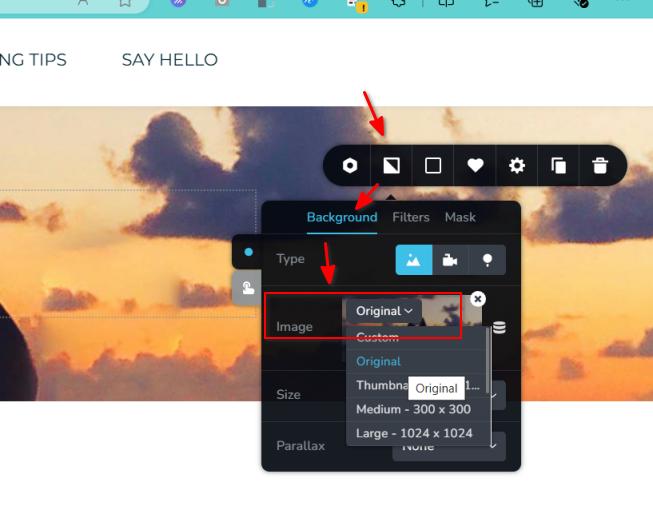
Should you have any more questions, feel free to ask.
Best regards,
Ariel H.0 -
Yes, that's the wrong image in the header, and in fact, it's deleted from the WP media, so I have no idea how it's still showing up?
0 -
Hi Kyle,
Thank you for the update.
Could you please try to re-upload the intended image but rename it before uploading it. After doing so, clear all cache and see if this will address the issue.
Please try this and let me know how it goes.
Best regards,
Ariel H.0
Please sign in to leave a comment.
Comments
3 comments