Questions about the login element

Hi,
I saw the last youtube video about memberships/logins and got a couple of questions about them.
1: when a user is logged in and I want the user to log out, I use the login element and type authorized. The word in the column is the English word “Logout”. Can I replace this English word for a Dutch word like “Afmelden”?
In the cloud builder, when choosing the Dutch language in the dashboard, it actually says the Dutch word for “Logout” which is “Afmelden”
But again when testing live it says the English word again.
2: I want a short text appearing when a person is logged in. Example:
Welcome Fred Smith. Can Brizy fill in the user credentials automatically after the text “Welcome”? So dynamically. When another person logs in, this new username will appear after the text “Welcome”.
Thanks for your reply!
Greetings,
Peter London
-

Hi Peter,
1. When you set the 'Original Site Language' as Dutch under Project Settings - Translate, the 'Logout' text should ideally translate to 'Afmelden'. This does not happen. It appears like a bug. I will report it and we will work on fixing it.
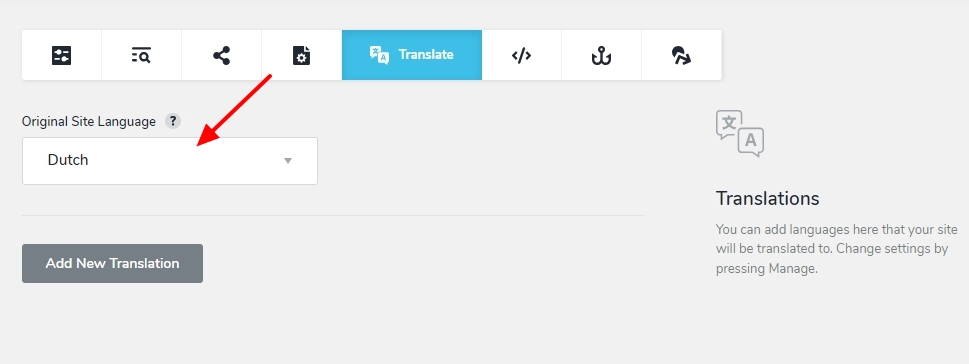
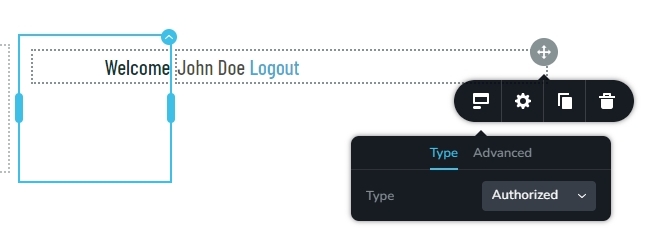
2. To display "Welcome Fred Smith" kindly add two columns and on the left column, add the welcome text. On the right column, add the Brizy 'Login' element and set Login Type as "Authorized'
 0
0 -
Hi KC George,
Thanks for your quick reply!
Also thanks for the reported bug.
Concerning question 2.
This is exactly what I want but without the word "Logout". I removed the color from the word "Logout" with the right slider (I think it's called the opacity slider) but there is still a clickable area. Do have an idea how to remove this clickable area or how to remove the word "Logout"?
Thanks for your help.
Greetings,
Peter
0 -
Hi Peter,
Kindly add this CSS code under CMS - Project Settings - Code - Custom CSS to hide the 'Logout' text in the Login element
.brz-login__authorized-link {
visibility: hidden}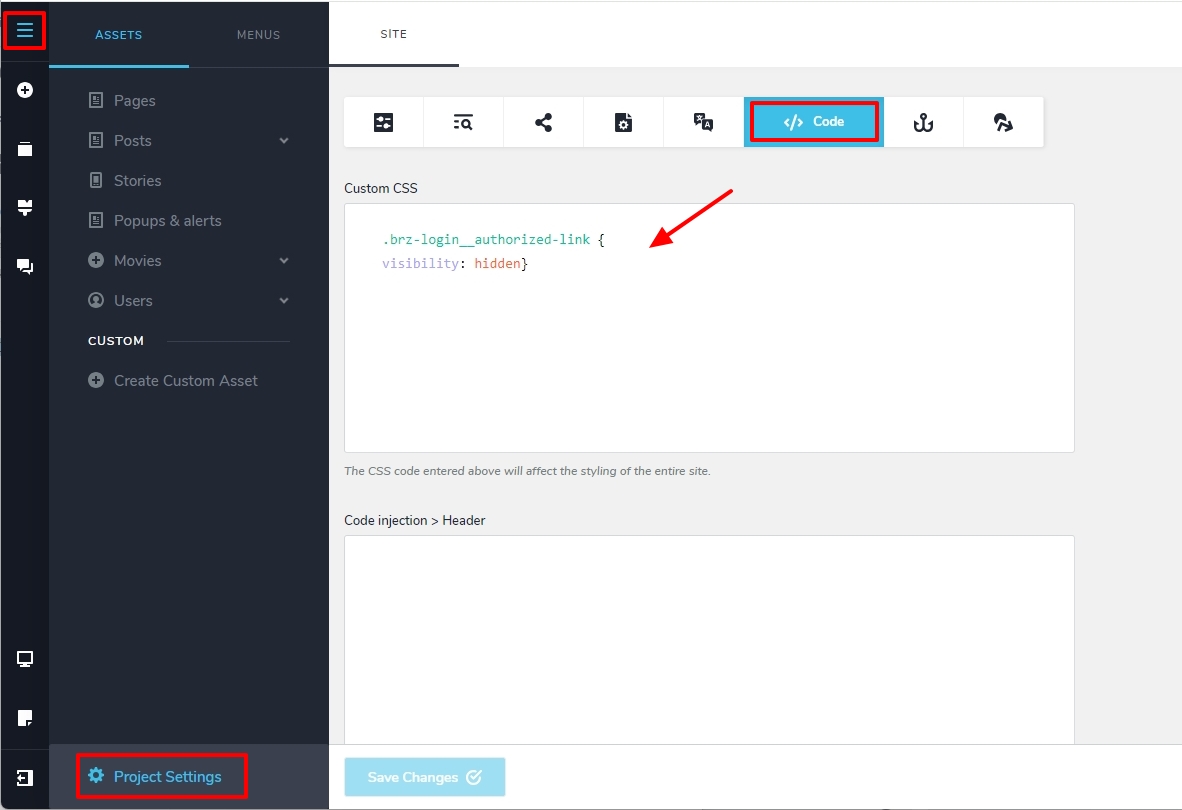 0
0 -
Hi KC George,
Great stuff but... It now hides all the authorized links.
I've got a small column just below the login name where users can logoff. Looks like a button.
It looks like I cannot use the "authorized" links anywhere in the project when using this code.
Is it possible to use this code within a specific column?
Thanks,
Peter
0 -
Hi Peter,
Kindly add this to the Custom CSS of the column where you want to hide the Logout text.
element{
.brz-login__authorized-link {
visibility: hidden}
}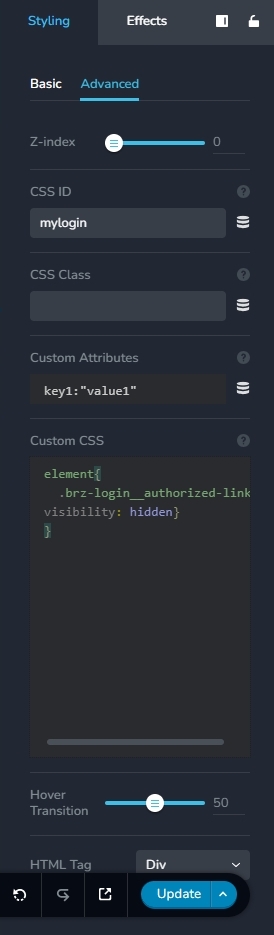 0
0 -
Hi KC George,
That's it, thanks!
I'll await the bug to be solved.
Thanks!
Greetings,
Peter
0
Please sign in to leave a comment.
Comments
6 comments