Brizy Pro with Woocommerce - 1 virtual product

Hi, I'm looking to setup a product which acts as a down-payment for a course but I want it to be in the same style as the rest of the pages I designed using Brizy page builder pro. For example, on one of my pages about the price of the course, I want the proceed button to go to checkout and for them to buy it but I can't seem to find out how to do it.
Any help/advice/guides would be appreciated. Thanks
-

Hi Dan,
Are you saying that on the product page when the user clicks on the button to buy the course and make the down payment, the user should be redirected to the checkout page? For instance, have a look at https://brizy.tech/shop/, select a product and click on the 'Buy Now' button. You will notice that you get redirected to the checkout page. Are you looking for a similar implementation? Kindly follow these steps
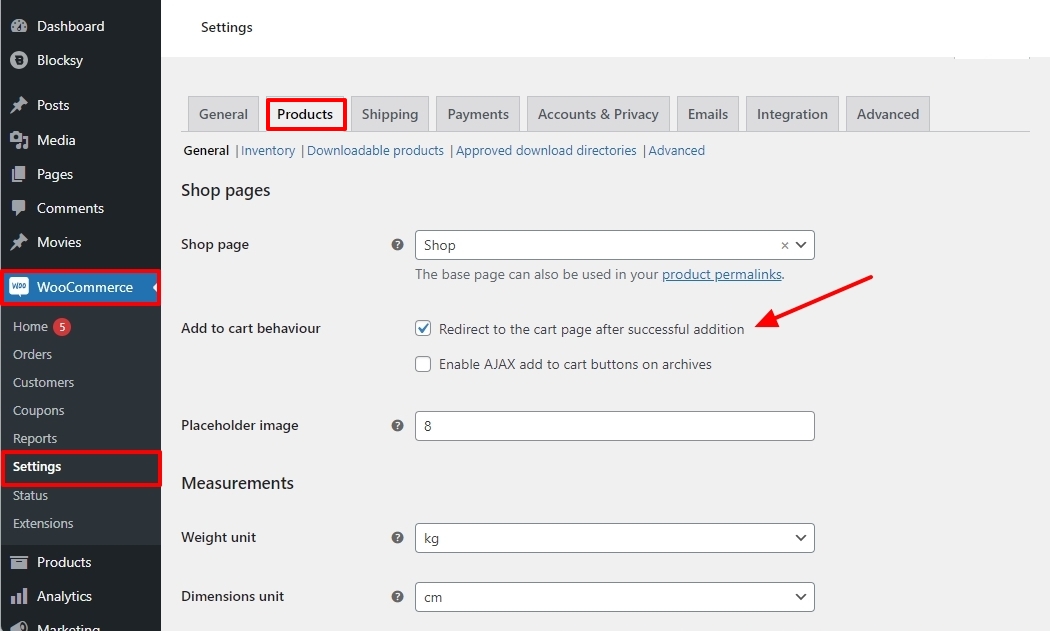
- In your WordPress Dashboard under WooCommerce - Settings - Products tab - enable the option "Redirect to the cart page after successful addition"
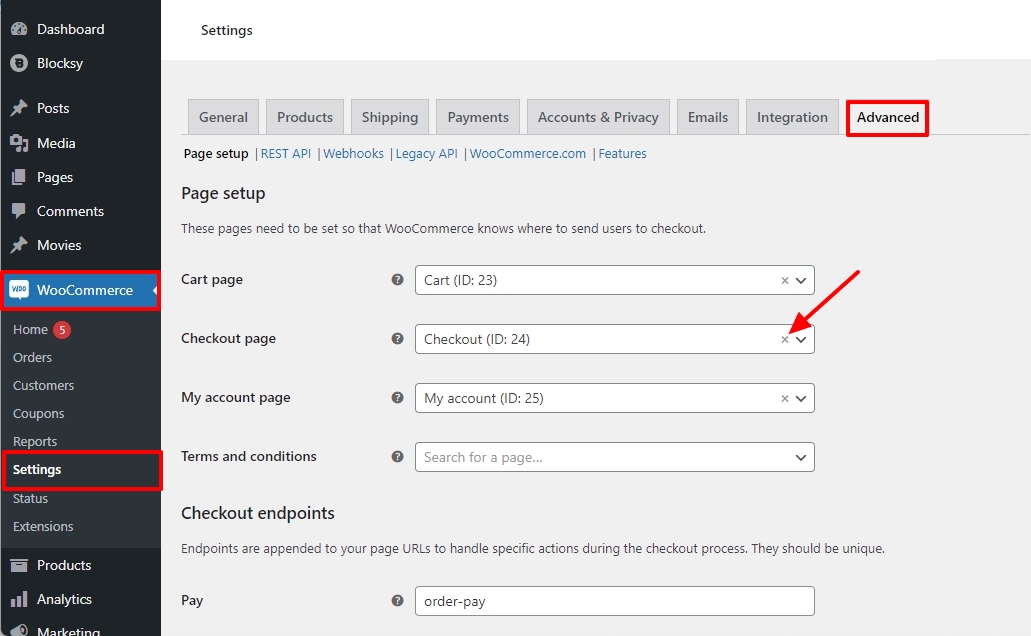
- Under WooCommerce - Settings - Advanced tab - remove the previously assigned 'Checkout' page by clicking on the tiny 'x' sign next to the Checkout page.
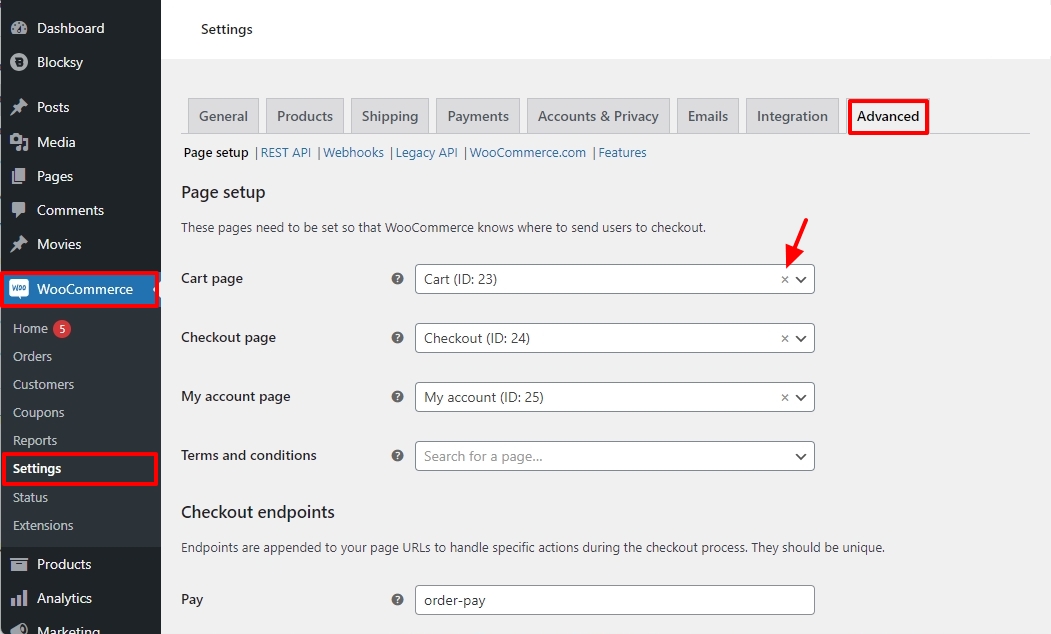
- Similarly remove the previously assigned 'Cart' page by clicking on the tiny 'x' sign next to the Cart page and save your changes by clicking on the "Save Changes" button at the bottom.
- Assign the Checkout page to 'Cart' and save your changes again by clicking on the "Save Changes" button at the bottom.
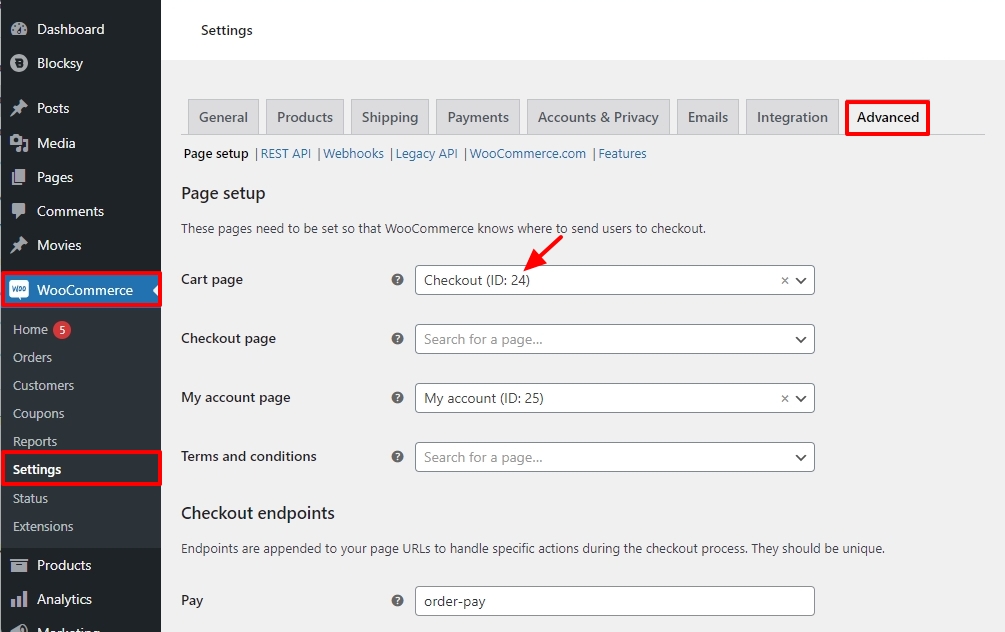
Now when clicking on the 'Add To Cart' button, the user will be redirected to the 'Checkout' page.
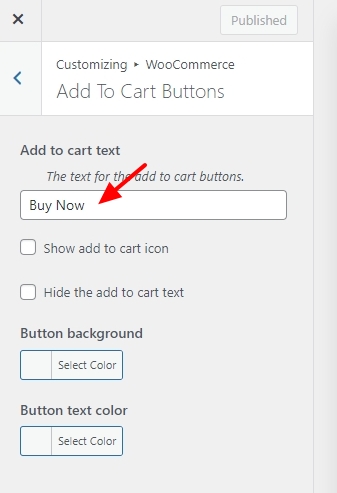
If you like to customize the name of the button to something other than 'Add To Cart' kindly use the plugin WooCommerce Custom Add To Cart Button
 0
0 - In your WordPress Dashboard under WooCommerce - Settings - Products tab - enable the option "Redirect to the cart page after successful addition"
Please sign in to leave a comment.
Comments
1 comment