Big Database

i develop a website with brizy but my database is 1.2 GB
Please whats causing this and how can i reduce it
-

Hi Omoya,
The database size of my test website with 13 pages, 7 blog posts and 12 products is 64MB. A Brizy website with 200 blog posts, 50 pages and 100 products, may have the database size of around 500 MB. 1.2 GB size looks relatively higher. Some assessment is required to get to the root of the issue.
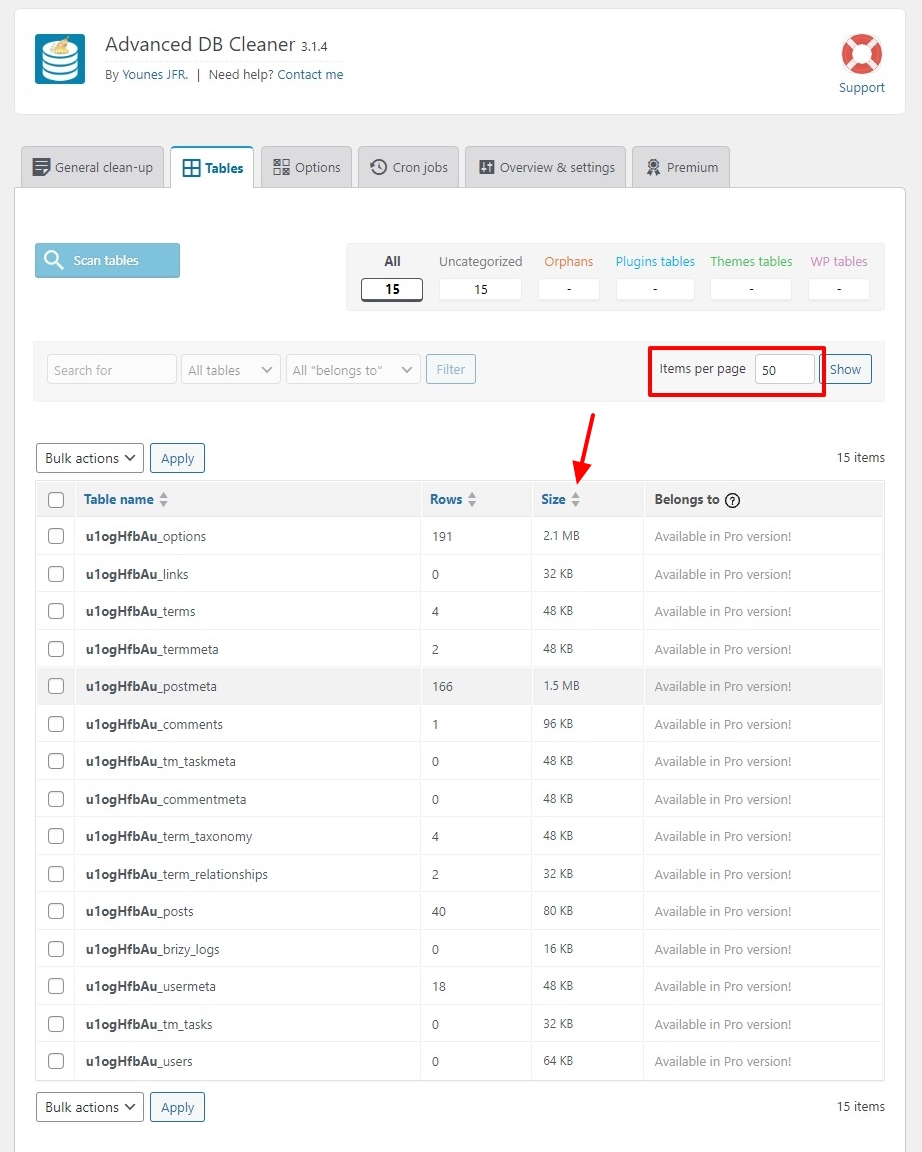
To troubleshoot this issue, kindly install the plugin Advanced Database Cleaner and select the "WP DB Cleaner" option in the WordPress Admin sidebar. Select the "Tables" tab and reorder the database tables in the decreasing size order by clicking on the 'Up' and 'Down' arrows in the "Size" column. (The biggest table should come first)
If you have more than 100 tables, increase the "Items Per Page" from 50 to 100 and take a screenshot and include it in your reply.
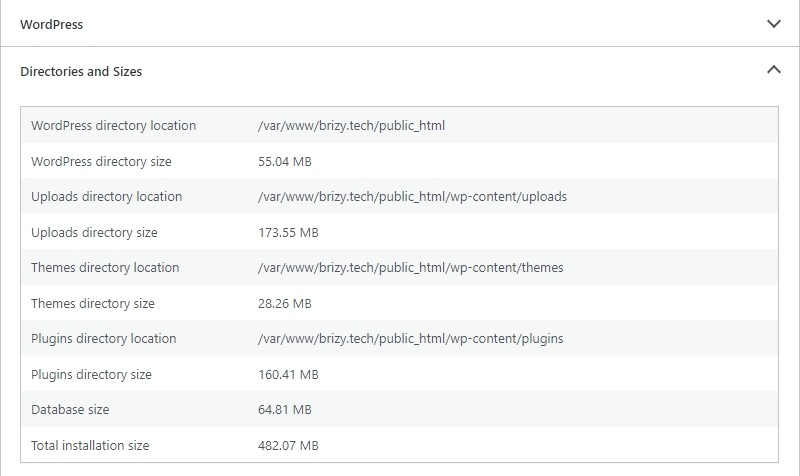
In your WordPress Dashboard under Tools - Site Health, Info Tab, open the "Directories and Sizes" accordion and send us a screenshot of the accordion. Please have a look at https://jmp.sh/FDNlvVEB
 0
0 -
i checked the database, post meta is 1.2 gb. what will hapen if i empty it in the database
0 -
Hi Omoya,
Dropping or emptying a table is not an option. Is there anyway you can share with us the requested screenshots so that we can give you possible reasons why your database is unusually bloated and possible actions points to reduce its size
0
Please sign in to leave a comment.
Comments
3 comments