Adding Shortcodes to Brizy template

Hi,
I'm having an issue I hope you can help me with -
I have used Advanced Custom Fields to create a number of different posts types for blog articles.
In Brizy > Templates I have created some pages to display these articles in their various categories. In the template, I have used the 'Posts' element and select the 'Source' and 'Category' with the 'Filter' tab.
My issue arises when I try to display posts from two different field types on the one page. Within the 'Posts' element I can only select one 'Source' at a time.
As a work-around, I have tried to use the 'Shortcodes' element to display the posts manually but this will not work for me. The shortcode just display as text. I haver tried the 'Embed' element as well but same thing happens.
Here's a link to a test page I have been using to work on the issue -
https://www.abumedia.com/testing/
Thanks,
Órla
-

Hi Orla,
Kindly add the 'Categories' to your 'Display Conditions' to display blog posts from multiple categories.
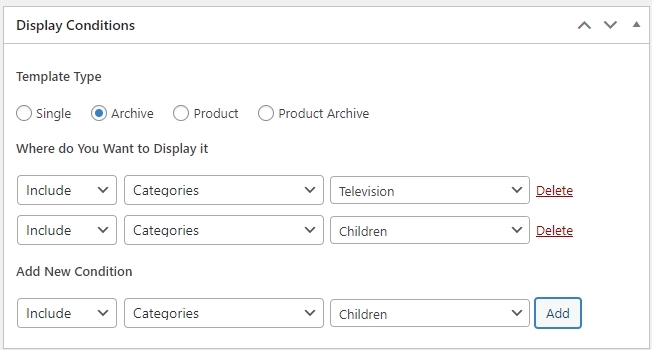
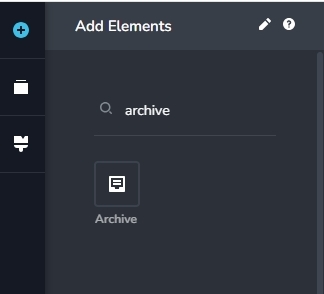
In the Brizy Template, instead of the 'Posts' element, kindly use the 'Archive' element. The 'Archive' element will display the blog posts based on the 'Categories' selected in the 'Display Conditions'.
 0
0 -
Hi KC,
Thanks for your response.
I had the 'Display Conditions' set as you say:
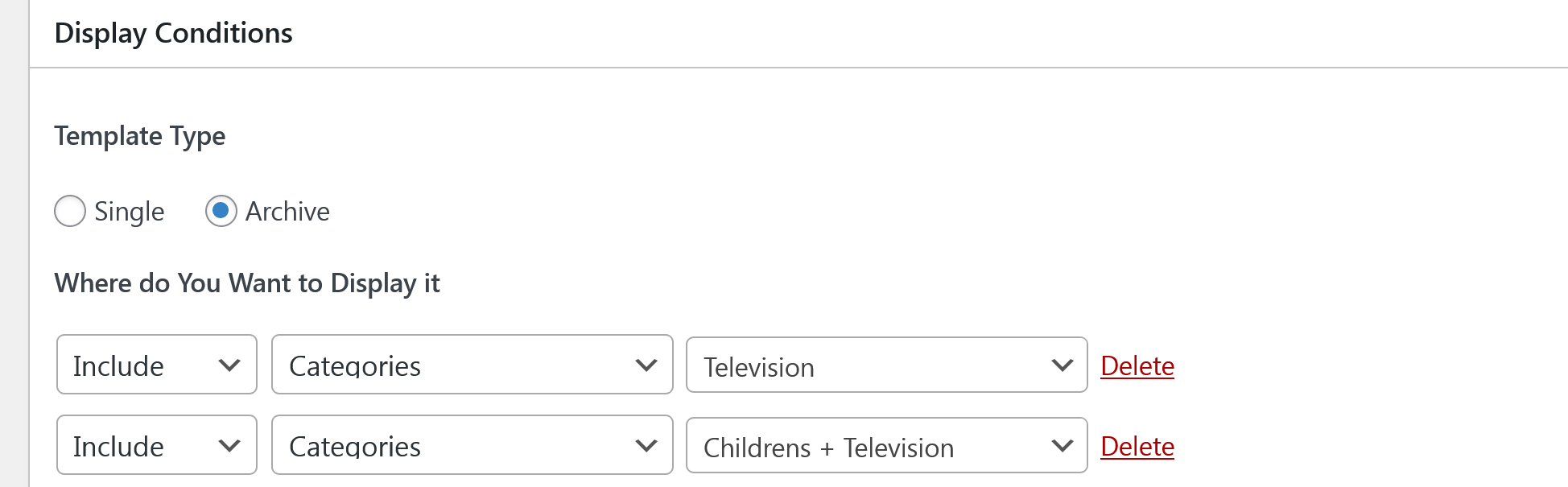
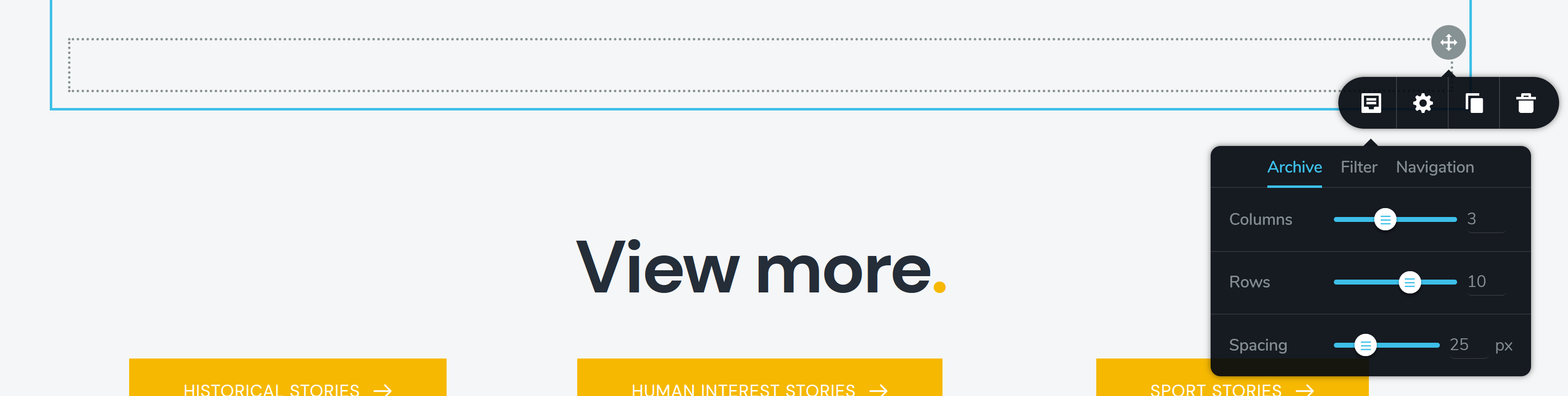
When I add the 'Archive' element it doesn't load any posts, it stays like so:
 0
0 -
Hi Orla,
Your category archive pages appear working fine. Kindly visit these URLs for your category archive pages.
- https://www.abumedia.com/category/childrens/
- https://www.abumedia.com/category/childrens/childrens-television/
- https://www.abumedia.com/category/television/
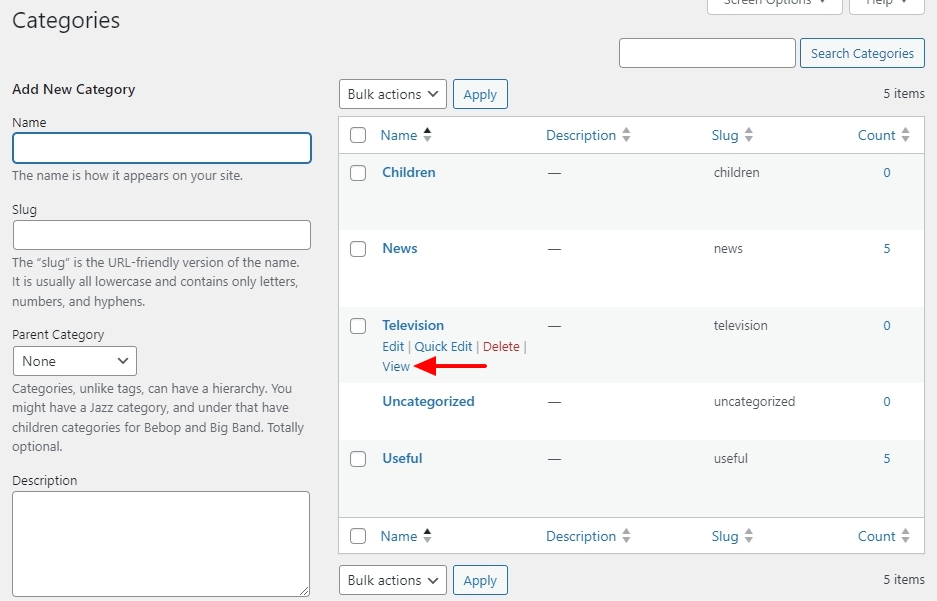
Kindly click on the 'View' link when hovering over a category name, to view the category archive page.
 0
0 -
Thanks KC.
What you're seeing is the pages with the 'Posts' element first which is displaying the posts in only the 'Television' or 'Childrens' categories only. (I kept these here as the pages are live.)
Beneath these is the row with the 'Archive' element which doesn't display. Here's a screengrab:
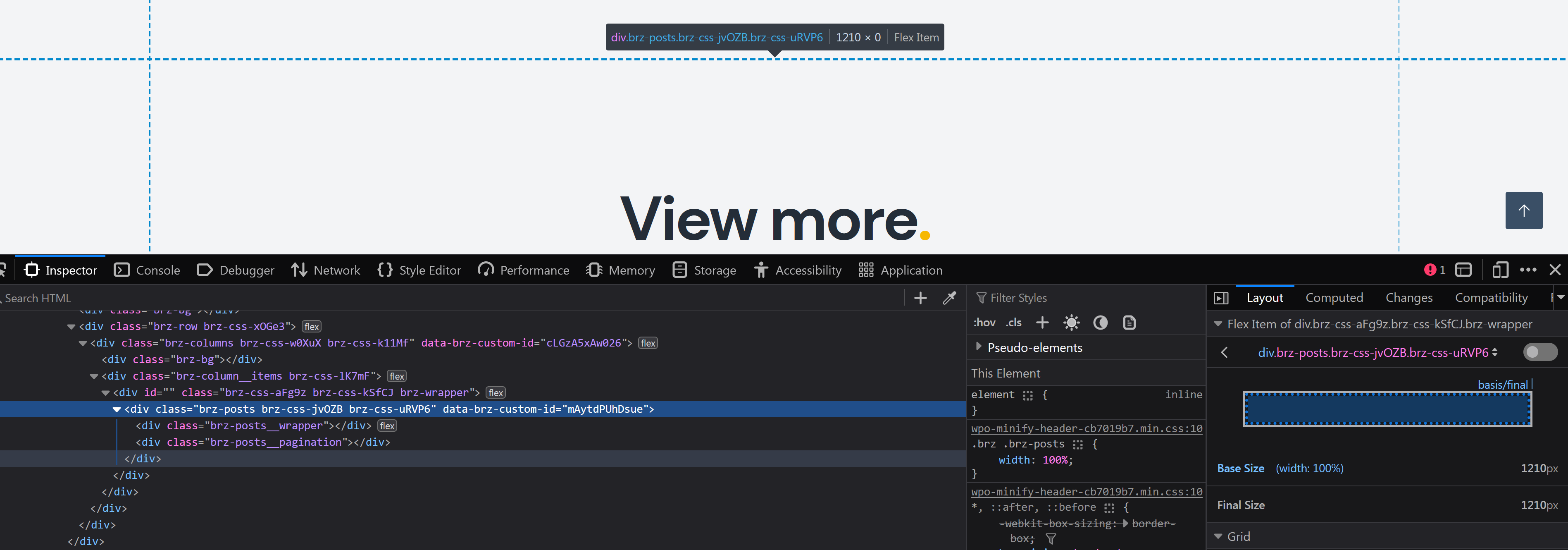
I am trying to get 'Zon62' which appears in 'Children's' to also appear on the 'Television', hence the need to add from two categories.
0 -
Hi Orla,
The Archive element is meant to work only with the Category Archive templates and the Blog template and hence should not be added to a regular page (under the Pages menu in the WordPress Dashboard).
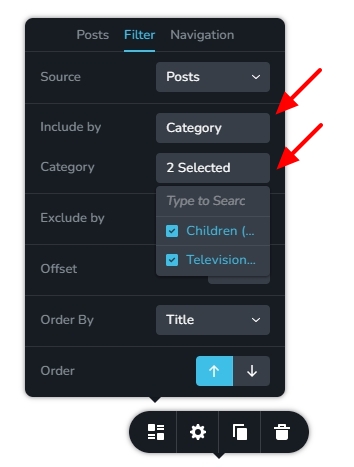
To display blog posts within regular pages, you must use the 'Posts' element. In the 'Posts' element under the 'Filter' tab, kindly select
- Source : Posts
- Include by: Category
- Category: select the appropriate categories
 0
0 -
Hi KC,
Thanks, I understand this. But it doesn't address that the 'Archive' element is not returning any posts when used on a Category Archive template.
I have three template archives (Films, Television, Childrens) in use on the site which only show results if I use the 'Posts' element.
This archive uses only the 'Archive' element but shows nothing - the 'Display Conditions' are set to the category 'Childrens Television'
https://www.abumedia.com/category/childrens/childrens-television/
My original issue was that I cannot select from two different 'Post Types' using the Filter > Source tab so I was trying to use the 'Archive' element or a shortcode to display results from multiple categories.
0 -
Hi Orla,
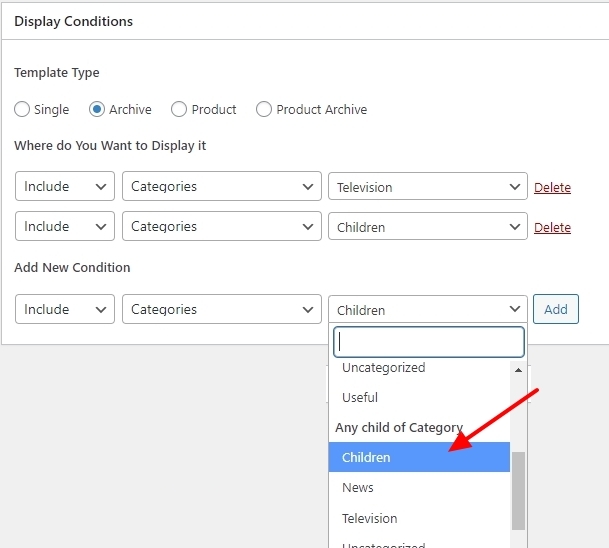
To include all blog posts under sub categories of a main category, you need to add a third display condition. Under the heading "Any Child of Category" kindly select the name of the main category and click on the Add button.
 0
0 -
Thanks KC.
I have fixed the issue. I realised the ACF taxonomies weren't being picked up by using Categories in the Display Conditions of the template. Once I changed this the templates were working again.
0
Please sign in to leave a comment.
Comments
8 comments