Brizy Woocommerce Page Deprecation Message

Hi Brizy Team,
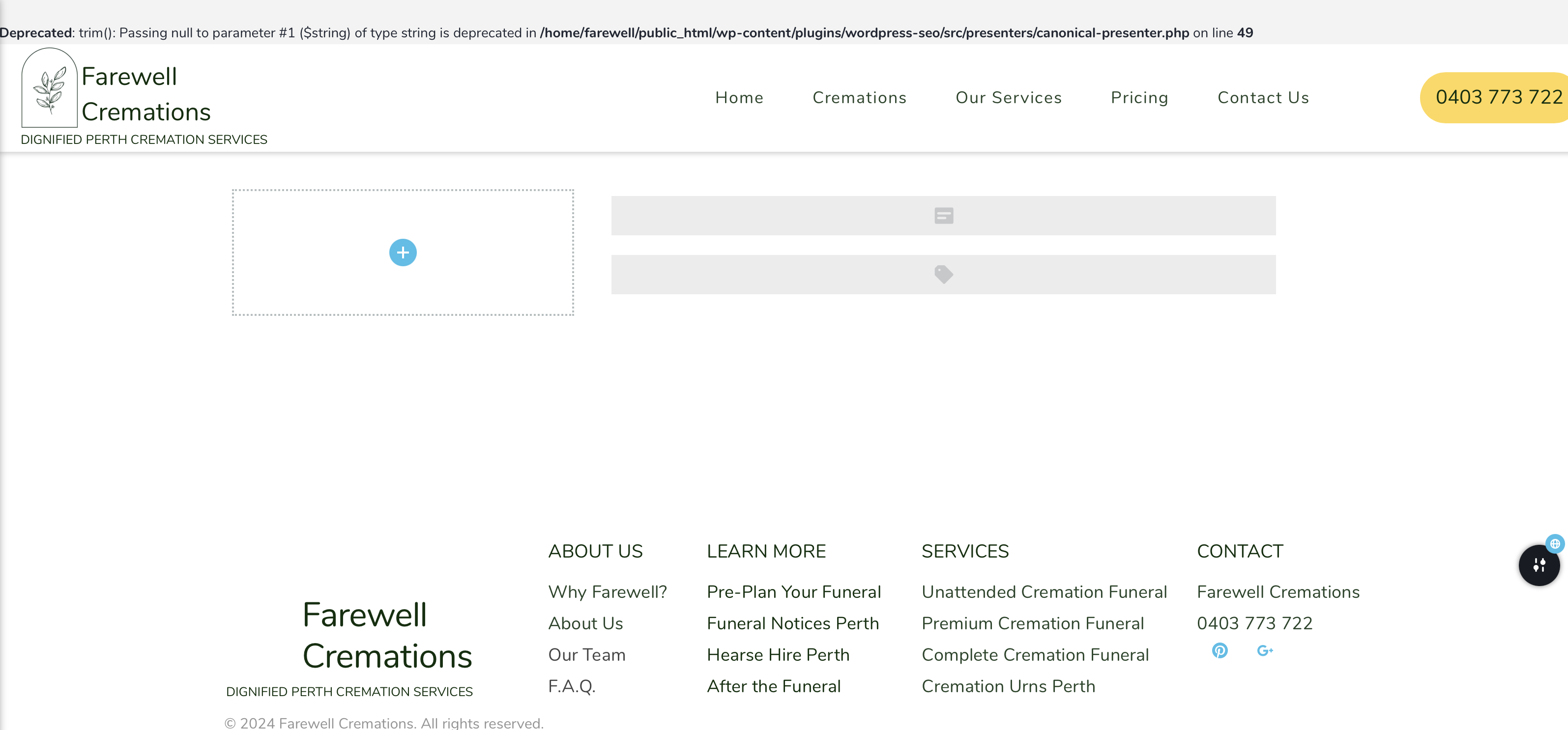
I'm trying to setup a woocommerce store and upon making a product page template, i get the following deprecation message:
Deprecated: trim(): Passing null to parameter #1 ($string) of type string is deprecated in /home/farewell/public_html/wp-content/plugins/wordpress-seo/src/presenters/canonical-presenter.php on line 49
could you please help me to resolve this? i removed most elements and it still appears.
-

Hi James,
Thank you for contacting us.
This issue appears to be coming from the WordPress SEO plugin. Please try updating the PHP version on your server to PHP v8.0 or higher.
https://sebhastian.com/how-to-update-php/
Please scroll down to "Update PHP version in cPanel", otherwise, please ask for support from your hosting provider.If this doesn't fix the issue, you may need to disable this plugin and look for a similar SEO alternative that works on your website.
If you prefer using this plugin, I recommend reporting the issue to the developers so they can become aware of it and possibly offer a solution.
If you have any further questions, please let us know.
Best regards,
Ariel H.0 -
Hi Ariel,
I checked in my PHP settings and I'm already running PHP v8.2. I did deactivate lightspeed cache to clear another issue and upon checking back to this problem, this error message has now changed and seems to be an issue with brizy. if you need access to my site to diagnose this, I have sent an email to support with the details. Please see below the error message. 0
0 -
Hi James,
Thank you for the update.
It's possible that debug mode is enabled on your site. The warning "creation of dynamic property is deprecated" in WordPress means that the code is trying to create or access object properties dynamically in a manner that is no longer advised or supported in newer PHP versions. This warning is informational and should not impact your website.
To prevent PHP Warning messages from displaying, consider disabling WP Debug mode. You can explore three methods to disable WP Debug mode in this article: https://support.hostinger.com/en/articles/1583189-how-to-hide-errors-and-warnings-on-your-website
Please try this and let me know how it goes.
Best regards,
Ariel H.0
Please sign in to leave a comment.
Comments
3 comments