Popups with scrollable content areas / text fields

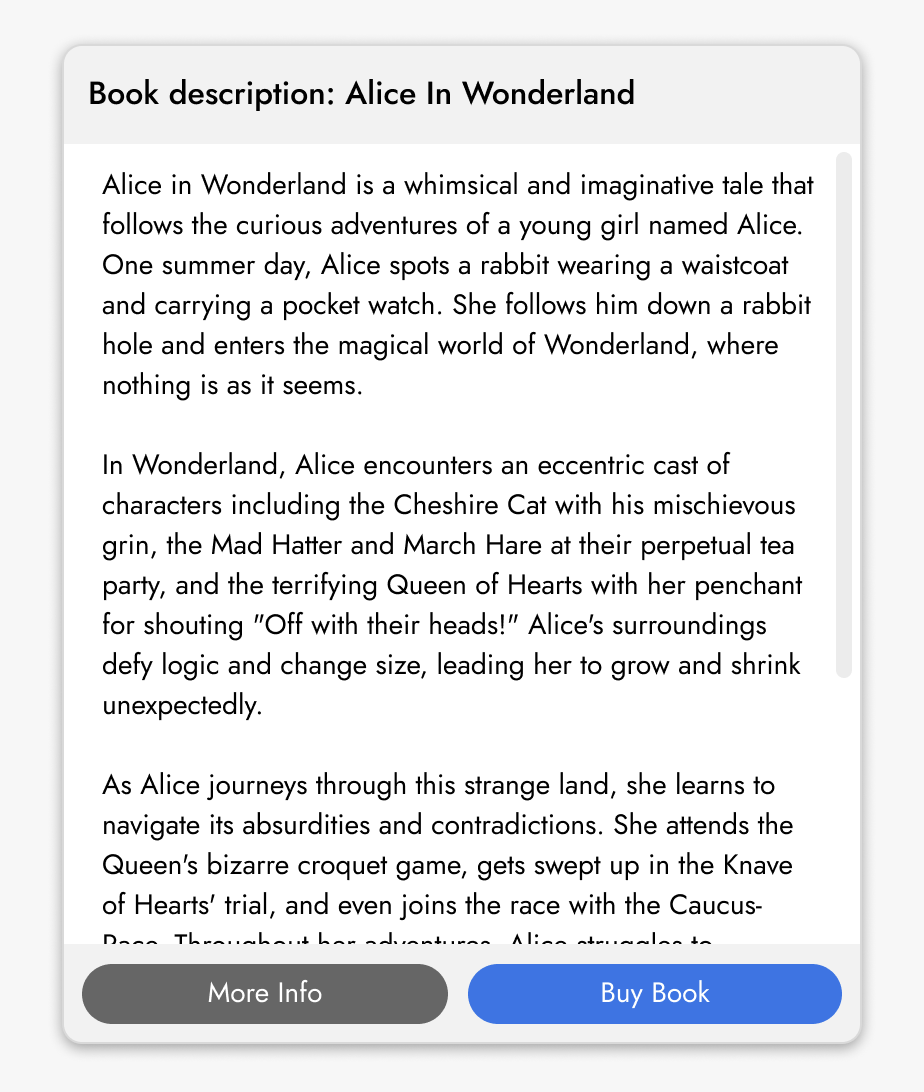
I'd love to see a popup type that supports a scrollable area. This would allow it to accommodate content beyond the bounds of the popup, with a persistent shelf at the bottom for actions. Right now I don't think there's a native way to achieve this in Brizy, since [foreground] elements always want to size themselves to the content.
-

Hi Jeff,
Brizy allows you to set up a scrollable popup. Please set a custom height for your popup and add more content than it can fit in its width and height and a scroll bar will be added automatically. However, it is not possible to fix the "More Info" and "Buy Books" buttons to the bottom of the popup. You can add it at the end of the popup text. Have a look at https://brizy.tech/alice-in-wonderland/ for a sample implementation.
 0
0 -
Thank you for taking the time to build that sample. Unfortunately setting the height to less than the content size didn’t work for me—the content “wins” over the height setting. If there’s a lot of text, the popup will be very tall.
But regardless, I think the main thing I’m asking for is a new “scrollable field” element, which could be placed anywhere, and sized arbitrarily. That would allow for components like the one in my mockup, with title bars on the top and button shelves on the bottom.
0 -
Hi Jeff,
Kindly add your suggestion at https://www.brizy.io/ideas-and-roadmap. This will allow other Brizy users to vote for your suggestion.
1 -
Aha, didn’t know about that. I’ll post the idea over there! Thanks again for your thoughts on this.
0
Please sign in to leave a comment.
Comments
4 comments