Redirect to external links

I would live to redirect a Brizzy landing page to an external link.
How can I do that?
Thank you
-

Hi Gil,
Brizy Cloud does not have a built-in feature to redirect a page to an external URL. However you can add a redirect code in your page header or your project header to redirect to an external URL. Kindly paste this code under CMS - Project Settings - Code - Code Injection > Header to redirect your website to www.google.com
<script> { window.location.href = "https://www.google.com/"; } </script>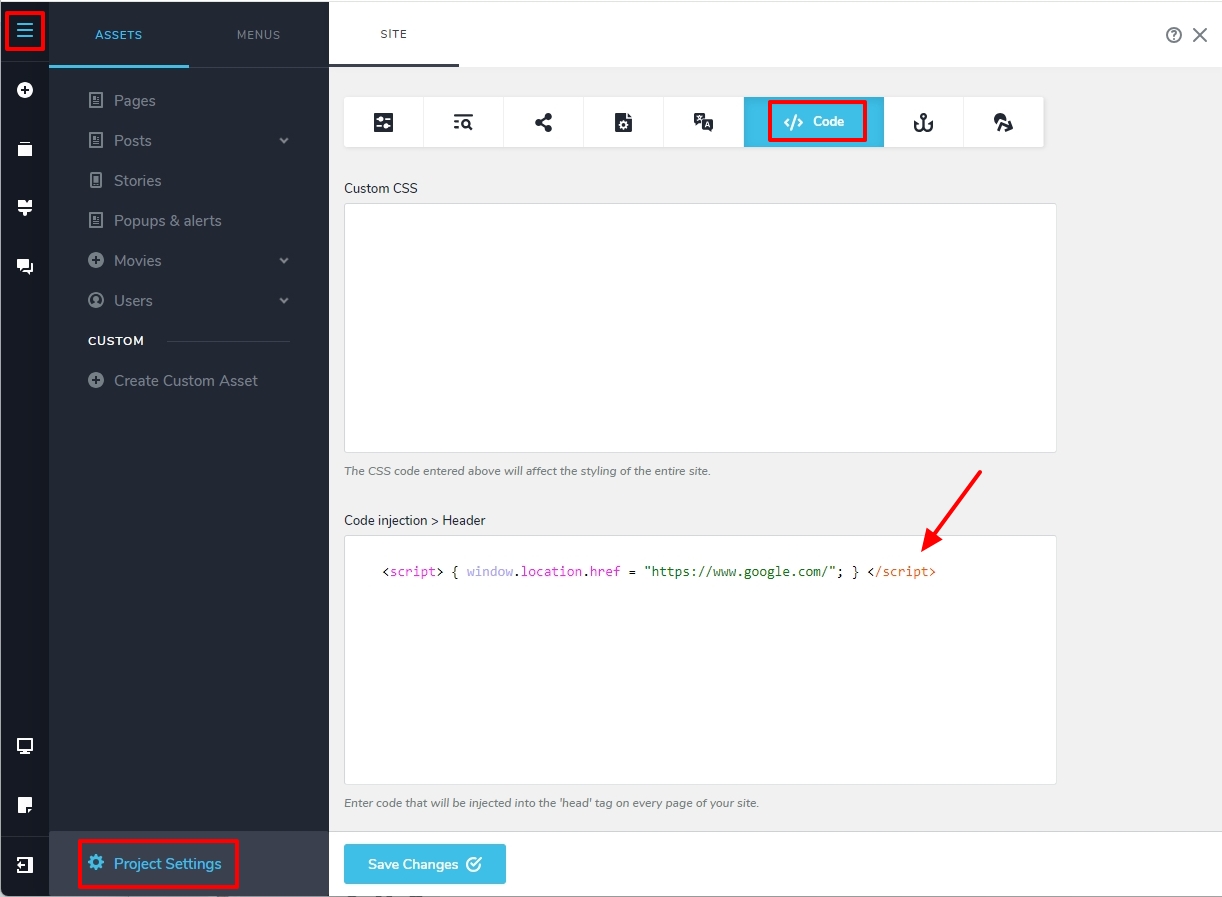
If you want to redirect a specific page to an external URL, click on the 'Name' of the page, select the 'Code' tab and paste the above code under Code injection > Header to redirect the page to www.google.com
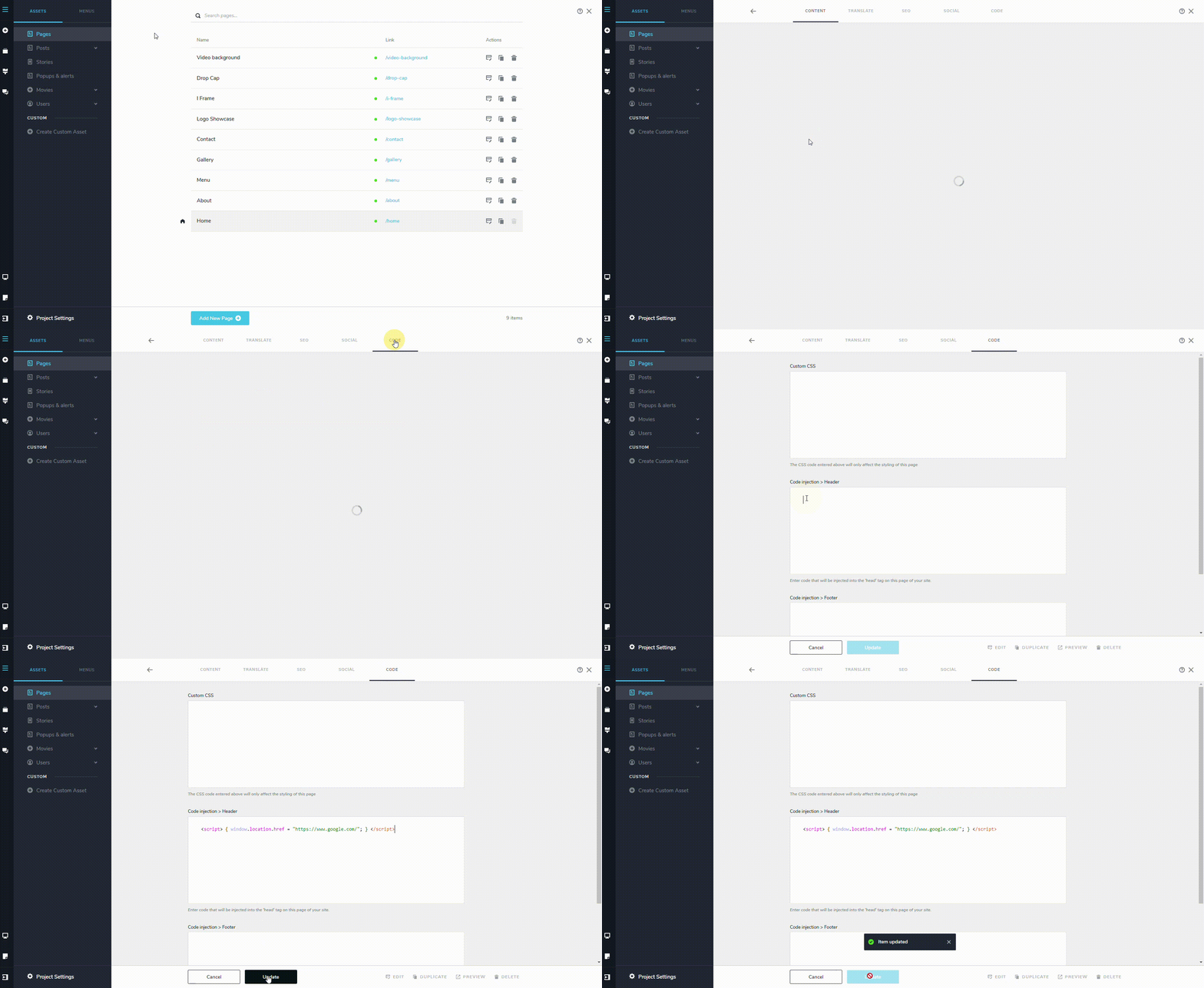
For instance, I have setup a URL redirect at https://restaurant-1.brizy.site/contact to https://www.google.com
0 -
Hi,
Thank you for the quick response.
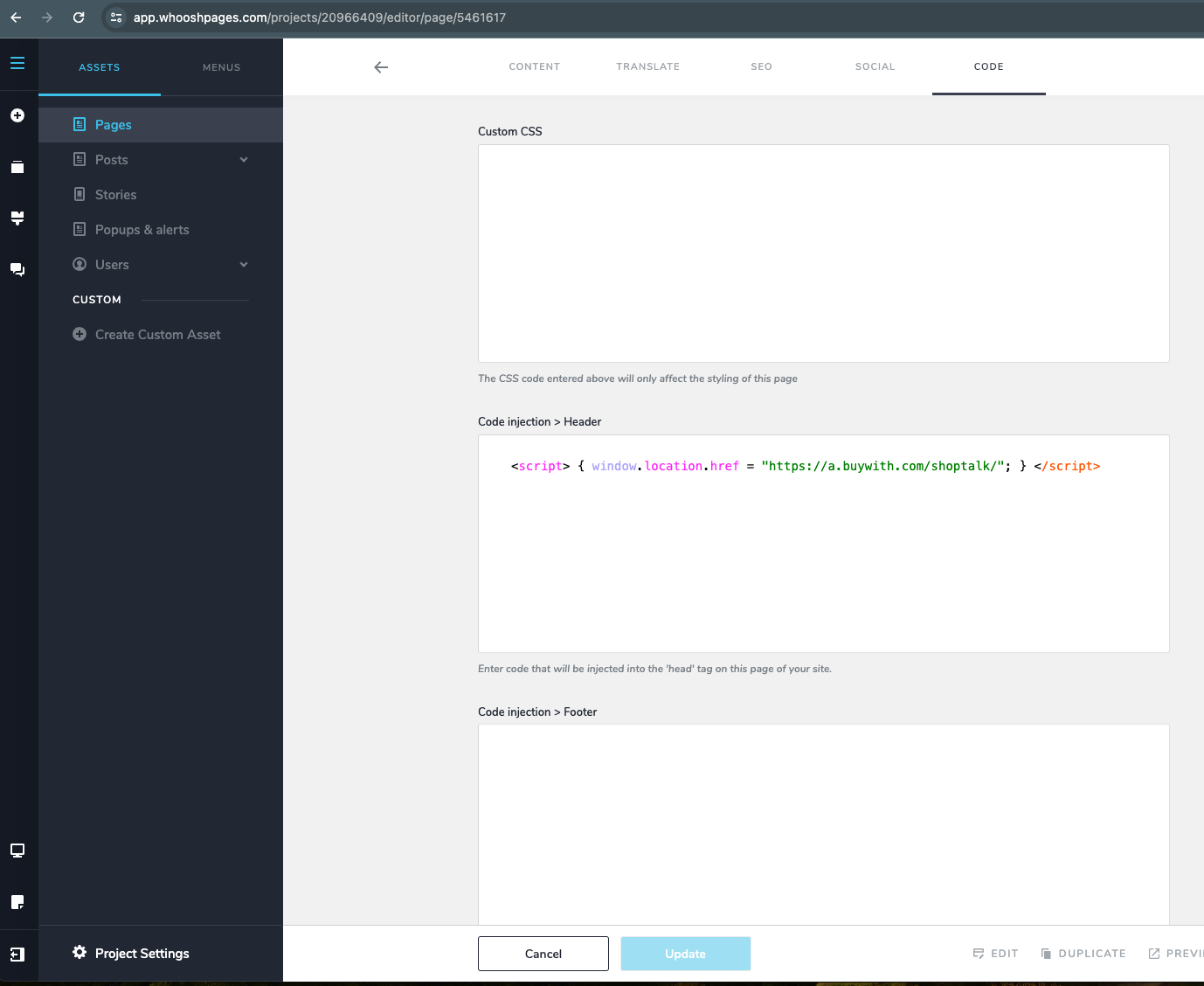
I set it up on the page level as you described (screenshot below) but it still does not work.
Can it be a cache issue? Is there a way to purge the cache from the dashboard?I would like to redirecttoPlease have a look and let me know.
thank you
 0
0 -
Hi Gil,
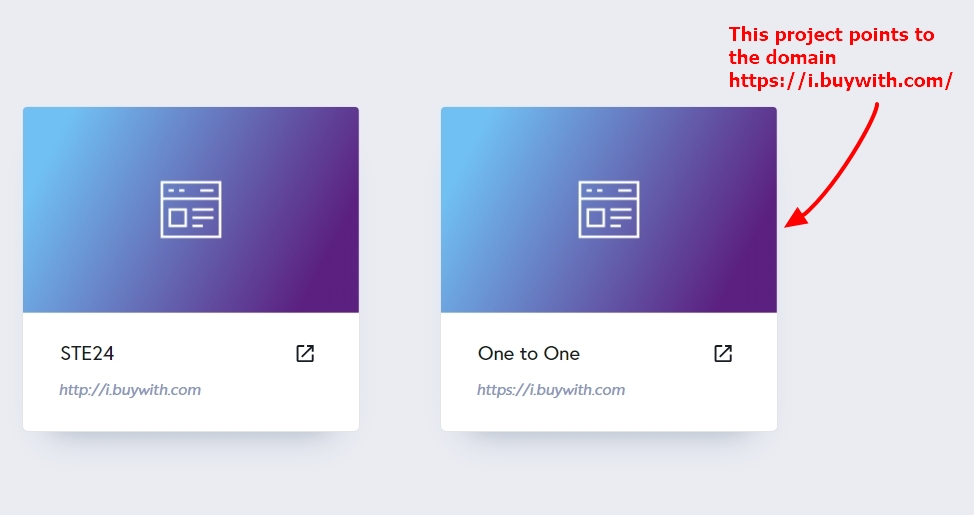
You have added the domain i.buywith.com to 2 of your projects. While the project "One To One", points to the domain name, project "STE24" does not. Hence the path https://i.buywith.com/STE24 is non existent at the moment.
 0
0 -
Hi,
Clear. I moved the redirect to the original project and now the redirect is working.
Thank you!
0
Please sign in to leave a comment.
Comments
4 comments