Website is broken.

Hello
Are you able to assist us with this? This issue has been occurring lately with our website. We took no action in the builder to cause this to occur. Please see below screenshots.
Broken

Original

Thanks
-

Hi Joshua,
Kindly sign into your hosting control panel and purge all server cache. For instance, if you are hosting with Bluehost, click on "Clear All" under Websites - Speed
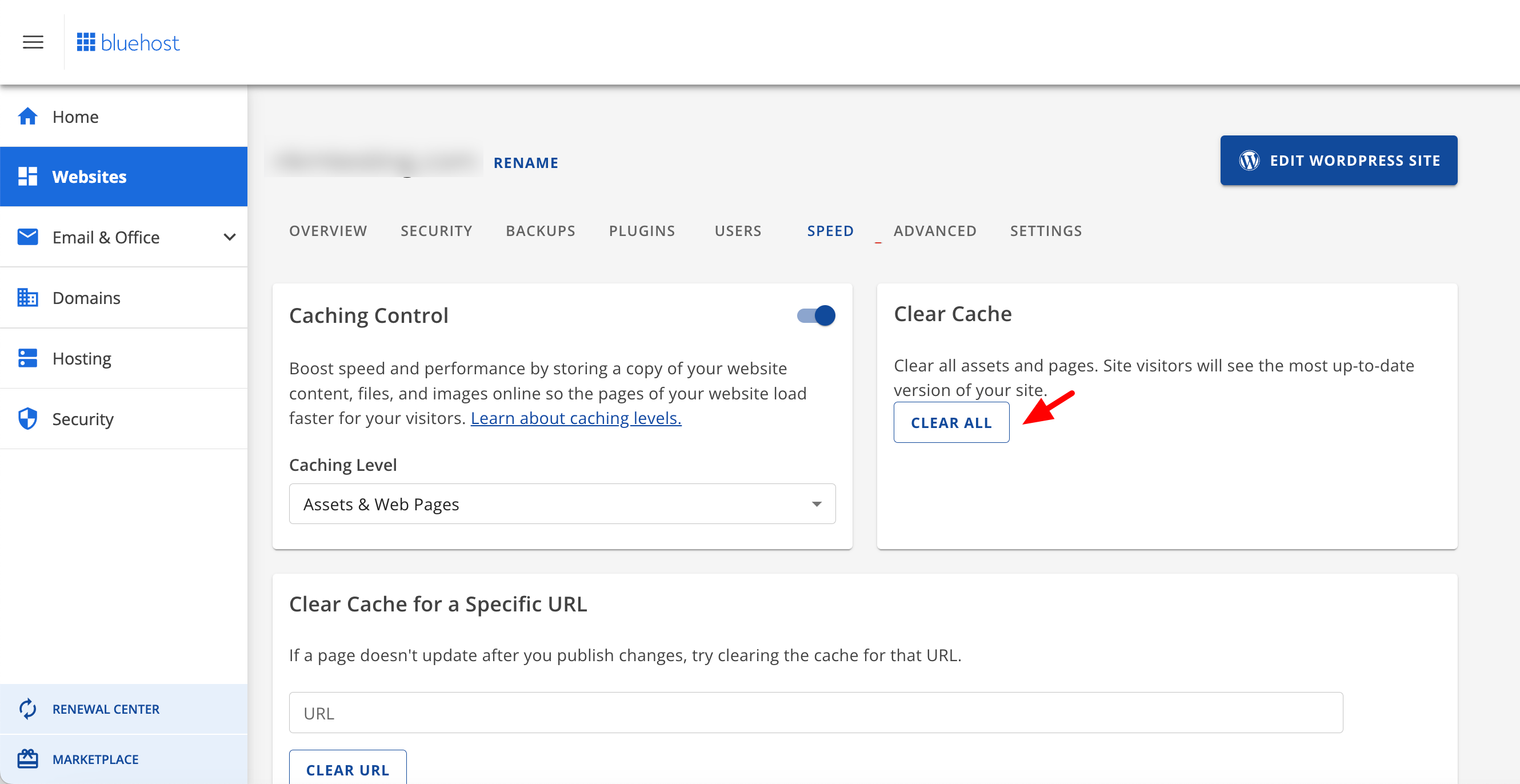
If you are using WP Rocket plugin in your WordPress Dashboard, kindly deactivate the plugin temporarily and check if the website displays well. Reactivate the plugin and check if the website continues to display well; if the website malfunctions, kindly get back to us. We will need access to your project to help you choose the right WP Rocket settings.
0 -
Hello KC,
Followed your instructions. When I disable WP Rocket, the website returns to normal, but as soon as I reactivate it, it becomes problematic again.
0 -

Hi Joshua,
Thank you for reaching out to us.
Could you please try to disable the following options under File Optimizations if any are enabled? One of these options could be causing the issue:
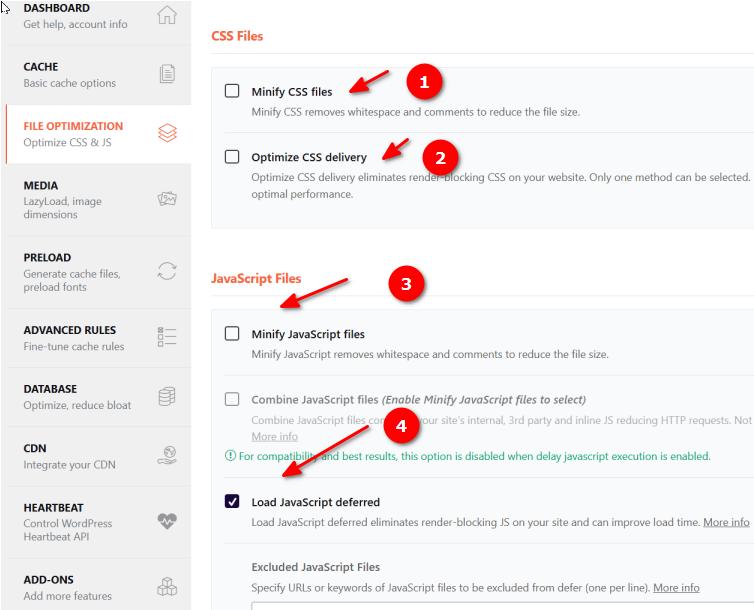
Please try this and let me know how it goes.
Best regards,
Ariel H.0 -

Hi,
We face similar issues on our website, especially with displaying our blog posts. Do you have any suggestions on the best way to configure WP Rocket to work well with Brizy? Many thanks.
Best,
Anne.
0 -
Hi Anne,
Thank you for reaching out to us.
Would you be able to share some screenshots or a short screencast to show us the issue? It would also be helpful to know what troubleshooting steps you have taken so far. Have you noticed any difference in the display of blog posts when WP Rocket is disabled?
I am looking forward to your response.
Best regards,
Ariel H.0 -
Hi Ariel,
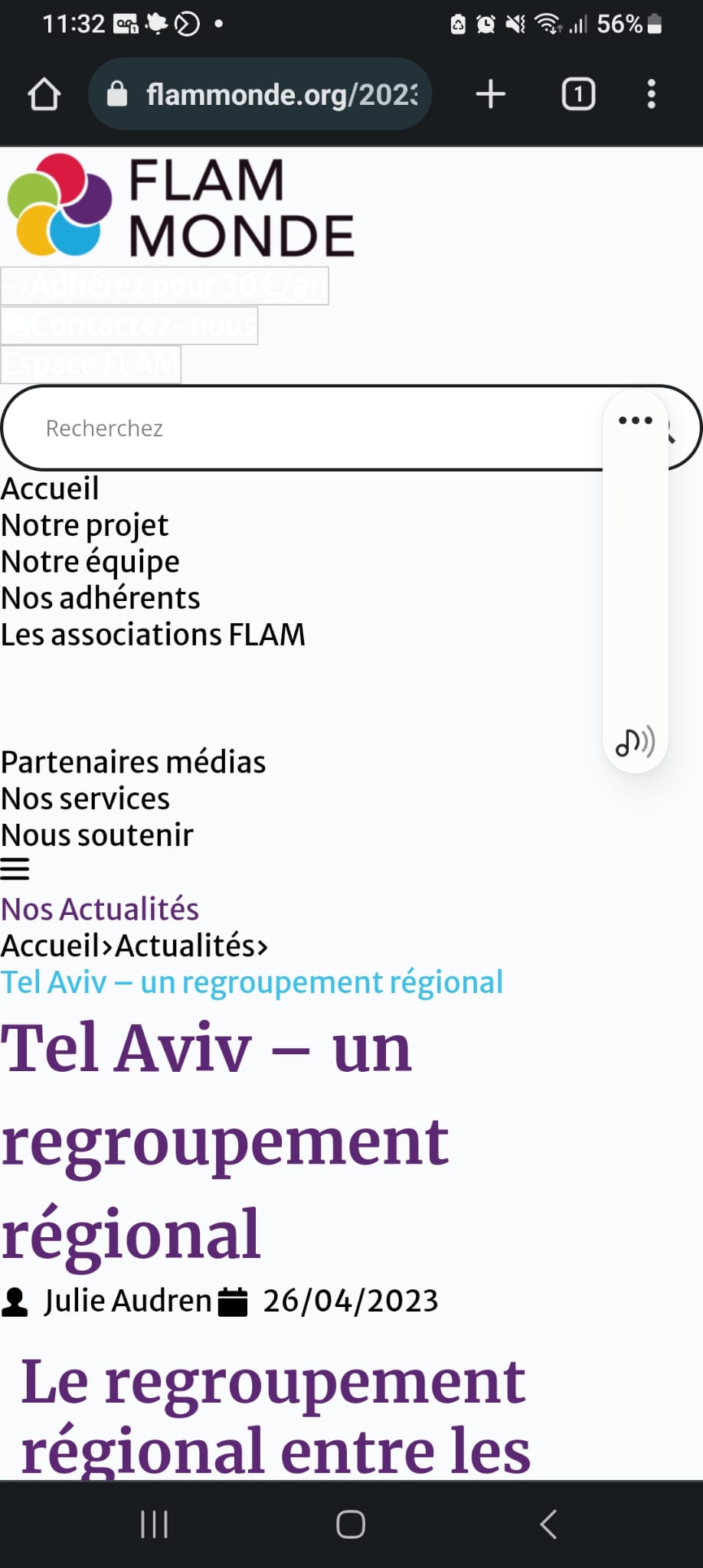
Thanks for your answer. When WP Rocket is disabled, the blog post displays correctly.
With 2, 3 & 4 on, we get this.
Thanks in advance for your help.
Best,
Anne.
 0
0 -
Hi Anne,
Thank you for the update.
Most display issues stem from WP Rocket's optimization settings, such as Minify CSS/JavaScript files or LazyLoad.
Could you please try the steps suggested in the below link and see if this helps.
https://docs.wp-rocket.me/article/106-my-site-is-broken
If these steps do not resolve the issue, I also recommend reporting this issue to the WP Rocket support team so they can be aware of this issue and possibly offer a solution.
I hope this information is helpful.
Best regards,
Ariel H.0
Please sign in to leave a comment.
Comments
7 comments