Purchase additional licenses for breezy cloud

I wanted to find out what you could do and where you could go to get an additional license.
I remember a screen that indicated I had an opportunity to buy more licenses for the Pro account beyond my agency license and allow my personal domains to be published.
Is it not available or am I looking in the wrong place?
Please advise
Russ
0
-

Hello Russ,
Kindly follow these steps to add additional Pro licenses to your Brizy Cloud Agency plan
- Sign into your Brizy account at https://www.brizy.io/account/login
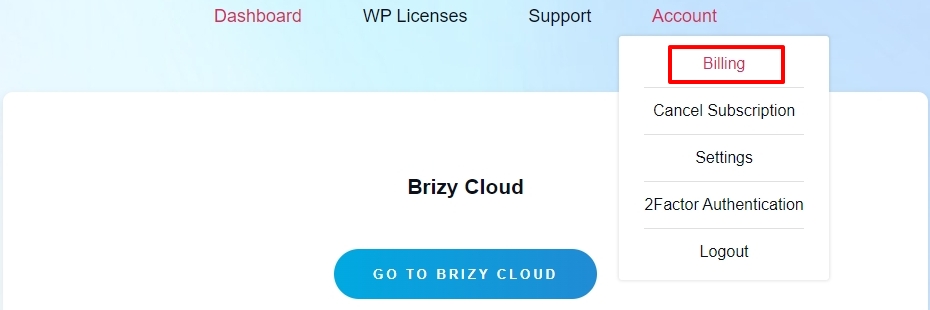
- Select the Billing option under the Account menu
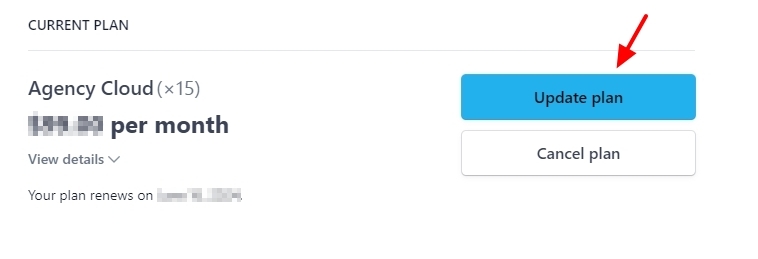
- Click on the 'Update Plan' button
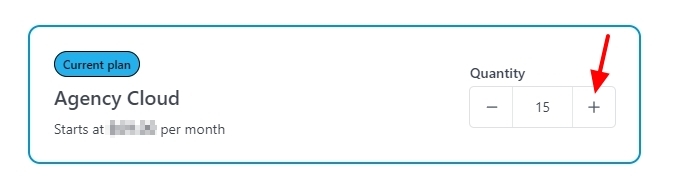
- Within the 'Current Plan', under the heading 'Quantity' click on the + sign to increate the number of Pro licenses from 15 to 16
- At the bottom, click on 'Continue' to confirm your purchase.
0
Please sign in to leave a comment.
Comments
1 comment