Unable to login to Brizy cloud on certain browsers

Hi,
I normally use Firefox browser to login to Brizy cloud at https://www.brizy.io/account/login however having entered my credential clicking on login had no effect?
I tried deleteing cache etc but still no joy. I then tried Chrome which worked but only once and now login has no effect. Again deleted cache etc but still the login button has no effect when clicking on it.
I have now had to move to edge which I never normally use to login and it lets me login (not sure how many times).
On the various browsers I have tried deliberately entering incorrect information but still login has no effect?
Everytime I attempt to login I start with both the email address and password field blank and the login button is grey, then after populating both these fiels with my login credentials the login buttton changes to purple however when clicked fails to respond (normally I would see the URL appear at the bottom of the browser and the little circle spins round on the login button but now nothing?
Olease help.
Kind regards
Wayne
-

Hi Wayne,
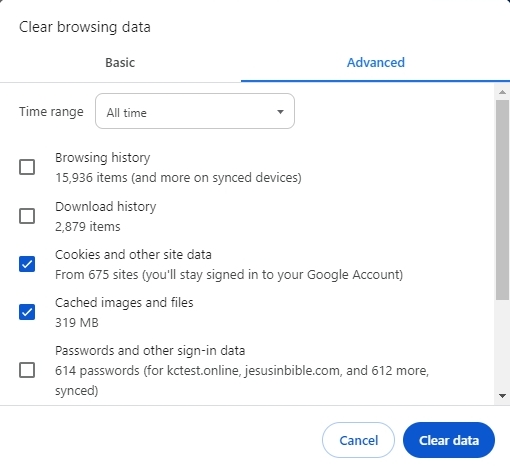
Can you kindly clear the web browser cache and cookies and check if you are able to sign in to Brizy Cloud? Please follow the procedure at https://its.uiowa.edu/support/article/719
 0
0
Please sign in to leave a comment.
Comments
1 comment