All licenses expired

Hi.
A few days ago the Brizy Pro license renewed, but it looks like the process didn't renew all our WP licenses and now they are all expired.
-

Hi Miguel,
We apologize for the inconvenience. We have now fixed the issue. Could you please check again on your end to confirm?
Best regards,
Ariel H.0 -

The same happened to me. What's the problem ? Will it happen with every renewal ?
0 -

Hi Alberto,
We apologize for the inconvenience. Our License Management Software has a bug that prevents license validities from being extended automatically upon subscription renewal. We will update your license keys manually as we work to resolve this issue.
We have extended the validities of all your licences. Kindly check
0 -

Hi
I am having similar issue. I renewed my subscription but all licenses show expired. Many of the websites are affected and not showing the headers and footers.
For one website I created a new license and activated at the website, but the problem persists.
Please help asap.
Thank you
0 -
Hi Mamoun,
We apologize for the inconvenience. We have manually extended the validities of all your licences. Kindly check.
Kindly follow this work-around procedure to fix the issue with the header and footer.
- Open any page of the website, make a minor change to the global header, reverse the change
- Similarly make a minor change to the footer, reverse it
- Update your project
0 -
Dear George,
Thank you for updating licenses.
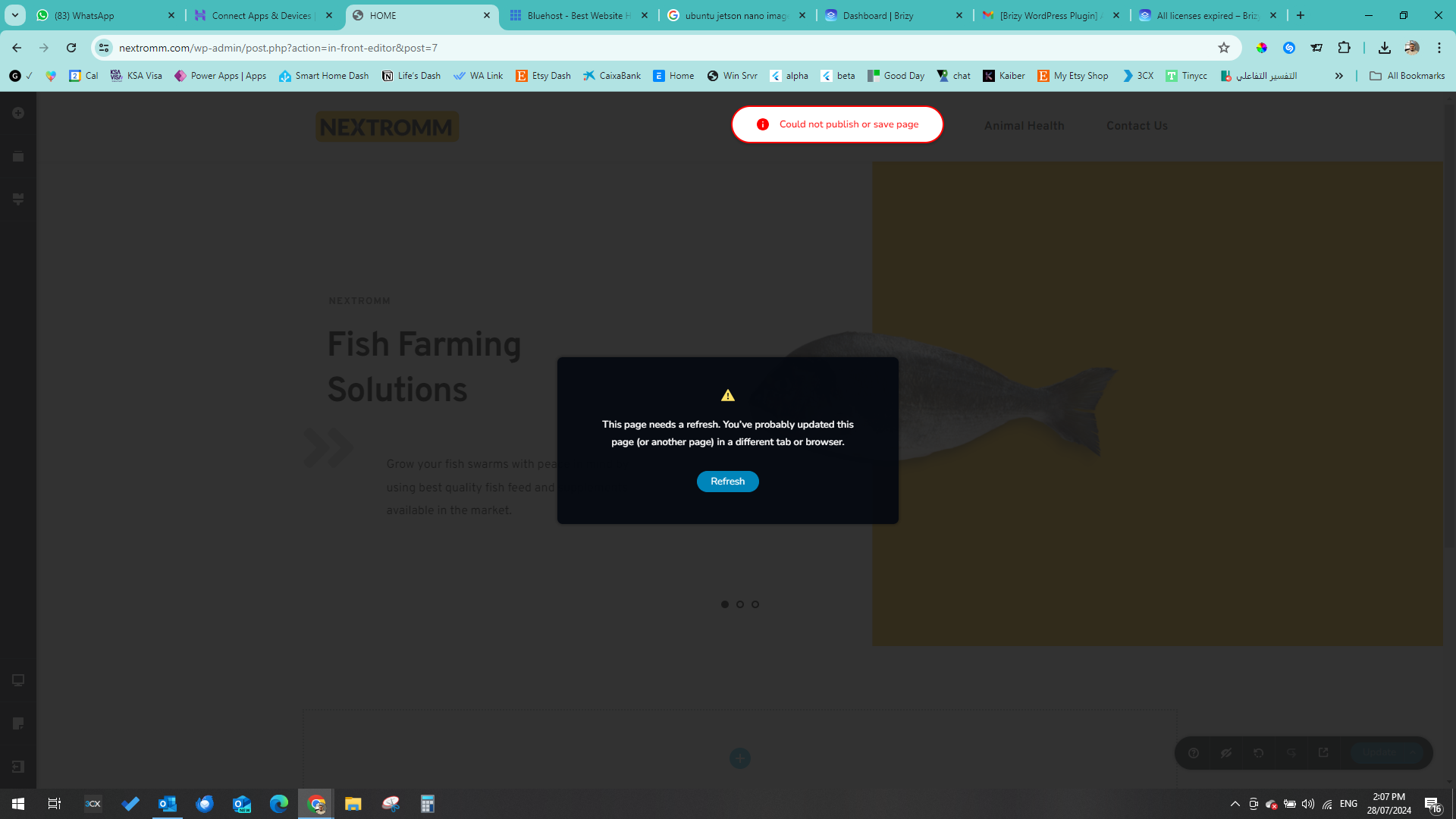
To solve the problem, I tried to do what you said but it didn't work. It gives me an error:
Your urgent help is highly appreciated.
 0
0 -
Hi Mamoun,
If you are using Wordfence Security plugin, in your WordPress Dashboard under Wordfence - All Options - Firewall Options, kindly enable the "Learning Mode". Have a look at the screenshot at https://jmp.sh/IsZRJwcd
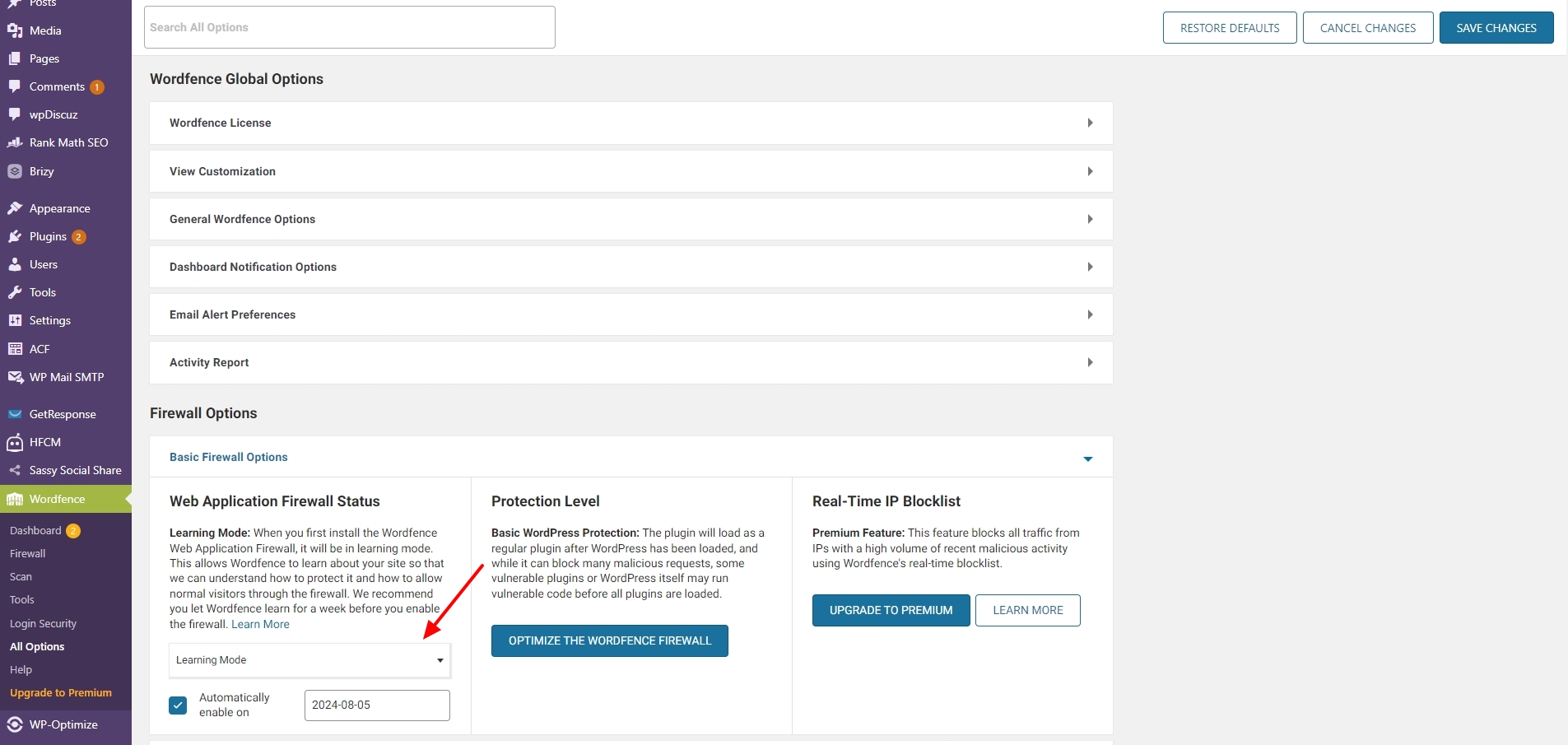
Then follow the work-around procedure to fix the issue with the header and footer.
- Open any page of the website, make a minor change to the global header, reverse the change
- Similarly make a minor change to the footer, reverse it
- Update your project
After you make the changes to the pages, turn the Wordfence plugin to the "Protection Mode". Please try this and let us know if the issue resolves
0
Please sign in to leave a comment.
Comments
7 comments