I can't find Brizy Pro Plugin in Wordpress

Hello,
I tried to install Brizy Pro in WordPress to use my license, but coulnd't find Pro, except free Brizy which doesn't have the license tab in WP.
Kindly help, as it is urgent.
0
-

Hi Olatokunbo,
The Brizy Pro plugin is not available in the WordPress plugin repository. Kindly follow these steps to install Brizy Pro
- Sign in to your Brizy account at https://www.brizy.io/account/login
- Under the heading "Brizy WordPress Plugin" click on "Download Brizy Pro 2.4.38" to download the plugin ZIP file
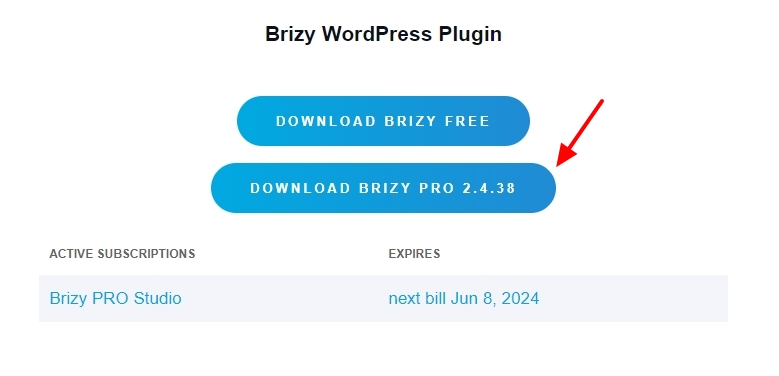
- In your WordPress Dashboard, under Plugins- Add New Plugin, select the 'Upload Plugin' button
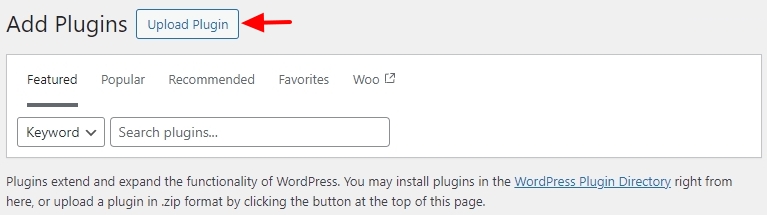
- Upload the Brizy Pro plugin you have downloaded in a previous step and activate the plugin.
- Add the Brizy Pro license key under Brizy - Settings - License tab
For more detailed instructions, kindly watch this tutorial How to install Brizy PRO and activate your PRO license
0
Please sign in to leave a comment.
Comments
1 comment