Brizy and ConvertKit integration

Hi, when I connected my ConvertKit account and tested the signed up process, I had this problem: even if the form has one single field, email, the data being sent to ConvertKit is as follow:
Email: correct
First Name: the part that comes before @ - see attachment below.
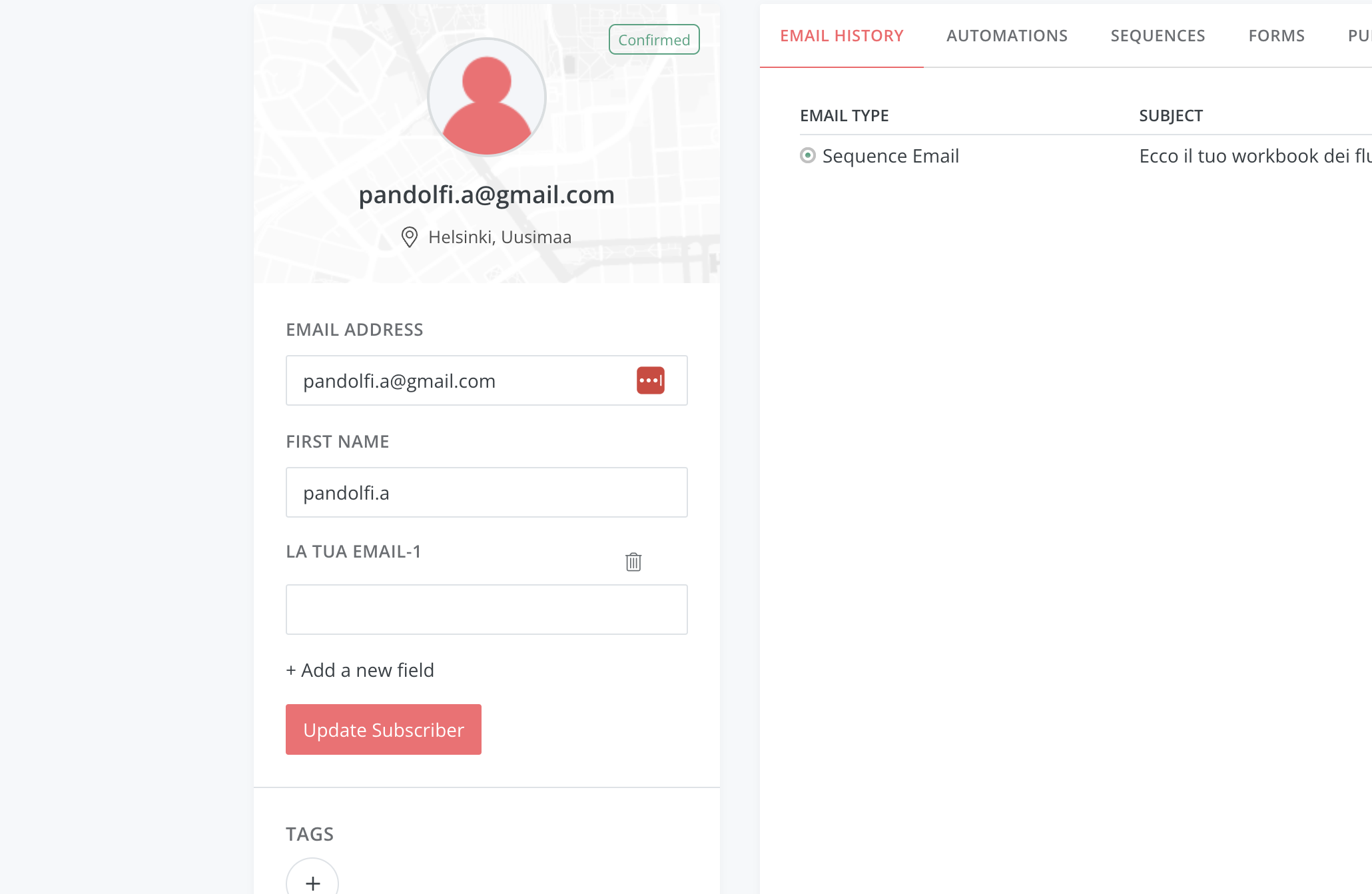
As I said, the form has only one field, email. You can see the form on this page https://www.alessiapandolfi.com/blog/come-creare-newsletter-con-ia/ if you scroll down until the bottom of the page.
This issue does not happen with ActiveCampaign, which is currently connected. Also, this happens with any other form as well, not just the one in the page I sent you.
Below the form's settings: 
-

Hi Alessia,
You are correct; even though the API simply passes on the email address, ConvertKit seems to add the First Name automatically based on the initial portion of the email. This may be how ConvertKit is designed to work.
User email addresses are being captured successfully in the ConvertKit Subscribers database. How about using just the email address and disregarding the first name ConvertKit adds automatically?
0 -
Well, i usually use the FIRSTNAME merge tag in my emails, and I would like to keep using it. But I obviously can't if this is the situation.
I don't understand why the first name field would be gathered even if there is no field. Have you had this same issue with ConvertKit?
0 -
Hi Alessia,
I had the same issue with ConvertKit in my testing.
Since you are not capturing the First Name through the subscription form, you might wish to avoid utilizing the FIRSTNAME merge tag for this specific email campaign. The alternative is to add a First Name field to your subscription form and then use the FIRSTNAME merge tag in your emails.
Additionally, you may want to inquire with ConvertKit if adding the first name automatically is the standard procedure, even though the API simply passes on the email address.
0 -
Thanks, I'll be checking in with ConvertKit direcly, then. thank you!
0 -
Hi, I have reconnected ConvertKit 4 times and Brizy does not sync all the tags. Only some of them are being displayed, but not all.
I have already cleared the cache, reconnected the API keys four times, tried another browser, i still get the same error and then I have to reconnect all the forms.
0 -
Actually, it seems that Brizy connects to the sequences directly, without going through the tags but..why?
0 -
Hi Alessia,
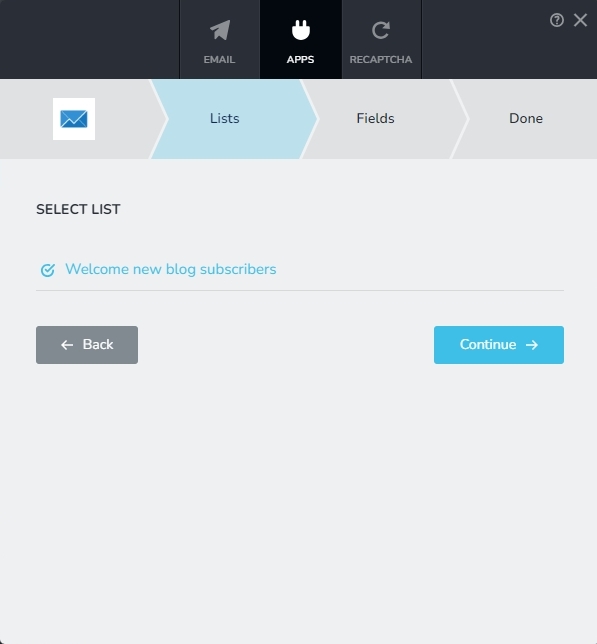
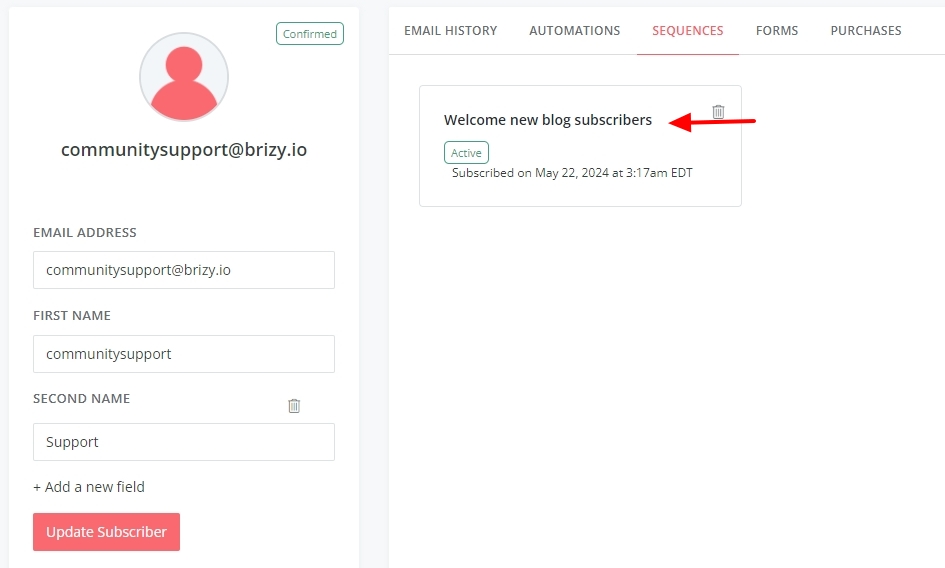
When adding a subscriber to the ConvertKit subscriber database, Brizy adds it to the 'Sequence' selected during the API integration. In the below example, "Welcome new blog subscribers" sequence is selected during API integration. Hence all users who get added through this form will get added to this sequence.
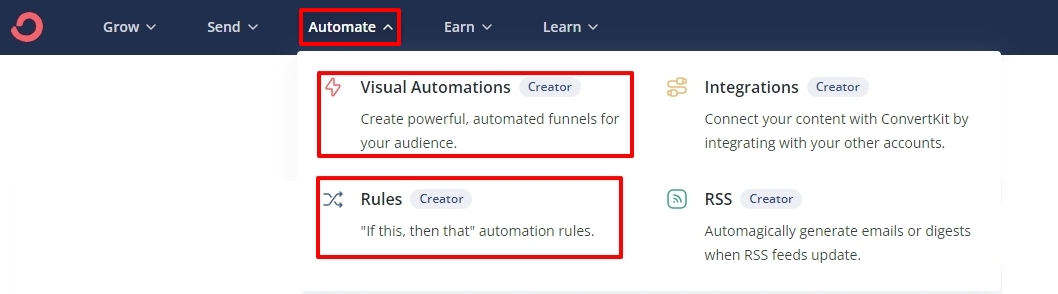
To add a specific tag to all subscribers who get added through the Brizy form, you will need to add a "Visual Automation" or a "Rule" in ConvetKit. Under the 'Automate" menu, select the 'Visual Automations' and 'Rules' sub menus for the procedure to set up automations.
 0
0
Please sign in to leave a comment.
Comments
7 comments