Brixy cloud- Menu element not showing on adding the menu element, shows some error.

Hi
I have been trying to resolve this error for a while now, but nothing seems to correct it. The menu element on adding to the block, shows an error instead of showing the names of the pages. You can see that below. Kindly look into it as soon as possible. As I want to add new pages and publish them, but I am unable to.
Thank you.
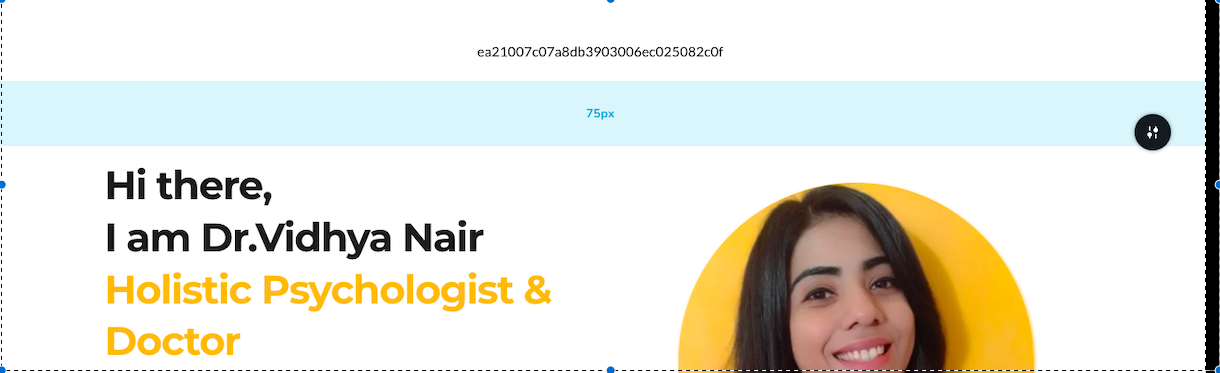
-

Hi Vidhya,
Kindly activate Pro features on your project by selecting the "Activate PRO" option in your project thumbnail and check if you are able to add a menu.
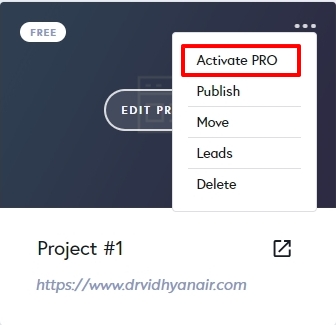
Looks like you have revived an older project which was developed before 2021. Your project was created using an older project format and the features that were added in the last 3 years are missing in your project. To use all the features that are currently available in Brizy Cloud, you must recreate the website starting with a new project following a manual process.
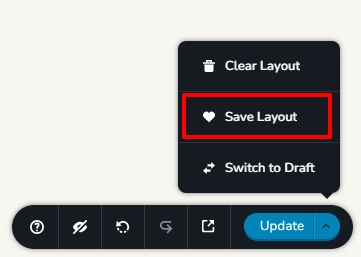
- Save each page as a layout in the old project (see the attached image)
- Create a new project and add pages one by one and import the page layouts saved in step 1
- Copy paste the global styles and typography from the old to the new project
- Recreate menu, setup global blocks and display conditions
- Re-setup the email notifications for Brizy forms in the new project
 0
0
Please sign in to leave a comment.
Comments
1 comment