Line break not displayed in comments.

Hi there,
Comments on my site secularbuddhistnetworg.org do not display line breaks with the same amount of space between the lines as paragraph text - see screenshot below.
I tried adding two spaces between lines but the spacing didn't change.
Can you advise?
Thanks!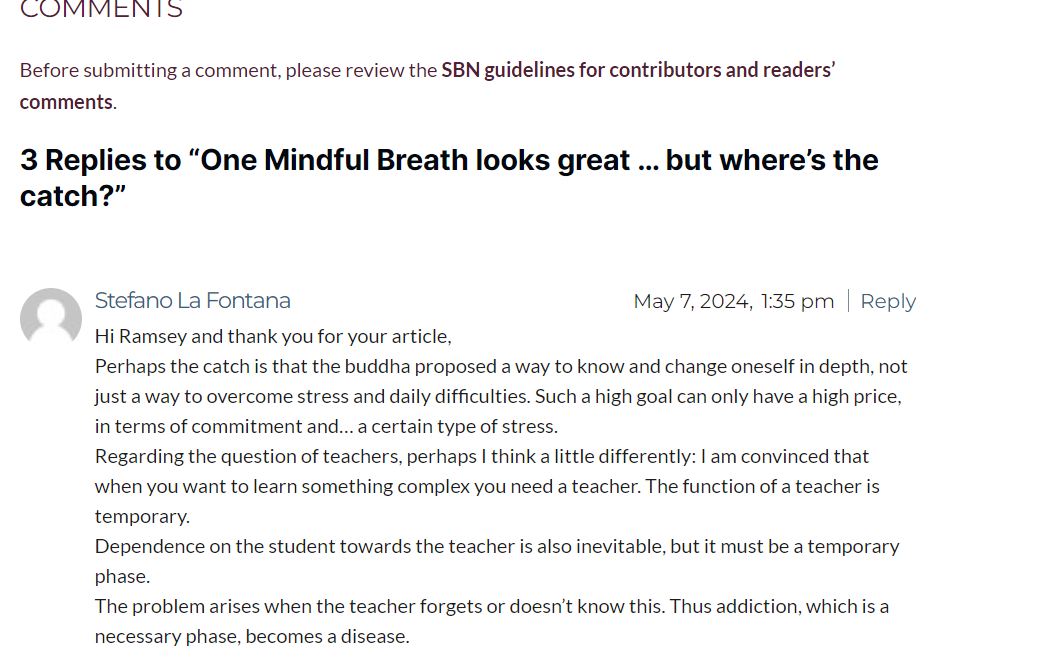
0
-

Hi Phoebe,
Thank you for contacting us.Please try using the below CSS to help fix this issue.
1. Go to the "Appearance" section and click on "Customize".
2. Click on "Additional CSS"
3. Paste the provided CSS code:
.brz .brz-comments .brz-comments .brz-comments__text p {
    margin-bottom: 20px;
}
You may change the value of the bottom margin as needed.
Please try this and let me know how it goes.Best regards,
Ariel H.0 -
Thanks Ariel, that worked perfectly :)
0
Please sign in to leave a comment.
Comments
2 comments