Project not configured

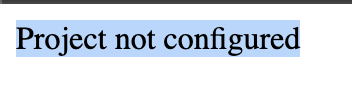
my client website www gemaistaraya co.id today not work. with this message
(Project not configured)
I follow all the previous cases in this support community, but nothing works.
Please help
thank you
-

Hi Seismiq,
Kindly sign into your Cloudflare DNS server and delete all the A records and AAAA Records listed below.
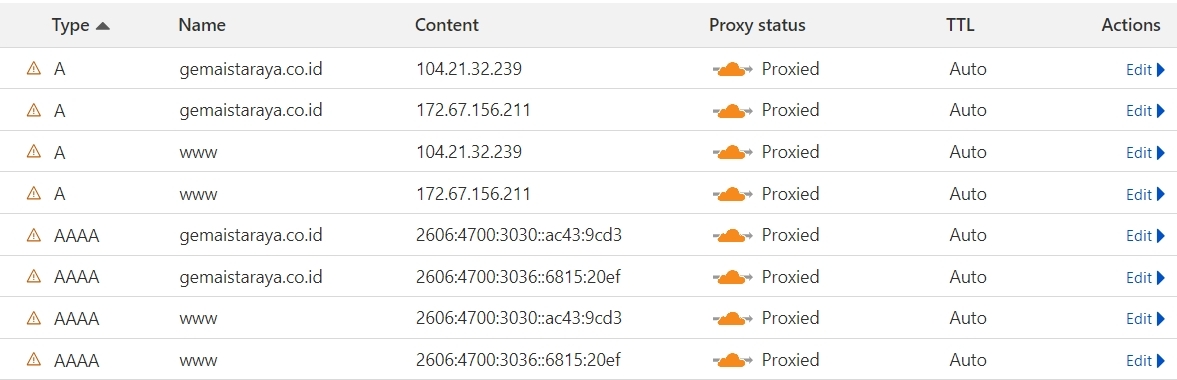
Kindly ensure that the 'Current Data' for A Record and the CNAME Record matches with the 'Required Data'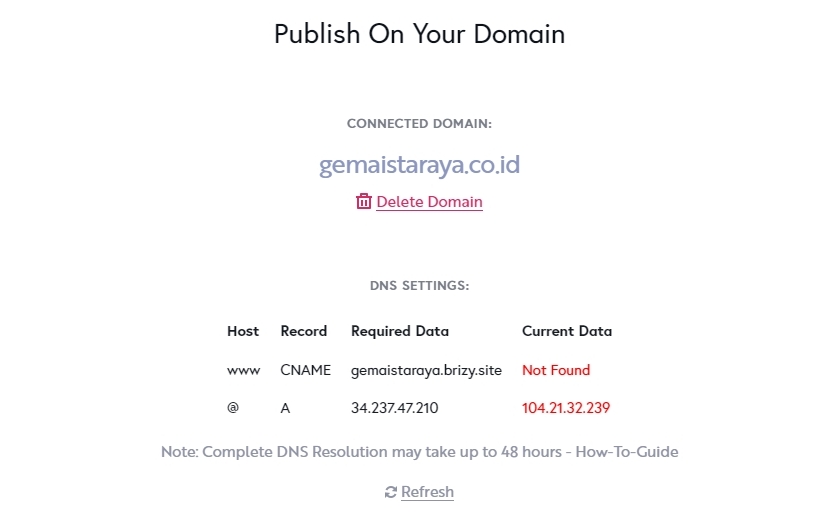 You must add these two records in Cloudflare.

Kindly ensure that the DNS Proxy is disabled for both the A Record and the CNAME Record. Under the heading "Proxy Status", you will see "DNS Only" when Proxy is disabled (and not "Proxied")
Once you do this, if you see an SSL error when visiting your website, kindly get back to us. We will install the SSL certificate.
0 -

I have tried the above solution and followed the steps but the issue remains, Please let me know how can I fix this issue.
Thanks,
0 -

Hi Burhan,
Thank you for reaching out. Could you please provide your domain name so we can take a look?
Kind regards,
Ariel H.0
Please sign in to leave a comment.
Comments
3 comments